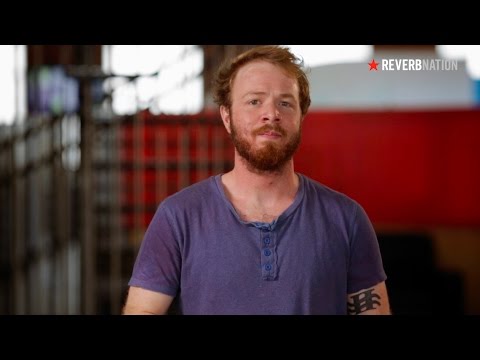
Playback starts YouTube’s embedded player (privacy-enhanced mode).
How to Get Your Music Onto iTunes & Spotify | Digital Distribution Guidelines
ChannelReverbNationDescription from the creator
reverbnation.com/band-promotion/distribution/?u…
Do you have new music that you’re trying to submit to an online store like iTunes, Amazon, Google Play, or Spotify? Here are some helpful guidelines you can follow when submitting your cover art and songs for Digital Distribution. This video covers artwork guidelines, as well as specific copyright and trademark requirements, so that your music will be available for you fans soon after submitting.
Here are some of the main guidelines covered in the video:
- You must own 100% of the music and samples (as well as any logos or trademarks) in your cover art
- Your cover art must be a perfect square (ideally 1500 pixels by 1500 pixels)
- Your artwork must be a high quality image that is not pixelated or blurry
- You cannot include any images of drugs, nudity, or extreme violence
- The only accepted cover art text is the album title, artist name, and record label name. This information must also match your song details
- Any contributing artists must be included in the Contributing Artist section — not in the song title.
Check out ReverbNation for more information on getting your music onto iTunes, Amazon, Spotify, and other digital retailers. Email [email protected] if you have any more questions.
Good luck with your new release.
© 2014 ReverbNation.
Do you have new music that you’re trying to submit to an online store like iTunes, Amazon, Google Play, or Spotify? Here are some helpful guidelines you can follow when submitting your cover art and songs for Digital Distribution. This video covers artwork guidelines, as well as specific copyright and trademark requirements, so that your music will be available for you fans soon after submitting.
Here are some of the main guidelines covered in the video:
- You must own 100% of the music and samples (as well as any logos or trademarks) in your cover art
- Your cover art must be a perfect square (ideally 1500 pixels by 1500 pixels)
- Your artwork must be a high quality image that is not pixelated or blurry
- You cannot include any images of drugs, nudity, or extreme violence
- The only accepted cover art text is the album title, artist name, and record label name. This information must also match your song details
- Any contributing artists must be included in the Contributing Artist section — not in the song title.
Check out ReverbNation for more information on getting your music onto iTunes, Amazon, Spotify, and other digital retailers. Email [email protected] if you have any more questions.
Good luck with your new release.
© 2014 ReverbNation.
About this tutorial
ReverbNation published this 2:17 video tutorial on October 31, 2015. It has been watched 134,444 times on YouTube.
- Channel
- ReverbNation
- Category
- Music
- Duration
- 2:17
- Published
- October 31, 2015
- Views
- 134,444
- Likes
- 1,484
Tags
Share
This tutorial in other languages
- FRComment obtenir votre musique sur iTunes et Spotify | Directives de distribution numérique
- ESCómo obtener su música en iTunes y Spotify | Pautas de distribución digital
- PTComo obter as músicas no iTunes e Spotify | Diretrizes de distribuição digital
- ITCome ottenere il vostro musica su iTunes e Spotify | Linee guida distribuzione digitale
- DEWie Sie Ihre Musik auf iTunes & Spotify Get | Digital Distribution-Richtlinien
- NLHoe u uw muziek naar iTunes en Spotify | Digital Distribution Richtlijnen
- RUКак получить музыку на ITunes и Spotify | Руководство по цифровой дистрибуции
- PLJak uzyskać muzykę do iTunes i Spotify | Dystrybucja cyfrowa Wytyczne
- JAiTunesの&Spotifyはにあなたの音楽を取得する方法|デジタル配信のガイドライン
- ARكيفية الحصول على الموسيقى الخاصة بك على اي تيونز وسبوتيفي | إرشادات التوزيع الرقمية
- HIकैसे iTunes और Spotify पर अपना संगीत पाने के लिए | डिजिटल वितरण दिशानिर्देश
- IDBagaimana Mendapatkan Musik Ke iTunes & Spotify | Pedoman Distribusi Digital