Playback starts YouTube’s embedded player (privacy-enhanced mode).
How to Invert Colors in Windows (Black Background, White Text)
ChannelfuruleviDescription from the creator
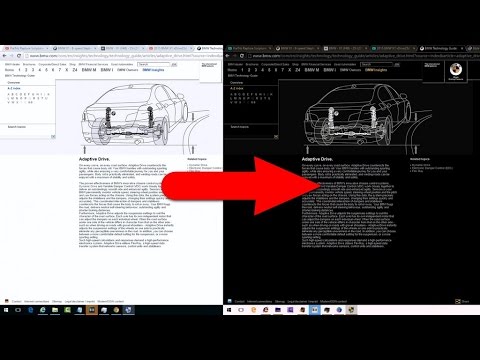
How to invert the colors of your screen (negative) under Windows for easier reading and less radiation from the display. How to turn the white background into black and the black text into white.
- run the Magnifier (Magnify.exe)
- click on the Wheel (Options)
- check "Turn on color inversion"
Under Windows 10:
- Windows key + Numeric Plus key (show magnifier)
- Control + Alt + I (Invert colors)
2021 version of this video ► youtu.be/Anx8qBaU_LQ
- run the Magnifier (Magnify.exe)
- click on the Wheel (Options)
- check "Turn on color inversion"
Under Windows 10:
- Windows key + Numeric Plus key (show magnifier)
- Control + Alt + I (Invert colors)
2021 version of this video ► youtu.be/Anx8qBaU_LQ
About this tutorial
furulevi published this 1:26 video tutorial on November 13, 2016. It has been watched 249,215 times on YouTube.
Tags
Share
This tutorial in other languages
- FRComment Inverser les couleurs dans Windows (fond noir, texte blanc)
- ESCómo invertir los colores en Windows (Fondo Negro, texto blanco)
- PTComo Inverter cores no Windows (fundo preto, texto branco)
- ITCome invertire Colori in Windows (sfondo nero, bianco testo)
- DEWie man Farben invertieren in Windows (Schwarzer Hintergrund, weißer Text)
- NLHoe kan Kleuren omkeren in Windows (zwarte achtergrond, witte tekst)
- RUКак инвертировать цвета в ОС Windows (черный фон, белый текст)
- PLJak odwrócić kolory w systemie Windows (czarne tło, biały tekst)
- JAどのようにWindowsの(黒背景、白のテキスト)での反転色に
- ARكيفية عكس الألوان في ويندوز (الأسود الخلفية، نص أبيض)
- HIWindows में कैसे रंग उलटें को (काली पृष्ठभूमि, सफेद पाठ)
- IDCara Invert Warna pada Windows (Black Background, White Text)