Playback starts YouTube’s embedded player (privacy-enhanced mode).
How To Set Up a Remote Mixing Session (Screen sharing + Audio streaming from a DAW)
ChannelFederico AscariDescription from the creator
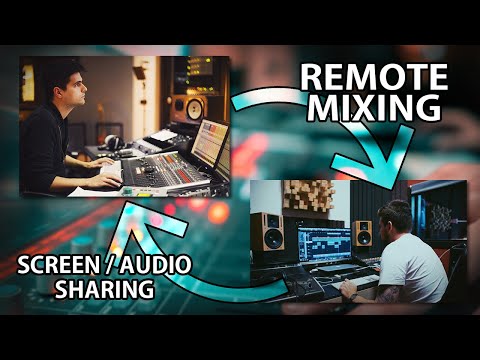
Here's a cool way to keep making music with your friends and collaborators while we're stuck at home. My friend Giovanni will share his screen and the audio stream coming out of his DAW with me, and I will apply EQ changes on his session, without transfering files.
If you have a great connection, you could use this to mix sessions remotely, fix mistakes before sending a song off to mastering, or even giving mixing lessons.
In order to setup a remote mixing session, you need:
- A screen sharing software (like AnyDesk or TeamViewer)
- The Audiomovers ListenTo plugin
The person whose audio has to be streamed (Giovanni in this case) will have to place the ListenTo plugin on his DAW output bus (after the limiter). You'll log in to your Audiomovers account, select the quality (PCM 24 bit stream is possible!) and send the private link (can be password protected) to the other person (me). Then, I only have to paste it into my brower, type the password and confirm!
It looks like Audiomovers is still a young company and because of the current situation in which everyone's streaming from their houses, their servers can't always handle the high traffic. So this might take some trial and error these days, but I'm confident this will work perfectly soon.
Follow Giovanni:
► IG: @giovannibottan
► giovannibottan.com/
If you want to support the channel, please subscribe and ring the notification bell!
Also leave a comment with any question you might have and I'll answer them in a future Q&A vid. Feel free to also let me know if you have any idea or requests for future videos.
--------------------------------------
FOLLOW ME:
► instagram.com/ascari.wav
FREEBIES & DOWNLOADS:
► Collapse Snare (NKI & TCI Snare samples) - wavemotionrecordings.com/collapsesnare
► Zeta Impulses (Free cab IR pack) - bit.ly/2Huriel
MY STUDIO
► wavemotionrecordings.com
I'm available for mixing and mastering work.
MY BAND
► instagram.com/thewindcovenant
► facebook.com/thewindcovenant
DISCOUNT CODES
► Bogren Digital - 15% Off sitewide with code "ASCARI" - bogrendigital.com/?ref=ascari
► Impact Studios - 10 % Off sitewide with code "Ascari10" - bit.ly/2E97sTK
► DistroKid - 7% Off your first year's membership - distrokid.com/vip/ascari
► Fiverr - 20% Off your first purchase - fiverr.com/s2/ab9a33625b
► PluginFox - Affiliate Link - pluginfox.co/?aff=ascari
--------------------------------------
#remotemixing #audiomovers #listento
If you have a great connection, you could use this to mix sessions remotely, fix mistakes before sending a song off to mastering, or even giving mixing lessons.
In order to setup a remote mixing session, you need:
- A screen sharing software (like AnyDesk or TeamViewer)
- The Audiomovers ListenTo plugin
The person whose audio has to be streamed (Giovanni in this case) will have to place the ListenTo plugin on his DAW output bus (after the limiter). You'll log in to your Audiomovers account, select the quality (PCM 24 bit stream is possible!) and send the private link (can be password protected) to the other person (me). Then, I only have to paste it into my brower, type the password and confirm!
It looks like Audiomovers is still a young company and because of the current situation in which everyone's streaming from their houses, their servers can't always handle the high traffic. So this might take some trial and error these days, but I'm confident this will work perfectly soon.
Follow Giovanni:
► IG: @giovannibottan
► giovannibottan.com/
If you want to support the channel, please subscribe and ring the notification bell!
Also leave a comment with any question you might have and I'll answer them in a future Q&A vid. Feel free to also let me know if you have any idea or requests for future videos.
--------------------------------------
FOLLOW ME:
► instagram.com/ascari.wav
FREEBIES & DOWNLOADS:
► Collapse Snare (NKI & TCI Snare samples) - wavemotionrecordings.com/collapsesnare
► Zeta Impulses (Free cab IR pack) - bit.ly/2Huriel
MY STUDIO
► wavemotionrecordings.com
I'm available for mixing and mastering work.
MY BAND
► instagram.com/thewindcovenant
► facebook.com/thewindcovenant
DISCOUNT CODES
► Bogren Digital - 15% Off sitewide with code "ASCARI" - bogrendigital.com/?ref=ascari
► Impact Studios - 10 % Off sitewide with code "Ascari10" - bit.ly/2E97sTK
► DistroKid - 7% Off your first year's membership - distrokid.com/vip/ascari
► Fiverr - 20% Off your first purchase - fiverr.com/s2/ab9a33625b
► PluginFox - Affiliate Link - pluginfox.co/?aff=ascari
--------------------------------------
#remotemixing #audiomovers #listento
About this tutorial
Federico Ascari published this 4:57 video tutorial on April 14, 2020. It has been watched 30,897 times on YouTube.
- Channel
- Federico Ascari
- Category
- Music
- Duration
- 4:57
- Published
- April 14, 2020
- Views
- 30,897
- Likes
- 460
Tags
Share
This tutorial in other languages
- FRComment faire pour configurer une session de mixage à distance (de partage d'écran + Streaming audio à partir d'un DAW)
- ESCómo configurar una sesión de mezcla remoto (compartir pantalla + streaming de audio desde un DAW)
- PTComo configurar uma sessão de mistura remoto (compartilhamento de tela + streaming de áudio a partir de um DAW)
- ITCome impostare una sessione di miscelazione remoto (condivisione dello schermo + Audio streaming da un DAW)
- DEWie Einrichten eines Remote-Mixing Session (Screen-Sharing + Audio-Streaming von einer DAW)
- NLHoe het opzetten van een Remote Mengen Session (Screen sharing + Audio streamen vanaf een DAW)
- RUКак настроить Remote Mixing Session (совместное использование экрана + потоковое аудио из DAW)
- PLJak skonfigurować zdalny Mixing sesji (dzielenie ekranu + Audio Streaming z DAW)
- JAどのように設定アップリモートミキシングセッション(DAWからのストリーミング画面共有+オーディオ)
- ARكيفية إعداد وخلط بعد الدورة (تقاسم الشاشة + الصوت يتدفقون من شعبة النهوض بالمرأة)
- HIकैसे करने के लिए सेट अप एक रिमोट मिश्रण सत्र (स्क्रीन साझा + ऑडियो एक DAW से स्ट्रीमिंग)
- IDCara Set Up Remote Mixing Sesi (Layar berbagi + Audio streaming dari DAW a)