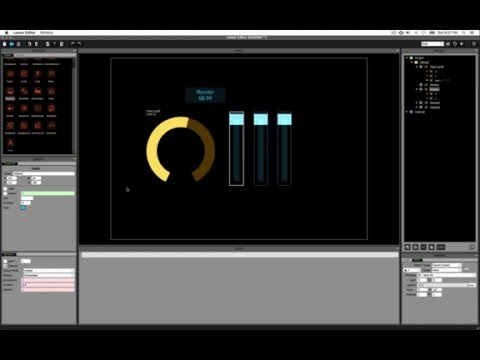
Playback starts YouTube’s embedded player (privacy-enhanced mode).
Lemur Editor In Depth Tutorial - Part 1
ChannelJust hacking AroundChapters
Description from the creator
In case YouTube disables it, the like/dislike ratio is 459 / 5 as of February 2023.
Far from a "quick tips" video, we start from scratch and build knowledge of Lemur from the ground up. This is for anyone who would like to learn how the pieces of Lemur fit together by taking things a step at a time, and allowing topics to naturally flow from one to the next. There are several topics mentioned in the video which I didn't get a chance to cover yet, so if you would like another video which continues in the same manner, let me know in the comments.
Download Lemur Software & Manual:
liine.net/en/downloads/lemur
Video Guide
00:00 - Introduction / Installation
00:45 - Choosing a Canvas Size
01:54 - Adding Knob and Fader (Basic Properties)
03:16 - Connecting to iPad / Lemur Device
03:54 - Customizing the Interface
05:08 - Object Properties (continued)
06:41 - Introduction to Variables
07:48 - Displaying Variables (z and x) Using the "Monitor" Object
09:36 - Configuring Displayed Range (e.g., 0...127)
10:47 - Creating a Variable & Customizing Output Range
12:00 - Object Properties (continued)
12:45 - Object Grid
13:49 - Object Physics
16:09 - Lemur Manual Objects Documentation
17:24 - Using Faders to Control Physics of Other Controls
21:18 - Variable Scope
25:30 - Interfaces
26:38 - Creating and Configuring Containers
Far from a "quick tips" video, we start from scratch and build knowledge of Lemur from the ground up. This is for anyone who would like to learn how the pieces of Lemur fit together by taking things a step at a time, and allowing topics to naturally flow from one to the next. There are several topics mentioned in the video which I didn't get a chance to cover yet, so if you would like another video which continues in the same manner, let me know in the comments.
Download Lemur Software & Manual:
liine.net/en/downloads/lemur
Video Guide
00:00 - Introduction / Installation
00:45 - Choosing a Canvas Size
01:54 - Adding Knob and Fader (Basic Properties)
03:16 - Connecting to iPad / Lemur Device
03:54 - Customizing the Interface
05:08 - Object Properties (continued)
06:41 - Introduction to Variables
07:48 - Displaying Variables (z and x) Using the "Monitor" Object
09:36 - Configuring Displayed Range (e.g., 0...127)
10:47 - Creating a Variable & Customizing Output Range
12:00 - Object Properties (continued)
12:45 - Object Grid
13:49 - Object Physics
16:09 - Lemur Manual Objects Documentation
17:24 - Using Faders to Control Physics of Other Controls
21:18 - Variable Scope
25:30 - Interfaces
26:38 - Creating and Configuring Containers
About this tutorial
Just hacking Around published this 30:37 video tutorial on October 27, 2016. It has been watched 25,684 times on YouTube.
- Channel
- Just hacking Around
- Category
- Music
- Duration
- 30:37
- Published
- October 27, 2016
- Views
- 25,684
- Likes
- 468
Tags
Share
This tutorial in other languages
- FRLemur éditeur en profondeur Tutorial - Partie 1
- ESLemur Editor En Profundidad Tutorial - Parte 1
- PTLemur editor In Depth Tutorial - Parte 1
- ITLemur Editor Approfondimenti Tutorial - Part 1
- DELemur Editor In Depth Tutorial - Teil 1
- NLMaki Editor In Depth Tutorial - Part 1
- RULemur редактор глубины Учебник - Часть 1
- PLLemur Editor dogłębnie Tutorial - Część 1
- JAキツネザルエディタでチュート - パート1
- ARالليمور محرر في العمق دروس - الجزء 1
- HIलेमर संपादक में गहराई ट्यूटोरियल - भाग 1
- IDLemur Editor Dalam Depth Tutorial - Bagian 1