Afspelen laadt de ingesloten YouTube-speler (privacyvriendelijke modus).
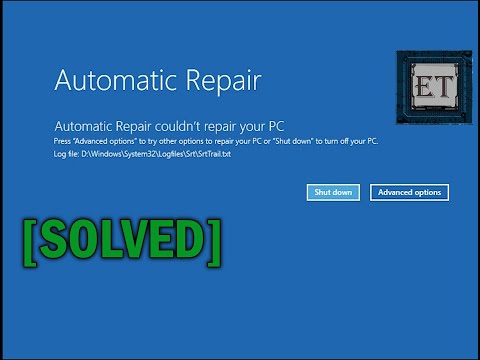
Automatische herstelmodus-lus in Windows 10 oplossen – Startherstel kon je PC niet repareren
KanaalEasyTechsIn het kort
Als je Windows 10-pc vastzit in een automatische herstelmodus-lus, leidt deze handleiding je door vier praktische oplossingen—van eenvoudige herstarten tot het herstellen van een eerdere registerback-up. Ideaal voor gebruikers die startproblemen ondervinden na updates of systeemwijzigingen.
Belangrijkste stappen
- Kies de optie ‘Opnieuw starten’ wanneer je daarom wordt gevraagd door het automatische herstelscherm.
- Gebruik de opdracht regback om terug te keren naar de laatste bekende goede registerconfiguratie.
- Maak een bootbare USB-stick van Windows 10 om het systeem te herstellen, indien nodig.
Vragen en antwoorden
Wat veroorzaakt de automatische herstelmodus-lus in Windows 10?
De lus treedt vaak op na onverenigbare updates of wijzigingen in systeeminstellingen/applicaties.
Heb ik een bootbare USB-stick nodig voor alle oplossingen?
Nee, alleen als de eerste drie methodes falen en je het systeem moet herstellen.
Beschrijving van de maker
Hier leer je hoe je het opstartprobleem met de automatische herstelmodus-lus in Windows 10 kunt verhelpen.
🧰 HULPMIDDELEN EN DIENSTEN DIE IK GEBRUIK EN AANBEVEEL
✅ Een geweldig dataterugwinningsprogramma dat ik gebruik om verloren of verwijderde bestanden te herstellen:
✅ Veilig je Windows-apps verplaatsen/migreren van de ene PC naar de andere:
✅ Bestanden, mappen en volumes permanent en veilig wissen:
🛠 ANDERE HANDIGE HULPMIDDELEN EN OPLOSSEN
🗣 VOLG MI OP SOCIAL MEDIA
👁 ABONNEER DEZE KANAAL
In deze handleiding laat ik je verschillende manieren zien om opstartproblemen in Windows 10 op te lossen, zoals de automatische herstelmodus-lus, de melding *„Je PC kon niet correct opstarten“*, oneindig herladen of andere vergelijkbare startproblemen die je kunt tegenkomen. Dit kan gebeuren nadat Windows updates heeft geïnstalleerd die incompatibel zijn met je geïnstalleerde software, of nadat je bepaalde systeeminstellingen of applicaties hebt gewijzigd. Als je weet wat het probleem heeft veroorzaakt, hoef je niet alle oplossingen uit te proberen – je kunt direct de methode kiezen die het meest waarschijnlijk je probleem oplost en die toepassen.
Methode 1: Gebruik de aanbevolen herstartoptie
Methode 2: Gebruik het opstartherstelprogramma.
Methode 3: Voer de registratie-backup-opdracht *regback* uit. Deze opdracht vervangt je huidige registratieconfiguratie met de laatste bekende goede configuratie op je PC, dus...
Over deze tutorial
EasyTechs publiceerde deze videotutorial van 7:27 op 25 oktober 2019. Hij is 14.269.883 keer bekeken op YouTube.
- Kanaal
- EasyTechs
- Categorie
- Wetenschap & technologie
- Duur
- 7:27
- Gepubliceerd
- 25 oktober 2019
- Weergaven
- 14.269.883
- Likes
- 123.654
Delen
Verder lezen
-
How to Fix Automatic Repair Loop in Windows 10 (Startup ...
mark-print.ru
Learn how to fix the blue screen automatic repair loop issue with the log file The BSOD startup problem is very common, and it is often caused by an abrupt shutdown, recent hardware changes or corrupt system files. Some…
-
How to Fix Windows 10 Automatic Repair Loop
richannel.org
Looking to fix windows 10 automatic repair loop problem? Then this guide will help you fix windows 10 automatic repair loop issues easily without any hassle. Windows 10 has its built-in repair tool to fix the errors in…
-
Windows 10 Automatic Repair Loop - Top 4 Ways to Troubleshoot
datarecovery.institute
When Windows says it is preparing Automatic Repair but at the end, you see a black screen with nothing on. When you see “Your PC did not start correctly” or “Automatic repair couldn’t repair your PC” messages on your sc…
Deze tutorial in andere talen
- ENHow to Fix Automatic Repair Loop in Windows 10 - Startup Repair Couldn’t Repair Your PC
- FRComment réparer automatique de réparation en boucle dans Windows 10 - Réparation de démarrage Impossible réparer votre PC
- ESCómo arreglar automática de reparación de bucle en Windows 10 - Reparación de inicio no podría reparar sus PC
- PTComo corrigir Automatic Repair laço no Windows 10 - Startup Repair Não foi possível reparar o seu PC
- ITCome risolvere automatica riparazione Loop in Windows 10 - Ripristino all'avvio Impossibile riparare il PC
- DEWie Fix Automatische Reparatur-Schleife in Windows 10 - Starthilfe nicht Ihren PC reparieren kann
- RUКак исправить автоматический Loop Repair в Windows 10 - Startup Repair Не удалось отремонтировать Ваш компьютер
- PLJak naprawić automatyczna naprawa pętli w systemie Windows 10 - Startup Repair Nie udało się naprawić swój komputer
- JAWindowsの10での自動修復ループを修正する方法 - スタートアップ修復は、あなたのPCを修復できませんでした
- ARكيفية إصلاح تلقائي إصلاح حلقة في نظام التشغيل Windows 10 - إصلاح بدء التشغيل لا يمكن إصلاح جهاز الكمبيوتر الخاص بك
- HIस्वत: मरम्मत लूप को कैसे सुधारें Windows 10 में - स्टार्टअप मरम्मत अपने पीसी मरम्मत नहीं की जा सकी
- IDCara Perbaiki Automatic Repair Loop Windows 10 - Startup Repair Tidak bisa Perbaikan PC Anda