Playback starts YouTube’s embedded player (privacy-enhanced mode).
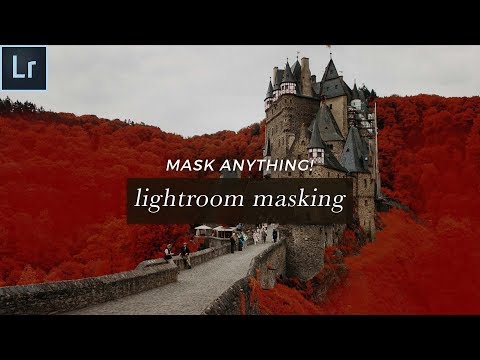
Auto Mask Lightroom Tutorial - How To Mask Anything FAST!
ChannelSignature EditsDescription from the creator
Lightroom Masking is one of the best features in Lightroom! But the auto mask feature in Lightroom is one of the biggest Lightroom Secrets a lot of people have never heard of.
Masking in Lightroom is easy. In this tutorial you're going to learn the easy way to auto mask in lightroom - Using Lightroom masking brushes to affect Lightroom masks for color, mask overlays, and doing things like recovering blown out backgrounds or getting detail back in the sky.
This Lightroom trick literally changed the way I edit forever - I had no idea how easy it was to create masks in Lightroom, and no idea how masking in Lightroom works as a photoshop replacement for MANY applications.
In this tutorial you'll learn how to create masks in step by step. We'll go through several images and create masks for a variety of reasons, and show you the easiest way to make masks in your lightroom edits.
*FREE PRESET SAMPLE*
shop.signatureedits.com/byo-preset-toolkit-samp…
*GET MORE CLIENTS*
shop.signatureedits.com/marketing-branding-memb…
*FREE MARKETING TEMPLATES*
shop.signatureedits.com/free-branding-bundle
And for anyone wondering...
🔥📸 **COMPLETE GEAR LIST** 📸🔥
Here Is My Complete List Of ALL The Gear & Software I'm Using 💪💪
If you click these links I might earn a little commission to fuel my coffee habit—no extra cost to you, just my appreciation!
📷 PHOTO GEAR
* Camera: Sony A7IV 📸amzn.to/4hCGC8m
* Main lens: Tamron 35-150 f2-2.8 🔥amzn.to/3AA0S9Y
* Wide Prime: Sony 28mm f2.0 📏amzn.to/3YI9pPY
* Portrait Prime: Sony G 50mm f1.8 💫amzn.to/4hFTI4M
* Ultra Wide: Sony G 16-35mm 2.8 🌅amzn.to/3YDUI0n
* My must-have filter: Neewer magnetic CPL ☀️amzn.to/3YC8MaR
* Must-have filter #2: Neewer 1/8 strength BlackMist filters 🎨amzn.to/40C7e36
* Travel Tripod: Leofoto MT-03 amzn.to/3YWm3fF
* Camera Bag: Shimoda Explore 25L V2.0 🎒amzn.to/4fAaPDa
* External Flash: Yongnuo YN560 III Wireless Flash Speedlite ⚡amzn.to/3Cc6NSX
* Constant Light: Aputure Amaran AL-ME 💡amzn.to/3YWOpqa
💻 **PHOTO BUSINESS SOFTWARE**
* Photography Website / Webhost: Pixieset 🌐pixieset.com/ref/gml9ltob8N
* Client Galleries: Pixieset 🖼️pixieset.com/ref/gml9ltob8N
* Albums & Prints: Pixieset 📚pixieset.com/ref/gml9ltob8N
* Client Calls: Zoom Pro 🗣️zoom.us/
💻 **COMPUTER/EDITING**
* 16-inch MacBook M1 Pro + 16GB RAM 🍏amzn.to/40ENigg
* 27-inch Apple Display 🖥️amzn.to/4fxT4UQ
* Culling Images: Photo Mechanic 📸home.camerabits.com/
* Editing (Initial Edits): Imagen AI ✨imagen-ai.com/?ref_id=616913675
* Editing (Final tweaks + polish): Adobe Lightroom Classic 🎛️adobe.prf.hn/click/camref:1011lEDhV
* Blog Writing: ChatGPT 📝openai.com/index/chatgpt-plus/
* Getting Published: TwoBrightLights 🌟twobrightlights.com/
🎨 **PRESETS**
* ImagenAI with custom profile trained on 10k+ of my edits 📥account.imagen-ai.com/bundle/signature-edits-pr…
🔒 **BACKUPS**
* Pixieset for final client images 💾pixieset.com/ref/gml9ltob8N
* Samsung 2TB SSD for RAWs current year 🗃️amzn.to/48I5JCx
* Cheapo 4TB External HDD for backup of all SELECTS at the end of the year 🛡️amzn.to/48I5APv
📹 **YOUTUBE GEAR**
* Panasonic S5 🎥amzn.to/3Z0dP5h
* Sigma Art 35mm f1.8 📏amzn.to/3YCdh57
* Elgato Prompter 🖥️amzn.to/4ffFdTr
* Elgato Foot Pedal 👣amzn.to/3UGlwvQ
* Leofoto MT-03 Tabletop Tripod 🗂️amzn.to/3YD8QXY
* Elgato Camlink 4k 🎞️amzn.to/4ffzQ6Y
* DJI Osmo Pocket 3 for YT Shorts + Travel ✈️amzn.to/3YI20Ag
**🎤 AUDIO**
* Deity D4 plugged directly into Camera 🎙️amzn.to/3AFB5gs
* 1/8 inch extension to plug mic into camera 🔌amzn.to/3YXAwrK
* Cheap micstand overhead as a boom arm for Deity D4 📏amzn.to/3O5IMj3
* Shure MV7 for travel/loud environments, plugged directly into computer 🚀amzn.to/3NZzBkd
* Cheap Amazon scissor stand for Shure MV7 michttps://amzn.to/3NZ5UQw
* DJI Mic kit for wireless audio 🎤amzn.to/3AyaqSL
💡** LIGHTING**
* Falconeyes RX18TDX (Keylight) 💡amzn.to/4fesIaT
* Ring light above camera (Catchlight) 💍amzn.to/4hFomLt
* Neewer CB100C (Background Light) 🕯️amzn.to/3UH6QfW
* Wiz Smart LED RGB Bulbs (Lamp, atmosphere lights) 🌈amzn.to/3UJsReh
Masking in Lightroom is easy. In this tutorial you're going to learn the easy way to auto mask in lightroom - Using Lightroom masking brushes to affect Lightroom masks for color, mask overlays, and doing things like recovering blown out backgrounds or getting detail back in the sky.
This Lightroom trick literally changed the way I edit forever - I had no idea how easy it was to create masks in Lightroom, and no idea how masking in Lightroom works as a photoshop replacement for MANY applications.
In this tutorial you'll learn how to create masks in step by step. We'll go through several images and create masks for a variety of reasons, and show you the easiest way to make masks in your lightroom edits.
*FREE PRESET SAMPLE*
shop.signatureedits.com/byo-preset-toolkit-samp…
*GET MORE CLIENTS*
shop.signatureedits.com/marketing-branding-memb…
*FREE MARKETING TEMPLATES*
shop.signatureedits.com/free-branding-bundle
And for anyone wondering...
🔥📸 **COMPLETE GEAR LIST** 📸🔥
Here Is My Complete List Of ALL The Gear & Software I'm Using 💪💪
If you click these links I might earn a little commission to fuel my coffee habit—no extra cost to you, just my appreciation!
📷 PHOTO GEAR
* Camera: Sony A7IV 📸amzn.to/4hCGC8m
* Main lens: Tamron 35-150 f2-2.8 🔥amzn.to/3AA0S9Y
* Wide Prime: Sony 28mm f2.0 📏amzn.to/3YI9pPY
* Portrait Prime: Sony G 50mm f1.8 💫amzn.to/4hFTI4M
* Ultra Wide: Sony G 16-35mm 2.8 🌅amzn.to/3YDUI0n
* My must-have filter: Neewer magnetic CPL ☀️amzn.to/3YC8MaR
* Must-have filter #2: Neewer 1/8 strength BlackMist filters 🎨amzn.to/40C7e36
* Travel Tripod: Leofoto MT-03 amzn.to/3YWm3fF
* Camera Bag: Shimoda Explore 25L V2.0 🎒amzn.to/4fAaPDa
* External Flash: Yongnuo YN560 III Wireless Flash Speedlite ⚡amzn.to/3Cc6NSX
* Constant Light: Aputure Amaran AL-ME 💡amzn.to/3YWOpqa
💻 **PHOTO BUSINESS SOFTWARE**
* Photography Website / Webhost: Pixieset 🌐pixieset.com/ref/gml9ltob8N
* Client Galleries: Pixieset 🖼️pixieset.com/ref/gml9ltob8N
* Albums & Prints: Pixieset 📚pixieset.com/ref/gml9ltob8N
* Client Calls: Zoom Pro 🗣️zoom.us/
💻 **COMPUTER/EDITING**
* 16-inch MacBook M1 Pro + 16GB RAM 🍏amzn.to/40ENigg
* 27-inch Apple Display 🖥️amzn.to/4fxT4UQ
* Culling Images: Photo Mechanic 📸home.camerabits.com/
* Editing (Initial Edits): Imagen AI ✨imagen-ai.com/?ref_id=616913675
* Editing (Final tweaks + polish): Adobe Lightroom Classic 🎛️adobe.prf.hn/click/camref:1011lEDhV
* Blog Writing: ChatGPT 📝openai.com/index/chatgpt-plus/
* Getting Published: TwoBrightLights 🌟twobrightlights.com/
🎨 **PRESETS**
* ImagenAI with custom profile trained on 10k+ of my edits 📥account.imagen-ai.com/bundle/signature-edits-pr…
🔒 **BACKUPS**
* Pixieset for final client images 💾pixieset.com/ref/gml9ltob8N
* Samsung 2TB SSD for RAWs current year 🗃️amzn.to/48I5JCx
* Cheapo 4TB External HDD for backup of all SELECTS at the end of the year 🛡️amzn.to/48I5APv
📹 **YOUTUBE GEAR**
* Panasonic S5 🎥amzn.to/3Z0dP5h
* Sigma Art 35mm f1.8 📏amzn.to/3YCdh57
* Elgato Prompter 🖥️amzn.to/4ffFdTr
* Elgato Foot Pedal 👣amzn.to/3UGlwvQ
* Leofoto MT-03 Tabletop Tripod 🗂️amzn.to/3YD8QXY
* Elgato Camlink 4k 🎞️amzn.to/4ffzQ6Y
* DJI Osmo Pocket 3 for YT Shorts + Travel ✈️amzn.to/3YI20Ag
**🎤 AUDIO**
* Deity D4 plugged directly into Camera 🎙️amzn.to/3AFB5gs
* 1/8 inch extension to plug mic into camera 🔌amzn.to/3YXAwrK
* Cheap micstand overhead as a boom arm for Deity D4 📏amzn.to/3O5IMj3
* Shure MV7 for travel/loud environments, plugged directly into computer 🚀amzn.to/3NZzBkd
* Cheap Amazon scissor stand for Shure MV7 michttps://amzn.to/3NZ5UQw
* DJI Mic kit for wireless audio 🎤amzn.to/3AyaqSL
💡** LIGHTING**
* Falconeyes RX18TDX (Keylight) 💡amzn.to/4fesIaT
* Ring light above camera (Catchlight) 💍amzn.to/4hFomLt
* Neewer CB100C (Background Light) 🕯️amzn.to/3UH6QfW
* Wiz Smart LED RGB Bulbs (Lamp, atmosphere lights) 🌈amzn.to/3UJsReh
About this tutorial
Signature Edits published this 13:09 video tutorial on November 1, 2018. It has been watched 484,399 times on YouTube.
- Channel
- Signature Edits
- Category
- People & Blogs
- Duration
- 13:09
- Published
- November 1, 2018
- Views
- 484,399
- Likes
- 15,029
Tags
Share
This tutorial in other languages
- FRMasque Auto Tutoriel Lightroom - Comment Masque Tout RAPIDEMENT!
- ESMáscara automática Lightroom Tutorial - cómo enmascarar RÁPIDO Cualquier cosa!
- PTMáscara Auto Lightroom Tutorial - Como Máscara Qualquer coisa RÁPIDO!
- ITAuto Mask Lightroom Tutorial - come mascherare Tutto VELOCE!
- DEAuto-Maske Lightroom Tutorial - Wie alles schnell Maske!
- NLAuto Mask Lightroom Tutorial - How To Anything FAST Mask!
- RUAuto Mask Lightroom Учебник - Как Маска Anything БЫСТРО!
- PLAuto Mask Lightroom Tutorial - Jak zamaskować Anything szybko!
- JA自動Lightroomのチュートリアルをマスク - 何のFASTをマスクする方法!
- ARقناع السيارات لايت دروس - كيفية قناع كل شيء FAST!
- HIऑटो मास्क Lightroom ट्यूटोरियल - कुछ भी तेजी से मास्क कैसे!
- IDAuto Masker Lightroom Tutorial - Cara Masker Apapun CEPAT!