Playback starts YouTube’s embedded player (privacy-enhanced mode).
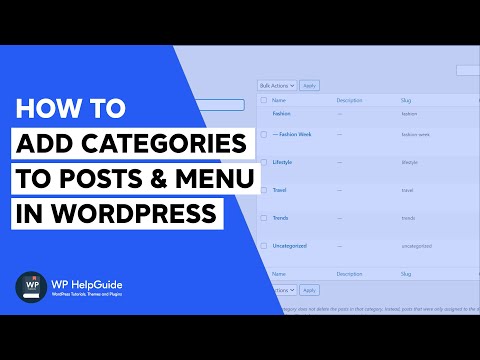
How to Add Categories to Posts and Menu in WordPress
ChannelWP HelpGuideChapters
Description from the creator
In this tutorial, you will learn how to add categories to your blog posts in WordPress. You will also learn how to create sub categories and change the default category ‘uncategorized’ that is automatically applied to your posts. The tutorial also teaches how to add the categories to the menu.
0:00 Introduction
00:16 What are categories in WordPress
01:08 Add Categories to Post
06:46 Change Default Post Category
08:40 Add Categories to Menu
--------------------------------------
Popular WordPress Themes: wphelpguide.com/recommends/blossomthemes
--------------------------------------
Other Useful Tutorials:
How to Create Posts and Pages in Gutenberg Block Editor: youtube.com/watch?v=Kjy_PmO8Bws
How to Create Menu in WordPress: youtube.com/watch?v=o2VvZnP53gk
How to regenerate Thumbnails in WordPress - youtube.com/watch?v=pXVZgFbEiUg
How to hide WordPress Login Page URL from Hackers and Spammers - youtu.be/oLMFTHTZRZk
--------------------------------------
For more WordPress tips and tutorials, visit my website: wphelpguide.com/
--------------------------------------
☑ Instagram - instagram.com/wp.helpguide/
☑ Twitter - twitter.com/wphelpguide/
☑ Facebook - facebook.com/wphelpguide/
☑ Pinterest - pinterest.com/wphelpguide/
--------------------------------------
0:00 Introduction
00:16 What are categories in WordPress
01:08 Add Categories to Post
06:46 Change Default Post Category
08:40 Add Categories to Menu
--------------------------------------
Popular WordPress Themes: wphelpguide.com/recommends/blossomthemes
--------------------------------------
Other Useful Tutorials:
How to Create Posts and Pages in Gutenberg Block Editor: youtube.com/watch?v=Kjy_PmO8Bws
How to Create Menu in WordPress: youtube.com/watch?v=o2VvZnP53gk
How to regenerate Thumbnails in WordPress - youtube.com/watch?v=pXVZgFbEiUg
How to hide WordPress Login Page URL from Hackers and Spammers - youtu.be/oLMFTHTZRZk
--------------------------------------
For more WordPress tips and tutorials, visit my website: wphelpguide.com/
--------------------------------------
☑ Instagram - instagram.com/wp.helpguide/
☑ Twitter - twitter.com/wphelpguide/
☑ Facebook - facebook.com/wphelpguide/
☑ Pinterest - pinterest.com/wphelpguide/
--------------------------------------
About this tutorial
WP HelpGuide published this 10:18 video tutorial on August 13, 2020. It has been watched 57,585 times on YouTube.
- Channel
- WP HelpGuide
- Category
- People & Blogs
- Duration
- 10:18
- Published
- August 13, 2020
- Views
- 57,585
- Likes
- 568
Tags
Share
This tutorial in other languages
- FRComment ajouter des catégories aux messages et menu dans WordPress
- ESCómo agregar categorías a los mensajes y menús en WordPress
- PTComo adicionar categorias a mensagens e Menu no WordPress
- ITCome Aggiungi categorie a messaggi e menu in WordPress
- DEWie Kategorien an Beiträgen und Menü in Wordpress hinzufügen
- NLHoe kan ik categorieën aan berichten en Menu in WordPress
- RUКак добавить категории для сообщений и меню в WordPress
- PLJak dodać kategorię do postach i menu w WordPress
- JAワードプレスで記事にカテゴリとメニューを追加する方法
- ARكيفية إضافة فئات إلى المشاركات والقائمة في وورد
- HIकैसे वर्डप्रेस में पोस्ट करने के लिए श्रेणियाँ और मेनू जोड़ें
- IDBagaimana Tambahkan Kategori ke Pos dan Menu dalam WordPress