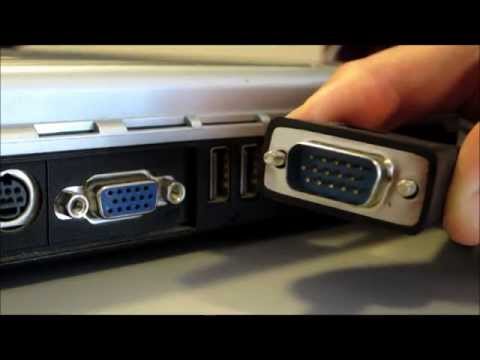
Playback starts YouTube’s embedded player (privacy-enhanced mode).
How to Connect your Laptop / PC to a TV - ThatCable.com
ChannelThatCable.ComDescription from the creator
Are you unsure which PC to TV cables or Laptop to TV cables you need to connect your Computer/laptop/PC to your TV/HDTV?
We stock a full range of cables to enable our customers to connect their laptops and PCs to their TVs. To select the correct cable to hook up your PC or laptop to your TV/HDTV, you will need to look at your connections on both your devices. Directly below this paragraph are the connections you may have on your equipment.
Unless both your computer and TV have a HDMI connection, you will require a separate audio cable for sound. However, if you just require a picture/video with no sound, only buy a video cable.
Here is our quick how to guide;
Select video connections that both your computer and TV have. . Select audio connections that both your computer and TV have. The audio sockets on your TV that you plan to use must be the ones that are meant for use with the video input. They will usually be called 'PC audio in', 'VGA audio in', 'HDMI audio in', 'DVI audio in' or if you are using the s-video to scart kit, the audio cable will plug straight into that.
We hope we have helped you to better understand which PC to TV cables you require, or, if you are connecting a laptop, we hope we have helped you select the correct laptop to TV cables!
Should you require any further technical advice, please call 0161 408 1083. We are confident we can solve all of your AV problems and we're always here to help!
Don't forget to like and subscribe to our channel for offers on our website.
Thanks for watching!
About this tutorial
ThatCable.Com published this 3:34 video tutorial on October 25, 2013. It has been watched 687,906 times on YouTube.
- Channel
- ThatCable.Com
- Category
- People & Blogs
- Duration
- 3:34
- Published
- October 25, 2013
- Views
- 687,906
- Likes
- 1,268
Share
Further reading
-
PC to TV | Tablet / Laptop to TV Connection Guide - ThatCable
thatcable.com
If you simply want to find a way to connect your PC or laptop to a TV, this may not be the cheapest option so we would recommend checking the other outputs and inputs on your equipment first. If you require audio as wel…
-
4 Ways to Connect PC to TV - wikiHow
wikihow.com
Connect your computer to the TV with a male-to-male audio cable. This is a 3.5mm stereo audio cable, similar to the end of a headphone plug. Plug one end of the cable into the headphone jack on your computer, which is t…
-
How to Connect PC to TV with HDMI: 8 Steps (with Pictures)
wikihow.com
1. Purchase the right sized HDMI cable to connect your PC to your TV. 2. Connect the HDMI cable from the HDMI port on your PC to a free HDMI port on your TV. 3. Use the TV remote to select the HDMI port connected your P…
This tutorial in other languages
- FRComment connecter votre ordinateur portable / PC à un téléviseur - ThatCable.com
- ESCómo conectar su ordenador portátil / PC a un televisor - ThatCable.com
- PTComo conectar seu laptop / PC a uma TV - ThatCable.com
- ITCome collegare il portatile / PC ad un televisore - ThatCable.com
- DEWie Sie Ihren Laptop / PC an einen Fernseher anschließen - ThatCable.com
- NLHoe kunt u uw laptop / pc aan te sluiten op een TV - ThatCable.com
- RUКак подключить ноутбук / ПК к телевизору - ThatCable.com
- PLJak podłączyć laptopa / PC do telewizora - ThatCable.com
- JAどのようにあなたのラップトップ/ PCをテレビに接続するには - ThatCable.com
- ARكيفية توصيل الكمبيوتر المحمول / PC إلى TV - ThatCable.com
- HIThatCable.com - कैसे एक टीवी के लिए अपने लैपटॉप / पीसी से कनेक्ट करने के लिए
- IDCara Menghubungkan Laptop / PC ke TV - ThatCable.com