Playback starts YouTube’s embedded player (privacy-enhanced mode).
HOW TO: Create Folders Named After Their Files Using AppleScript
ChannelxoxoHarlsDescription from the creator
This script comes in handy when you have several movies that you would like to put in individual folders named after each individual file.
NEEDED SCRIPT COPy EVERythING FROM "tell application" To "end tell"
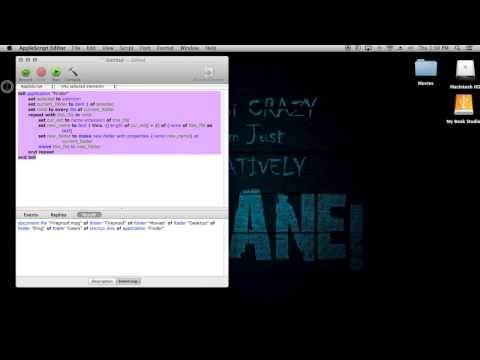
tell application "Finder"
set selected to selection
set current_folder to item 1 of selected
set mlist to every file of current_folder
repeat with this_file in mlist
set cur_ext to name extension of this_file
set new_name to text 1 thru -((length of cur_ext) + 2) of (name of this_file as text)
set new_folder to make new folder with properties {name:new_name} at current_folder
move this_file to new_folder
end repeat
end tell
NEEDED SCRIPT COPy EVERythING FROM "tell application" To "end tell"
tell application "Finder"
set selected to selection
set current_folder to item 1 of selected
set mlist to every file of current_folder
repeat with this_file in mlist
set cur_ext to name extension of this_file
set new_name to text 1 thru -((length of cur_ext) + 2) of (name of this_file as text)
set new_folder to make new folder with properties {name:new_name} at current_folder
move this_file to new_folder
end repeat
end tell
About this tutorial
xoxoHarls published this 3:24 video tutorial on October 29, 2014. It has been watched 3,824 times on YouTube.
- Channel
- xoxoHarls
- Category
- People & Blogs
- Duration
- 3:24
- Published
- October 29, 2014
- Views
- 3,824
- Likes
- 71
Tags
Share
This tutorial in other languages
- FRComment faire pour créer des dossiers nommés leurs fichiers à l'aide AppleScript
- ESCómo: Crear carpetas el nombre de sus archivos mediante AppleScript
- PTCOMO: Criar pastas com o nome de seus arquivos usando AppleScript
- ITHOW TO: Creare cartelle dal nome del loro file tramite AppleScript
- DEGewusst wie: Erstellen von Ordnern nach ihrer Dateien mit Namen Apple verwenden
- NLProcedure: Mappen genoemd naar hun bestanden met behulp van AppleScript
- RUКак создать папки с именами После их файлов с помощью AppleScript
- PLJAK: Tworzenie folderów nazwanych po ich plików za pomocą AppleScript
- JAHOW TOは:AppleScriptを使用して、そのファイルにちなんで名付けられたフォルダを作成します。
- ARHOW TO: إنشاء مجلدات الاسم بعد ملفاتهم عن طريق ابليسكريبت
- HIकैसे करने के लिए: उनके फ़ाइलें AppleScript का उपयोग करने के बाद नाम फ़ोल्डर बनाएं
- IDCARA: Membuat Folder Dinamakan Setelah Files mereka Menggunakan AppleScript