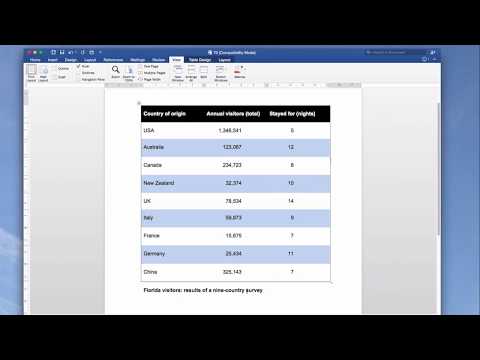
Playback starts YouTube’s embedded player (privacy-enhanced mode).
How to create professional-looking tables in Word | Emphasis
ChannelThe Business Writing ChannelDescription from the creator
Tables are a staple of many business documents – from management accounts to a marketing plan or an activity update. And most people know how to create a table in Word.
What you may not know is how easily you can take your tables from basic (and boring) to impressive and eye-catching.
Tables in published journals usually look far superior to those in the average business document.
But it is perfectly possible to transform Word’s default tables into ones that are every bit as impressive as those produced by the big publishers. And in doing so, you can really lift your documents, to make them much more engaging.
You can do this without stepping outside of Word. And – here’s the best bit – you don’t need a degree in graphic design or to be a Microsoft Office ninja to do so. Far from it.
Watch the video to see how you can transform your tables, step by step.
Learn more about transforming your professional documents on our blog: writing-skills.com/blog
What you may not know is how easily you can take your tables from basic (and boring) to impressive and eye-catching.
Tables in published journals usually look far superior to those in the average business document.
But it is perfectly possible to transform Word’s default tables into ones that are every bit as impressive as those produced by the big publishers. And in doing so, you can really lift your documents, to make them much more engaging.
You can do this without stepping outside of Word. And – here’s the best bit – you don’t need a degree in graphic design or to be a Microsoft Office ninja to do so. Far from it.
Watch the video to see how you can transform your tables, step by step.
Learn more about transforming your professional documents on our blog: writing-skills.com/blog
About this tutorial
The Business Writing Channel published this 11:12 video tutorial on November 2, 2019. It has been watched 166,202 times on YouTube.
- Channel
- The Business Writing Channel
- Category
- People & Blogs
- Duration
- 11:12
- Published
- November 2, 2019
- Views
- 166,202
- Likes
- 726
Tags
Share
This tutorial in other languages
- FRComment créer des tableaux de qualité professionnelle dans Word | Accentuation
- ESCómo crear tablas de aspecto profesional en Word | Énfasis
- PTComo criar tabelas com aparência profissional no Word | Ênfase
- ITCome creare tabelle dall'aspetto professionale in Word | enfasi
- DEWie professionell aussehende Tabellen in Word erstellen | Betonung
- NLHoe maak je professioneel ogende tabellen maken in Word | Nadruk
- RUКак создавать профессионально выглядящие таблицы в слове | акцент
- PLJak stworzyć profesjonalnie wyglądających tabel w programie Word | Nacisk
- JAWordでプロ並みのテーブルを作成する方法|重点
- ARكيفية إنشاء الجداول ذات مظهر احترافي في Word | تشديد
- HIकैसे वर्ड में पेशेवर दिखने तालिकाएं बनाने के लिए | ज़ोर
- IDCara membuat tabel tampak profesional di Word | Tekanan