Playback starts YouTube’s embedded player (privacy-enhanced mode).
How to Create Section Divider Scroll Effects in Divi
ChannelElegant ThemesDescription from the creator
Hey Divi Nation, welcome to a brand new Divi Use Case live stream where each week we show you how to add new design and functionality to your Divi website.
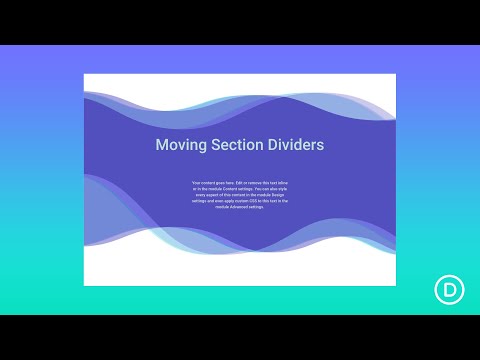
Creating section divider scroll effects is a simple and fun technique that can add life to your Divi website. A section divider continues to be a versatile design element, useful for adding a touch of creativity to your page content transitions. But with Divi’s scroll effects, section dividers get even more interesting! The trick is to isolate a section dedicated to the divider style of choice. Then you can add all kinds of scroll-generated motion to the section to create beautiful scroll effects as a background for page content.
In this tutorial, we'll show you how to create a few beautiful section divider scroll animations for your own website.
Let’s get started!
You can read the post for this use case here:
elegantthemes.com/blog/divi-resources/how-to-cr…
If you need the Divi Theme, you can check it out the product page here: elegantthemes.com/gallery/divi/
Want to give back to the community? Share your empowering knowledge, skills, experience, and creativity on the Elegant Themes blog by contributing:
elegantthemes.com/blog/community/elegant-themes…
Creating section divider scroll effects is a simple and fun technique that can add life to your Divi website. A section divider continues to be a versatile design element, useful for adding a touch of creativity to your page content transitions. But with Divi’s scroll effects, section dividers get even more interesting! The trick is to isolate a section dedicated to the divider style of choice. Then you can add all kinds of scroll-generated motion to the section to create beautiful scroll effects as a background for page content.
In this tutorial, we'll show you how to create a few beautiful section divider scroll animations for your own website.
Let’s get started!
You can read the post for this use case here:
elegantthemes.com/blog/divi-resources/how-to-cr…
If you need the Divi Theme, you can check it out the product page here: elegantthemes.com/gallery/divi/
Want to give back to the community? Share your empowering knowledge, skills, experience, and creativity on the Elegant Themes blog by contributing:
elegantthemes.com/blog/community/elegant-themes…
About this tutorial
Elegant Themes published this 43:54 video tutorial. It has been watched 30,747 times on YouTube.
- Channel
- Elegant Themes
- Category
- People & Blogs
- Duration
- 43:54
- Views
- 30,747
- Likes
- 391
Tags
Share
This tutorial in other languages
- FRComment faire pour créer la section Diviseur Effets de défilement dans Divi
- ESCómo crear separador de sección Efectos de desplazamiento en Divi
- PTComo criar Seção Divisor de rolagem Efeitos em Divi
- ITCome creare sezione di divisore di scorrimento Effects in Divi
- DESo erstellen Sie Abschnitt Divider Scroll-Effekte in Divi
- NLHoe maak je afdeling Divider Scroll Effecten in Divi
- RUКак создать раздел Divider прокручивание в DiVi
- PLJak utworzyć rozdział dzielnik przewijania efekty w Divi
- JAディビに節ディバイダースクロール効果を作成する方法
- ARكيفية إنشاء القسم مقسم تأثيرات التمرير في ديفي
- HIDivi में धारा डिवाइडर स्क्रॉल प्रभाव बनाने के लिए कैसे
- IDCara Membuat Section Divider Gulir Efek di Divi