Playback starts YouTube’s embedded player (privacy-enhanced mode).
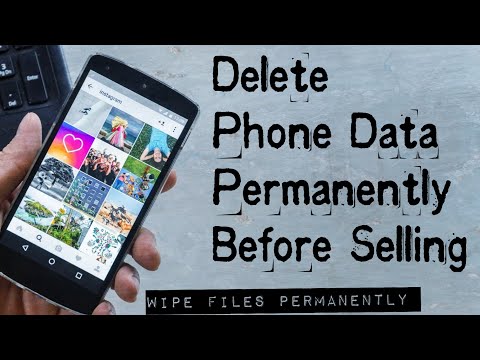
How to Delete Your Personal Data Permanently Before Selling an Android Phone | Encrypt Phone Data
ChannelSolution CenterDescription from the creator
How to Delete Your Personal Data Permanently Before Selling an Android Phone | Encrypt Phone Data
The Biggest Mistake People Make before selling their phones is they just do a Factory Reset & they think they've wiped his/her personal data files permanenttly, but actually they are wrong. When you delete a file, Android doesn't actually remove it from your storage drive,instead, it simply marks that space as empty and pretends the file doesn't exist anymore. But deep down inside, the file that you originally wrote to that location is still physically there, which means your deleted files is recoverable anyone can recover and read it again after deleting with the help of recovery tools, if you are selling phone with securing your data then buyers can easily access or recover your personal videos pictures anything so you're on risk.
So, Question is How to make sure your data is really deleted before selling your Android phone ? Yes It's possible you can simply Encrypt your files and protect your data, so in this video I'm gonna tell you some beat tips how to Encrypt data plus how to overwrite it, yoi can easily understand, How to Erase Data Permanently from your phone and sell it without any problem so let's watch this short video.
Like & Share the Video & Subscribe Our Channel & Press the Bell Icon to get more latest updates.
Background Music:
YouTube Audio Library
The Biggest Mistake People Make before selling their phones is they just do a Factory Reset & they think they've wiped his/her personal data files permanenttly, but actually they are wrong. When you delete a file, Android doesn't actually remove it from your storage drive,instead, it simply marks that space as empty and pretends the file doesn't exist anymore. But deep down inside, the file that you originally wrote to that location is still physically there, which means your deleted files is recoverable anyone can recover and read it again after deleting with the help of recovery tools, if you are selling phone with securing your data then buyers can easily access or recover your personal videos pictures anything so you're on risk.
So, Question is How to make sure your data is really deleted before selling your Android phone ? Yes It's possible you can simply Encrypt your files and protect your data, so in this video I'm gonna tell you some beat tips how to Encrypt data plus how to overwrite it, yoi can easily understand, How to Erase Data Permanently from your phone and sell it without any problem so let's watch this short video.
Like & Share the Video & Subscribe Our Channel & Press the Bell Icon to get more latest updates.
Background Music:
YouTube Audio Library
About this tutorial
Solution Center published this 5:09 video tutorial on January 11, 2020. It has been watched 360,567 times on YouTube.
- Channel
- Solution Center
- Category
- People & Blogs
- Duration
- 5:09
- Published
- January 11, 2020
- Views
- 360,567
- Likes
- 3,646
Tags
Share
This tutorial in other languages
- FRComment supprimer l'historique de navigation
- ESCómo eliminar el historial de navegación
- PTComo apagar o histórico de navegação
- ITCome eliminare la cronologia di navigazione
- DESo löschen Sie den Browserverlauf
- NLHoe om te verwijderen browsegeschiedenis
- RUКак удалить историю просмотра
- PLJak usunąć historię przeglądania
- JA閲覧履歴を削除する方法
- ARكيفية حذف تاريخ التصفح
- HIब्राउज़िंग इतिहास कैसे हटाएं
- IDCara Hapus Data Pribadi Anda secara permanen Sebelum Jual seorang Telepon Android | Data Telepon mengenkripsi