Playback starts YouTube’s embedded player (privacy-enhanced mode).
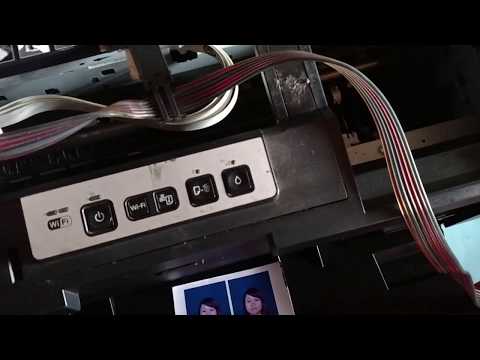
How to fix Printer won't print: fixes to common printing problems 2017
ChannelTECHNOLOGY CDC DLT NEWSDescription from the creator
Học nghề online UNICA uy tín ngay tại đây: unica.vn/?aff=23959
Hoặc điền mã giảm giá COUPON: tonydong
vào mỗi sản phẩm khóa học bit.ly/muahanggiareonline
Red Lines on Epson printer
Make sure the cartridge chip is clean, free of ink smear and debris.
Make sure the printer's contact pin is clean, free of ink smear and debris
Verify that the cartridge is seated in the printer securely. Push it down hard until you hear a click. Once it is inside, wiggle it with your finger back and forth. If the cartridge seems to be loose, insert folded paper to the back and thus push the cartridge forward to have good contact with the printer.
Installation
Possible Causes:
If you installed cartridge with power off, then printer won't know you changed the cartridge. It will confuse the printer and thus cause cartridge error.
Sometimes Epson printer won't erase previous error code. When it has a depleted OEM cartridge error, and a non-OEM cartridge warning come together, it causes the printer to display "cartridge not recognized".
Things to try:
Install non-OEM cartridge early. Do not wait till OEM cartridges empty.
Put the OEM cartridge back and use on-screen prompt to change cartridges.
Power off the printer and leave it about 1 hour then power it on
Fix a buggy printer that does not have a deep ink color for the printer
Guide to choose wedding printer printing
Https://www.youtube.com/watch?v=l5_snXq4h2c
Go buy a printer
+ Black and white or color printer
Inkjet or Laser Printer
. Spray more versatile but slower and less sharp.
. Laser print for better text, good document printing, more beautiful.
+ Wired or not (WIFI) notice the operating system compatible?
+ Cost of ink replacement:
. Squid is expensive
. Can pump ink is not genuine but not recommended
+ Size is small, place to machine: should be measured before buying
+ Print speed, resolution.
Các bạn có thể tham khảo tại đây:
goo.gl/mUBe7U
goo.gl/EXr3E1
Máy In Epson Stylus Photo 1390: goo.gl/VADVKI
Máy in Canon Pixma IX 6770: goo.gl/GqIXF9
Máy in Epson T60: goo.gl/T0aVzs
Máy in phun mầu EPSON L1300 A3+: goo.gl/TckS21
Máy in Canon Laser LBP 2900: goo.gl/yLQ2Ha
Đặt thiệp cưới Online
Mẫu thiệp:
Giá thiệp:
Số lượng:
Họ tên:
Họ tên (bố, mẹ):
Địa chỉ:
Giờ ăn hỏi:
Ngày dương:
Ngày âm:
Cám ơn các bạn đã theo dõi chúc các bạn vui vẻ
các bạn nhớ đăng ký cập nhật những thông tin mới nhất
++++++++++++++++++++++++++++++++++++++++++++++++
Thank you for Watching! for the follow up, Subscribe to the channel yourself here: goo.gl/wIZ0bx
Google +: goo.gl/v5ko2
Facebook page: goo.gl/uFS0nD
LIKE Facebook CÐC: goo.gl/7BwHdQ
LIKE Facebook CDS: goo.gl/atuF3q
Twitter : goo.gl/GnDF0K
instagram.com/cuongdongcomputer/
Email: [email protected]
WEB: cuongdongcomputer.blogspot.com/
Hoặc điền mã giảm giá COUPON: tonydong
vào mỗi sản phẩm khóa học bit.ly/muahanggiareonline
Red Lines on Epson printer
Make sure the cartridge chip is clean, free of ink smear and debris.
Make sure the printer's contact pin is clean, free of ink smear and debris
Verify that the cartridge is seated in the printer securely. Push it down hard until you hear a click. Once it is inside, wiggle it with your finger back and forth. If the cartridge seems to be loose, insert folded paper to the back and thus push the cartridge forward to have good contact with the printer.
Installation
Possible Causes:
If you installed cartridge with power off, then printer won't know you changed the cartridge. It will confuse the printer and thus cause cartridge error.
Sometimes Epson printer won't erase previous error code. When it has a depleted OEM cartridge error, and a non-OEM cartridge warning come together, it causes the printer to display "cartridge not recognized".
Things to try:
Install non-OEM cartridge early. Do not wait till OEM cartridges empty.
Put the OEM cartridge back and use on-screen prompt to change cartridges.
Power off the printer and leave it about 1 hour then power it on
Fix a buggy printer that does not have a deep ink color for the printer
Guide to choose wedding printer printing
Https://www.youtube.com/watch?v=l5_snXq4h2c
Go buy a printer
+ Black and white or color printer
Inkjet or Laser Printer
. Spray more versatile but slower and less sharp.
. Laser print for better text, good document printing, more beautiful.
+ Wired or not (WIFI) notice the operating system compatible?
+ Cost of ink replacement:
. Squid is expensive
. Can pump ink is not genuine but not recommended
+ Size is small, place to machine: should be measured before buying
+ Print speed, resolution.
Các bạn có thể tham khảo tại đây:
goo.gl/mUBe7U
goo.gl/EXr3E1
Máy In Epson Stylus Photo 1390: goo.gl/VADVKI
Máy in Canon Pixma IX 6770: goo.gl/GqIXF9
Máy in Epson T60: goo.gl/T0aVzs
Máy in phun mầu EPSON L1300 A3+: goo.gl/TckS21
Máy in Canon Laser LBP 2900: goo.gl/yLQ2Ha
Đặt thiệp cưới Online
Mẫu thiệp:
Giá thiệp:
Số lượng:
Họ tên:
Họ tên (bố, mẹ):
Địa chỉ:
Giờ ăn hỏi:
Ngày dương:
Ngày âm:
Cám ơn các bạn đã theo dõi chúc các bạn vui vẻ
các bạn nhớ đăng ký cập nhật những thông tin mới nhất
++++++++++++++++++++++++++++++++++++++++++++++++
Thank you for Watching! for the follow up, Subscribe to the channel yourself here: goo.gl/wIZ0bx
Google +: goo.gl/v5ko2
Facebook page: goo.gl/uFS0nD
LIKE Facebook CÐC: goo.gl/7BwHdQ
LIKE Facebook CDS: goo.gl/atuF3q
Twitter : goo.gl/GnDF0K
instagram.com/cuongdongcomputer/
Email: [email protected]
WEB: cuongdongcomputer.blogspot.com/
About this tutorial
TECHNOLOGY CDC DLT NEWS published this 10:11 video tutorial on November 7, 2017. It has been watched 1,369 times on YouTube.
- Channel
- TECHNOLOGY CDC DLT NEWS
- Category
- People & Blogs
- Duration
- 10:11
- Published
- November 7, 2017
- Views
- 1,369
- Likes
- 1
Tags
Share
This tutorial in other languages
- FRComment imprimante fixe ne sera pas imprimer: des solutions aux problèmes d'impression courants 2017
- ESCómo impresora no imprime solución: correcciones para problemas comunes de impresión 2017
- PTComo corrigir Impressora não imprime: correções para problemas comuns de impressão 2017
- ITCome risolvere stampante non stampa: correzioni per problemi di stampa comuni 2017
- DEWie zu beheben Der Drucker druckt nicht: Fixes für allgemeine Druckprobleme 2017
- NLHow To Fix Printer drukt niet af: oplossingen voor veelvoorkomende afdrukproblemen 2017
- RUКак исправить принтер не будет печатать: исправления для общих проблем с печатью 2017 года
- PLJak naprawić drukarka nie drukuje: poprawki do typowych problemów z drukowaniem 2017
- JAどのように修正プリンタに印刷されません。修正一般的な印刷の問題2017年までの
- ARكيفية طابعة الإصلاح لن تتم طباعة: إصلاحات لمشاكل الطباعة الشائعة 2017
- HIकैसे ठीक प्रिंटर से प्रिंट नहीं होगा: फिक्स आम मुद्रण समस्याओं 2017 के लिए
- IDCara memperbaiki Printer tidak akan mencetak: perbaikan untuk masalah pencetakan umum 2017