Playback starts YouTube’s embedded player (privacy-enhanced mode).
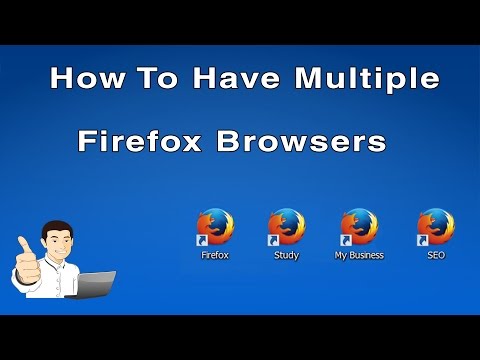
How to Have Multiple Firefox Browsers/Accounts (Profiles)
ChannelPeter StavrouDescription from the creator
Learn how to have Multiple Firefox Browsers/Accounts on a single computer.
These accounts are actually called 'Firefox Profiles'.
----------------------------------------------------------------------------
Watch the video first before reading the below
----------------------------------------------------------------------------
This is what you put after the -P:
YourProfileName -no-remote
For Example - My Tutorials Firefox Browser:
"C:\Program Files (x86)\Mozilla Firefox\firefox.exe" -P Tutorials -no-remote
Do not copy and paste the above Example as your Firefox may have been installed in a different location to mine.
For more information Multiple Firefox Browsers this visit:
peterstavrou.com/multiple-firefox-browsers
For more tips and tricks to help you succeed in Business visit:
PeterStavrou.com
--- More ---
Facebook: facebook.com/PeterStavrouPage
Twitter: twitter.com/PeterStavrou
► Subscribe to My Channel: youtube.com/c/Peterstavrou?sub_confirmation=1
These accounts are actually called 'Firefox Profiles'.
----------------------------------------------------------------------------
Watch the video first before reading the below
----------------------------------------------------------------------------
This is what you put after the -P:
YourProfileName -no-remote
For Example - My Tutorials Firefox Browser:
"C:\Program Files (x86)\Mozilla Firefox\firefox.exe" -P Tutorials -no-remote
Do not copy and paste the above Example as your Firefox may have been installed in a different location to mine.
For more information Multiple Firefox Browsers this visit:
peterstavrou.com/multiple-firefox-browsers
For more tips and tricks to help you succeed in Business visit:
PeterStavrou.com
--- More ---
Facebook: facebook.com/PeterStavrouPage
Twitter: twitter.com/PeterStavrou
► Subscribe to My Channel: youtube.com/c/Peterstavrou?sub_confirmation=1
About this tutorial
Peter Stavrou published this 3:59 video tutorial on November 2, 2016. It has been watched 68,588 times on YouTube.
- Channel
- Peter Stavrou
- Category
- People & Blogs
- Duration
- 3:59
- Published
- November 2, 2016
- Views
- 68,588
- Likes
- 546
Tags
Share
This tutorial in other languages
- FRComment avez plusieurs Firefox navigateurs / Comptes (Profils)
- ESCómo tener múltiples Firefox Navegadores / Cuentas (perfiles)
- PTComo ter múltiplas Firefox Navegadores / Contas (perfis)
- ITCome avere più browser Firefox / Conti (Profili)
- DEWie haben mehrfachen Firefox-Browser / Konten (Profile)
- NLHoe Have Multiple Firefox Browsers / Accounts (Profiles)
- RUКак иметь несколько Firefox браузеров / Учетные записи (профили)
- PLJak mieć wiele Firefox Przeglądarki / Konta (profile)
- JA(プロファイル)複数のFirefoxブラウザ/アカウントを持ってする方法
- ARكيف يكون فايرفوكس المتصفحات متعددة / الحسابات (الملامح)
- HIकैसे एकाधिक फ़ायरफ़ॉक्स ब्राउज़र / लेखा (प्रोफाइल) है करने के लिए
- IDCara Memiliki Beberapa Firefox Browser / Account (Profiles)