Playback starts YouTube’s embedded player (privacy-enhanced mode).
How to Install and Use Babel to Transpile JavaScript
ChannelSelfTaughtDevDescription from the creator
Want To Become A Developer? Checkout The Courses Here And Get Started - courses.selftaught-dev.com/
**If the video quality makes the text illegible; Increase your view quality to 1080p.**
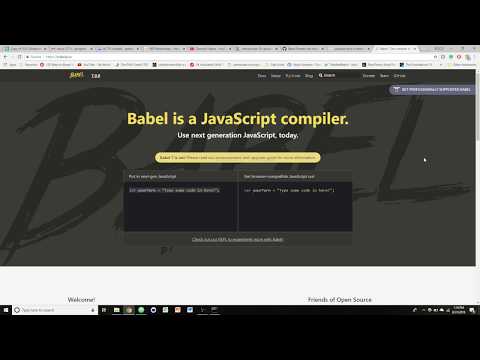
Short tutorial on how to install babel and use it to transpile JavaScript from ES6 to ES5.
-------Commands Used ----------
1. "npm install -g babel-cli"
2. "npm install babel-preset-env -save-dev"
*This will install babel and the preset we need to transpile. But you'll also need to create the ".babelrc" file. It is literally a file names .babelrc with the following text inside:
"{
"presets" : ["env"],
"plugins : [ ]
}"
To actually transpile your JS file we'll do:
1. "babel (Name of file to transpile) --out-file (Name of file you would like output)"
For the video we used:
"babel test.js --out-save test1.js"
------------------------------------------
Join Discord 👊 selftaught-dev.com/join-discord/
Get My Resume Template Free - selftaught-dev.com/resume-template/
Practice Projects - selftaught-dev.com/
Send me your resume to review 📧 [email protected]
Support The Channel & Help Upgrade Equipment------
Patreon - patreon.com/selftaughtdev
Paypal - paypal.me/selftaughtdev
Contact Me----------
Portfolio - 📡 selftaught-dev.com/portfolio
FaceBook - facebook.com/ghughes2
Instgrams - instagram.com/ghughes13/
Linkedin - linkedin.com/in/garrett-hughes-5320626b/
Tweet - 🐤twitter.com/Ghughes139
Music--------
soundcloud.com/corporaterape
Do you make music and want to let me use it on the channel? Shoot me an email so we can talk!
**If the video quality makes the text illegible; Increase your view quality to 1080p.**
Short tutorial on how to install babel and use it to transpile JavaScript from ES6 to ES5.
-------Commands Used ----------
1. "npm install -g babel-cli"
2. "npm install babel-preset-env -save-dev"
*This will install babel and the preset we need to transpile. But you'll also need to create the ".babelrc" file. It is literally a file names .babelrc with the following text inside:
"{
"presets" : ["env"],
"plugins : [ ]
}"
To actually transpile your JS file we'll do:
1. "babel (Name of file to transpile) --out-file (Name of file you would like output)"
For the video we used:
"babel test.js --out-save test1.js"
------------------------------------------
Join Discord 👊 selftaught-dev.com/join-discord/
Get My Resume Template Free - selftaught-dev.com/resume-template/
Practice Projects - selftaught-dev.com/
Send me your resume to review 📧 [email protected]
Support The Channel & Help Upgrade Equipment------
Patreon - patreon.com/selftaughtdev
Paypal - paypal.me/selftaughtdev
Contact Me----------
Portfolio - 📡 selftaught-dev.com/portfolio
FaceBook - facebook.com/ghughes2
Instgrams - instagram.com/ghughes13/
Linkedin - linkedin.com/in/garrett-hughes-5320626b/
Tweet - 🐤twitter.com/Ghughes139
Music--------
soundcloud.com/corporaterape
Do you make music and want to let me use it on the channel? Shoot me an email so we can talk!
About this tutorial
SelfTaughtDev published this 5:04 video tutorial on November 4, 2018. It has been watched 16,815 times on YouTube.
- Channel
- SelfTaughtDev
- Category
- People & Blogs
- Duration
- 5:04
- Published
- November 4, 2018
- Views
- 16,815
- Likes
- 145
Share
This tutorial in other languages
- FRComment installer et utiliser Babel Transpile JavaScript
- ESCómo instalar y utilizar Babel a Transpile JavaScript
- PTComo instalar e usar Babel para Transpile JavaScript
- ITCome installare ed uso Babel a Transpile JavaScript
- DEWie zu Installieren und Verwenden Babel Transpile JavaScript
- NLHoe te installeren en te gebruiken Babel naar Transpile JavaScript
- RUКак установить и использовать Бабель для Transpile JavaScript
- PLJak zainstalować i korzystać z Babel do Transpile JavaScript
- JATranspile JavaScriptにインストールして使用バベルする方法
- ARكيفية تثبيت واستخدام بابل إلى Transpile جافا سكريبت
- HIकैसे स्थापित करें और कोलाहल उपयोग Transpile जावास्क्रिप्ट को करने के लिए
- IDCara Instal dan Gunakan Babel untuk Transpile JavaScript