Playback starts YouTube’s embedded player (privacy-enhanced mode).
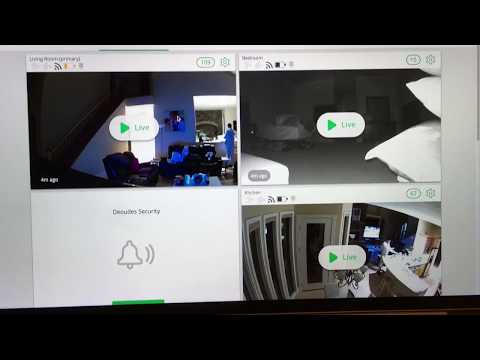
How to Make Your Arlo Camera to Record Beyond 10 Seconds (Arlo Only Records 10 Seconds Fix)
ChannelChris DeoudesDescription from the creator
Here's how you can make your Arlo cameras record beyond 10 seconds. [see more]
Arlo security cameras are great but the default settings only allow the cameras to record for 10 seconds. Your camera is not broken, you just need to find and change a setting. For some reason, Arlo makes this setting hard to fine.
Admin Panel: Mode -then press- Armed (edit) -then press- Pick Your Camera (edit) -then press- Record Video (edit) -then press- Change to 300 seconds/All Motion
August 9 2022 update:
If you are watching this video, you already have Arlo cameras. As of 2022, I feel Ring and Google Nest has surpassed Arlo in functionality (and definitely price). I no longer recommend Arlo anymore, but it's worth making your Arlo cameras work properly. I have Ring at my new house and we use Nest at our workplace.
Arlo security cameras are great but the default settings only allow the cameras to record for 10 seconds. Your camera is not broken, you just need to find and change a setting. For some reason, Arlo makes this setting hard to fine.
Admin Panel: Mode -then press- Armed (edit) -then press- Pick Your Camera (edit) -then press- Record Video (edit) -then press- Change to 300 seconds/All Motion
August 9 2022 update:
If you are watching this video, you already have Arlo cameras. As of 2022, I feel Ring and Google Nest has surpassed Arlo in functionality (and definitely price). I no longer recommend Arlo anymore, but it's worth making your Arlo cameras work properly. I have Ring at my new house and we use Nest at our workplace.
About this tutorial
Chris Deoudes published this 3:22 video tutorial on November 11, 2018. It has been watched 162,486 times on YouTube.
- Channel
- Chris Deoudes
- Category
- People & Blogs
- Duration
- 3:22
- Published
- November 11, 2018
- Views
- 162,486
- Likes
- 1,513
Tags
Share
This tutorial in other languages
- FRComment faire de votre appareil photo Arlo pour enregistrer 10 secondes au-delà (Arlo Seuls les enregistrements 10 secondes Fix)
- ESCómo hacer que su cámara para grabar Arlo Más allá de 10 segundos (Arlo sólo registra 10 segundos Fix)
- PTComo fazer seu Camera Arlo para gravar Beyond 10 Segundos (Arlo só registra 10 Segundos Fix)
- ITCome fare la fotocamera per registrare Arlo Al di là di 10 secondi (Arlo registra solo 10 secondi Fix)
- DEWie Sie Ihre Arlo Kamera für die Aufnahme von mehr als 10 Sekunden (Arlo Nur Datensätze 10 Sekunden Fix)
- NLHoe u uw Arlo Camera om Record Beyond 10 seconden (Arlo Alleen Records 10 seconden Fix)
- RUКак сделать свою Арела камеру для записи За 10 секунд (Арел только записи 10 секунд FIX)
- PLJak zrobić Arlo kamery do rejestrowania Za 10 sekund (Arlo rejestruje tylko 10 sekund fix)
- JA録音を越えて10秒にあなたのアーロ・カメラを作る方法(アーロ・レコードのみ10秒修)
- ARكيفية جعل كاميرا Arlo لتسجيل ما بعد 10 ثانية (Arlo فقط السجلات 10 ثانية فيكس)
- HIरिकार्ड के अलावा 10 सेकंड के लिए आपका आर्लो कैमरा बनाने के लिए कैसे (आर्लो केवल रिकॉर्ड्स 10 सेकंड फिक्स)
- IDCara Membuat Kamera Arlo Anda untuk Rekam luar 10 Detik (Arlo Hanya Catatan 10 Detik Fix)