Playback starts YouTube’s embedded player (privacy-enhanced mode).
how to protect newly created facebook account from blocking 10.2018
ChannelTrick Tell TechDescription from the creator
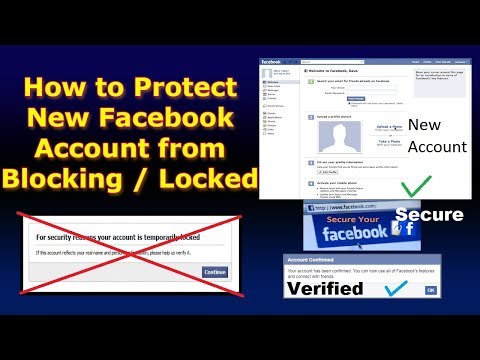
How to protect new facebook account from blocking.
In this video you will learn how to secure facebook id from blocking. How to protect facebook id from mobile & self photo verification.
Follow the steps and got strong facebook id.
Always connect internet through fixed landline broadband connection.
Don't use UC Browser / Opera these browsers use proxy.
So you have to create new facebook account.
In this video I've made facebook account on Gmail account. If you also want to create facebook account on Gmail Account than you have to create Gmail Account first.
Watch my video if you don't know how to create Gmail Account.
For Mobile Users
youtube.com/watch?v=uWJgND7jAPk
For PC Users
youtube.com/watch?v=QhNTeVw9YCY
After making Gmail Account, login into Gmail.
than go to
Facebook and create new account.
when you click on Signup a facebook page will open which ask you to verify facebook account.
There is an option Connect to Gmail Account
So you should select this option and authorize Facebook to Gmail account. It will confirm facebook account automatically.
Now write all bio data about facebook.
like
Current City, Hometown , Work , Education etc.
You should fill all the fields in profile's about section.
Upload profile picture & cover photo.
Select Profile Picture carefully.
Don't use photo of Hero, Heroin, Model, Singer , Political or any famous personality.
Don't use profile picture of other facebook users.
Don't use profile picture which violate the Facebook Policy.
You should select a random photo from google or any other photo search engine.
After completing facebook account Deactivate it for at least 7 days but I recommend you for 1 month. It makes your facebook id strong.
Because
When we create new facebook account, It remains in review,
Facebook blocks it at any time. Therefore I've suggested you to keep it Deactivate until it will remove from Review List.
how to protect newly created facebook account from blocking 10 2018
how to avoid getting blocked on facebook
facebook account blocked | Solution
I hope you will like my video.
Subscribe my channel for latest tricks about Social Media and other IT Fields.
Thanks For Watching !!!
In this video you will learn how to secure facebook id from blocking. How to protect facebook id from mobile & self photo verification.
Follow the steps and got strong facebook id.
Always connect internet through fixed landline broadband connection.
Don't use UC Browser / Opera these browsers use proxy.
So you have to create new facebook account.
In this video I've made facebook account on Gmail account. If you also want to create facebook account on Gmail Account than you have to create Gmail Account first.
Watch my video if you don't know how to create Gmail Account.
For Mobile Users
youtube.com/watch?v=uWJgND7jAPk
For PC Users
youtube.com/watch?v=QhNTeVw9YCY
After making Gmail Account, login into Gmail.
than go to
Facebook and create new account.
when you click on Signup a facebook page will open which ask you to verify facebook account.
There is an option Connect to Gmail Account
So you should select this option and authorize Facebook to Gmail account. It will confirm facebook account automatically.
Now write all bio data about facebook.
like
Current City, Hometown , Work , Education etc.
You should fill all the fields in profile's about section.
Upload profile picture & cover photo.
Select Profile Picture carefully.
Don't use photo of Hero, Heroin, Model, Singer , Political or any famous personality.
Don't use profile picture of other facebook users.
Don't use profile picture which violate the Facebook Policy.
You should select a random photo from google or any other photo search engine.
After completing facebook account Deactivate it for at least 7 days but I recommend you for 1 month. It makes your facebook id strong.
Because
When we create new facebook account, It remains in review,
Facebook blocks it at any time. Therefore I've suggested you to keep it Deactivate until it will remove from Review List.
how to protect newly created facebook account from blocking 10 2018
how to avoid getting blocked on facebook
facebook account blocked | Solution
I hope you will like my video.
Subscribe my channel for latest tricks about Social Media and other IT Fields.
Thanks For Watching !!!
About this tutorial
Trick Tell Tech published this 8:55 video tutorial on October 31, 2018. It has been watched 68,181 times on YouTube.
- Channel
- Trick Tell Tech
- Category
- People & Blogs
- Duration
- 8:55
- Published
- October 31, 2018
- Views
- 68,181
- Likes
- 608
Tags
Share
This tutorial in other languages
- FRcomment protéger nouveau compte facebook de bloquer 10,2018
- EScómo proteger a cuenta de Facebook recién creada desde el bloqueo 10.2018
- PTcomo proteger conta facebook recém-criado de bloquear 10,2018
- ITcome proteggere account facebook appena creato dal blocco 10,2018
- DEwie neu erstellte Facebook-Konto schützen 10,2018 blockieren
- NLhoe nieuw gemaakte facebook account te beschermen tegen het blokkeren van 10,2018
- RUкак защитить вновь созданную учетную запись facebook блокированию 10.2018
- PLjak chronić nowo utworzonego konta Facebook blokowaniu 10.2018
- JA10.2018を遮断するから、新しく作成したFacebookのアカウントを保護する方法
- ARكيفية حماية حساب الفيسبوك التي تم إنشاؤها حديثا من حظر 10.2018
- HIकैसे 10.2018 को अवरुद्ध करने से नव निर्मित फेसबुक खाता की रक्षा के लिए
- IDbagaimana melindungi akun facebook yang baru dibuat dari memblokir 10,2018