Playback starts YouTube’s embedded player (privacy-enhanced mode).
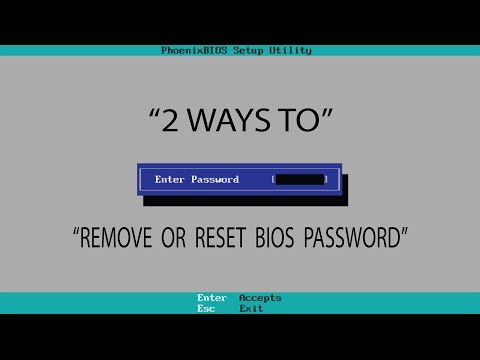
How to remove or reset bios password 100% working
ChannelInfo FactsDescription from the creator
In this video i am showing you how to unlock your BIOS. When you press the 'f2' key then their appears a message that enter password which you don't know. In this video hopefully you can find solution of that problem.
So there are two ways to open the BIOS the first one is to go to the site that i have shown in the video and enter the "system disabled" code you may find some of the password patterns.
bios-pw.org
The second one is to remove the CMOS-battery/ cell.
So there are two ways to open the BIOS the first one is to go to the site that i have shown in the video and enter the "system disabled" code you may find some of the password patterns.
bios-pw.org
The second one is to remove the CMOS-battery/ cell.
About this tutorial
Info Facts published this 1:30 video tutorial on November 9, 2017. It has been watched 471,486 times on YouTube.
- Channel
- Info Facts
- Category
- People & Blogs
- Duration
- 1:30
- Published
- November 9, 2017
- Views
- 471,486
- Likes
- 2,063
Tags
Share
This tutorial in other languages
- FRComment supprimer ou réinitialiser le mot de passe BIOS travail 100%
- ES¿Cómo eliminar o restablecer la contraseña del BIOS del funcionamiento 100%
- PTComo remover ou redefinir a senha do BIOS 100% de trabalho
- ITCome rimuovere o reimpostare la password del BIOS di funzionamento 100%
- DEWie zu entfernen oder Bioskennwort Funktion 100% zurückgesetzt
- NLHoe te verwijderen of te resetten bios wachtwoord 100% werken
- RUКак удалить или сбросить пароль BIOS 100% рабочий
- PLJak usunąć lub zresetować BIOS hasłem 100% sprawny
- JA削除またはパスワード100%の作業BIOSリセットする方法
- ARكيفية إزالة أو إعادة تعيين كلمة المرور والسير تعمل بنسبة 100٪
- HIहटाने या पासवर्ड 100% काम कर रहे bios पुनर्स्थापित करने के लिए कैसे
- IDCara menghapus atau mereset password bios 100% kerja