Playback starts YouTube’s embedded player (privacy-enhanced mode).
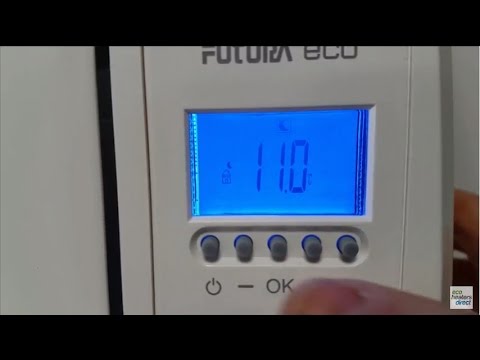
How To Set A User Programme On Your Futura Electric Ceramic Radiator
Channelecoheaters directDescription from the creator
Here is our 'How to' guide for setting a user programme on your FuturaElectric Ceramic Radiator
Why buy a Futura Electric Ceramic Radiator?
Slimline, 24/7 Timer & Advanced Chrono Thermostat, LCD Screen, Energy Efficient Thermal Heating Technology Our ceramic electric radiators use the latest technology to provide responsive, efficient electric heating. Each radiator contains lightweight ceramic stone elements with high heat retention which heats up quickly and push out heat at a high intensity, this provides fast heat transfer from the element to the aluminium "fins", resulting in 100% hot point effect. The ceramic stone elements also has high heat retention which allows the energy absorbed to be used for the maximum period of time. The radiators simply mount on the wall and plug into the nearest socket. It's a straightforward DIY job that couldn't be easier. The integrated digital thermostat is accurate to within half a degree, so the radiator will switch on or off automatically to maintain a comfortable temperature creating massive energy saving potential. Fully programmable controls allow you to set a 7 day heating schedule to suit your lifestyle, with different settings for every hour of every day of the week, if needed.
BUY YOURS NOW:
1000W: ecoheatersdirect.co.uk/futura-eco-1000w-electri…
1500W: ecoheatersdirect.co.uk/futura-eco-1500w-electri…
2000W: ecoheatersdirect.co.uk/futura-eco-2000w-electri…
VISIT OUR WEBSITE: ecoheatersdirect.co.uk/
Why buy a Futura Electric Ceramic Radiator?
Slimline, 24/7 Timer & Advanced Chrono Thermostat, LCD Screen, Energy Efficient Thermal Heating Technology Our ceramic electric radiators use the latest technology to provide responsive, efficient electric heating. Each radiator contains lightweight ceramic stone elements with high heat retention which heats up quickly and push out heat at a high intensity, this provides fast heat transfer from the element to the aluminium "fins", resulting in 100% hot point effect. The ceramic stone elements also has high heat retention which allows the energy absorbed to be used for the maximum period of time. The radiators simply mount on the wall and plug into the nearest socket. It's a straightforward DIY job that couldn't be easier. The integrated digital thermostat is accurate to within half a degree, so the radiator will switch on or off automatically to maintain a comfortable temperature creating massive energy saving potential. Fully programmable controls allow you to set a 7 day heating schedule to suit your lifestyle, with different settings for every hour of every day of the week, if needed.
BUY YOURS NOW:
1000W: ecoheatersdirect.co.uk/futura-eco-1000w-electri…
1500W: ecoheatersdirect.co.uk/futura-eco-1500w-electri…
2000W: ecoheatersdirect.co.uk/futura-eco-2000w-electri…
VISIT OUR WEBSITE: ecoheatersdirect.co.uk/
About this tutorial
ecoheaters direct published this 4:33 video tutorial on November 15, 2017. It has been watched 1,306 times on YouTube.
- Channel
- ecoheaters direct
- Category
- People & Blogs
- Duration
- 4:33
- Published
- November 15, 2017
- Views
- 1,306
- Likes
- 5
Tags
Share
This tutorial in other languages
- FRComment configurer un programme utilisateur sur votre Futura électrique Radiateur céramique
- ESCómo establecer un programa de usuario en el radiador eléctrico de cerámica Futura
- PTComo definir um usuário programa em seu Futura elétrica radiador Ceramic
- ITCome impostare un programma utente sul vostro Futura elettrico Radiatore in ceramica
- DEWie man ein Anwenderprogramm auf Ihrem Futura Elektrische Keramik Heizkörper
- NLHow To stelt u een gebruikersnaam programma op uw Futura elektrische keramische Radiator
- RUКак установить Программу пользователя на вашем Futura электрического керамического радиатора
- PLJak ustawić użytkownika program na Futura Electric Radiator Ceramiczne
- JAどのようにあなたのフューチュラエレクトリックセラミックラジエーターONに設定Aのユーザプログラム
- ARكيفية تعيين العضو برنامج الخاص بك على المشعاع السيراميك فبول الكهربائية
- HIकैसे करने के लिए सेट एक उपयोगकर्ता प्रोग्राम आपका Futura इलेक्ट्रिक सिरेमिक रेडिएटर पर
- IDCara Set User Program On Your Futura Listrik Radiator Ceramic