Playback starts YouTube’s embedded player (privacy-enhanced mode).
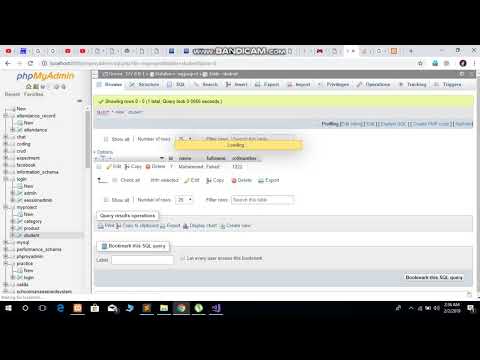
How to set Auto Increment to one 1 even after deleting records. PhpmyAdmin ( Php my admin)
ChannelCode CombinationDescription from the creator
1)Go in your PhpmyAdmin database.
2)Select your database.
3)Open your Table whose id you want to reset.
4)go to Operations tab on that table.
5)Scroll all the way down, You will find two options
a) Truncate the table b)Delete the table
6)Click on Truncate the table and after that go on the SQL tab of your table and enter the following line.
"ALTER TABLE xyz AUTO_INCREMENT=1"
=============================================
The issue that comes up when you delete a record and primary key is messed up again
Solution: After deleting row place this query
DELETE FROM table_name WHERE id=xyz
ALTER TABLE table_name AUTO_INCREMENT = 1
2)Select your database.
3)Open your Table whose id you want to reset.
4)go to Operations tab on that table.
5)Scroll all the way down, You will find two options
a) Truncate the table b)Delete the table
6)Click on Truncate the table and after that go on the SQL tab of your table and enter the following line.
"ALTER TABLE xyz AUTO_INCREMENT=1"
=============================================
The issue that comes up when you delete a record and primary key is messed up again
Solution: After deleting row place this query
DELETE FROM table_name WHERE id=xyz
ALTER TABLE table_name AUTO_INCREMENT = 1
About this tutorial
Code Combination published this 2:25 video tutorial on November 15, 2019. It has been watched 56,236 times on YouTube.
- Channel
- Code Combination
- Category
- People & Blogs
- Duration
- 2:25
- Published
- November 15, 2019
- Views
- 56,236
- Likes
- 268
Tags
Share
This tutorial in other languages
- FRComment mettre Increment Auto à un 1, même après la suppression d'enregistrements. PhpMyAdmin (Php mon admin)
- ESCómo establecer un incremento automático a 1, incluso después de la eliminación de registros. PhpMyAdmin (Fil mi admin)
- PTComo definir Auto Incremento a um 1, mesmo após a exclusão de registros. PhpMyAdmin (Php meu admin)
- ITCome impostare Incremento automatico ad un 1 anche dopo l'eliminazione di record. PhpMyAdmin (Php mia admin)
- DEWie Auto Increment einem 1 auch nach dem Löschen von Datensätzen zu setzen. PhpMyAdmin (Php mein admin)
- NLHoe kan ik Auto Increment ingesteld op een 1 zelfs na het verwijderen van records. PhpMyAdmin (Php mijn admin)
- RUКак установить Auto Increment к одному 1 даже после удаления записей. PhpMyAdmin (Php мой админ)
- PLJak ustawić automatycznego przyrostu jednego 1, nawet po usunięciu rekordów. PhpMyAdmin (php my admin)
- JAでもレコードを削除した後、1 1に自動インクリメントを設定する方法。 phpMyAdminに(PHPの私の管理者)
- ARكيفية تعيين الاضافة السيارات إلى واحد 1 حتى بعد حذف السجلات. بريس (بى بلدي المشرف)
- HIकैसे रिकॉर्ड हटाने के बाद भी एक 1 के लिए ऑटो बढ़ते क्रम में स्थापित करने के लिए। PhpMyAdmin (Php मेरी व्यवस्थापक)
- IDCara mengatur Auto Increment untuk satu 1 bahkan setelah menghapus catatan. PHPMyAdmin (Php admin saya)