Playback starts YouTube’s embedded player (privacy-enhanced mode).
How to Share a Facebook Post
ChannelLearn How with Andy IsomDescription from the creator
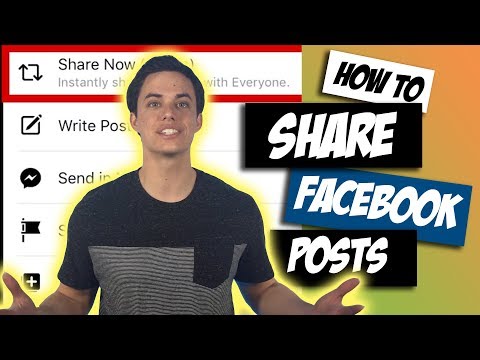
In this iPhone tutorial video, you'll learn how to share a Facebook post or a Facebook weblink. When you are scrolling through Facebook and really enjoy a post, you can easily share it with friends or to your personal pages. When you see a post on Facebook, it usually has three options: like, comment, or share. tapping the thumbs up is a "Like" and is a great way to let the person know you enjoyed their post. If you tap "Comment" it allows you to comment on the post. The final option is "Share" and the options are: "Share Now", "Write Post", "Send in Messenger", "Share to a Page", and "Copy Link." In this iPhone tutorial we cover each one.
Sharing posts from pages is a great way to spread awareness, and introduce friends to pages you enjoy.
This iPhone tutorial applies to iPhone 5, iPhone 6, and iPhone 7, as well as S and Plus models.
Thanks for watching! Please Subscribe and Like!
"Learn How" is a group of four friends who are doing their best to help others learn how to use technology to improve their lifestyle. We are focused on providing the best instructions, tips, and tricks in short concise videos that are easy to follow and understand.
We are working to provide tutorials for the iPhone, Computers, iPads, Facebook, Social Media, and other technology devices. If you have any recommendations or suggestions, please leave us a comment or visit our Facebook page and send us a message! We'd love to hear from you!
Make sure you SUBSCRIBE to this channel and LIKE our Facebook page to access all our videos, tips, and tricks! We are also on Instagram! Follow us to learn some fun facts and see what we are doing behind the scenes using Instagram Story!
Now SHARE this video with your friends and family and give us a THUMBS UP if you liked the video! Thanks for watching!
Website: learnhowgroup.com
Facebook: facebook.com/learnhowgroup
Instagram: instagram.com/learnhowgroup
🎁 ENTER $200 AMAZON GIFT CARD GIVEAWAY: gleam.io/uUgeM/200-amazon-gift-card
Sharing posts from pages is a great way to spread awareness, and introduce friends to pages you enjoy.
This iPhone tutorial applies to iPhone 5, iPhone 6, and iPhone 7, as well as S and Plus models.
Thanks for watching! Please Subscribe and Like!
"Learn How" is a group of four friends who are doing their best to help others learn how to use technology to improve their lifestyle. We are focused on providing the best instructions, tips, and tricks in short concise videos that are easy to follow and understand.
We are working to provide tutorials for the iPhone, Computers, iPads, Facebook, Social Media, and other technology devices. If you have any recommendations or suggestions, please leave us a comment or visit our Facebook page and send us a message! We'd love to hear from you!
Make sure you SUBSCRIBE to this channel and LIKE our Facebook page to access all our videos, tips, and tricks! We are also on Instagram! Follow us to learn some fun facts and see what we are doing behind the scenes using Instagram Story!
Now SHARE this video with your friends and family and give us a THUMBS UP if you liked the video! Thanks for watching!
Website: learnhowgroup.com
Facebook: facebook.com/learnhowgroup
Instagram: instagram.com/learnhowgroup
🎁 ENTER $200 AMAZON GIFT CARD GIVEAWAY: gleam.io/uUgeM/200-amazon-gift-card
About this tutorial
Learn How with Andy Isom published this 2:27 video tutorial on October 28, 2017. It has been watched 324,992 times on YouTube.
- Channel
- Learn How with Andy Isom
- Category
- People & Blogs
- Duration
- 2:27
- Published
- October 28, 2017
- Views
- 324,992
- Likes
- 1,673
Tags
Share
This tutorial in other languages
- FRComment partager un message Facebook
- ESCómo compartir una Facebook Publicar
- PTComo compartilhar um Facebook
- ITCome condividere un Facebook Share
- DEWie Facebook-Beitrag teilen
- NLZo deelt u een Facebook-bericht
- RUКак Разделить на Facebook Опубликовать
- PLJak udostępnić Facebooku Napisz
- JAFacebookのポストを共有する方法
- ARكيفية مشاركة الفيسبوك المشاركة
- HIसाझा करने के लिए कैसे एक फेसबुक पोस्ट
- IDCara Berbagi Facebook Posting