Playback starts YouTube’s embedded player (privacy-enhanced mode).
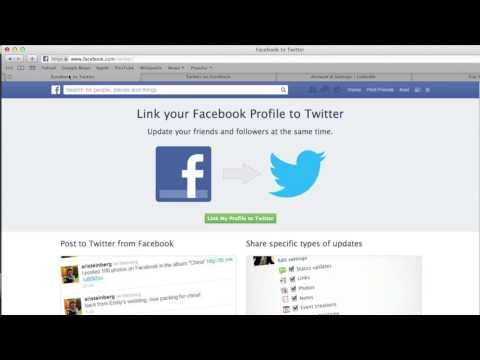
How to synchronize Facebook, Twitter and Linkedin
ChannelAnel NurkayevaDescription from the creator
zeteti.co/synchronize-facebook-twitter-linkedin…
Instructions:
1. Login to your Twitter, Facebook & Linkedin Accounts
2. go to facebook.com/twitter/ , follow the prompts
3. go to apps.facebook.com/twitter/ , follow the prompts
4. go to linkedin.com/settings/?trk=nav_account_sub_nav_…, click on 'manage your twitter settings'.
5. Click "Add your Twitter account", follow the prompts
Done!
Instructions:
1. Login to your Twitter, Facebook & Linkedin Accounts
2. go to facebook.com/twitter/ , follow the prompts
3. go to apps.facebook.com/twitter/ , follow the prompts
4. go to linkedin.com/settings/?trk=nav_account_sub_nav_…, click on 'manage your twitter settings'.
5. Click "Add your Twitter account", follow the prompts
Done!
About this tutorial
Anel Nurkayeva published this 0:56 video tutorial on November 8, 2014. It has been watched 2,350 times on YouTube.
- Channel
- Anel Nurkayeva
- Category
- People & Blogs
- Duration
- 0:56
- Published
- November 8, 2014
- Views
- 2,350
- Likes
- 4
Tags
Share
This tutorial in other languages
- FRComment synchroniser Facebook, Twitter et Linkedin
- ESCómo sincronizar Facebook, Twitter y Linkedin
- PTComo sincronizar Facebook, Twitter e Linkedin
- ITCome sincronizzare Facebook, Twitter e Linkedin
- DEWie Facebook, Twitter und Linkedin synchronisieren
- NLHoe maak je Facebook, Twitter en Linkedin synchroniseren
- RUКак синхронизировать Facebook, Twitter и Linkedin
- PLJak zsynchronizować Facebook, Twitter i LinkedIn
- JAFacebookやTwitterとLinkedInのを同期する方法
- ARكيفية مزامنة الفيسبوك وتويتر وينكدين
- HIकैसे सिंक्रनाइज़ करने के लिए फेसबुक, ट्विटर और Linkedin
- IDBagaimana untuk menyinkronkan Facebook, Twitter dan Linkedin