Playback starts YouTube’s embedded player (privacy-enhanced mode).
How to test a single cable, and troubleshooting tools
ChannelSofting North AmericaDescription from the creator
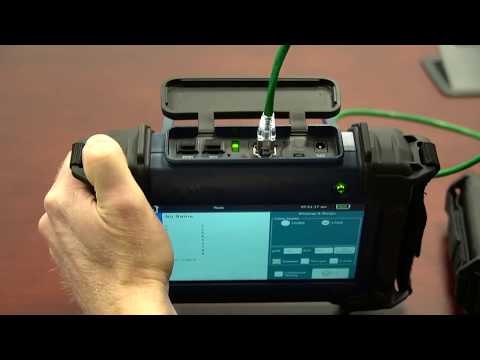
NetXpert XG1 has a Tools menu for running specific tests such as...
- Wiremap and continuous wiremap monitoring
- BERT (bit error rate test). This test can be run for a specified amount of time or it can be set to run continuously while you are troubleshooting intermittant problems.
- Delay Skew and SNR (signal to noise ratio). These tests will be performed to make sure the specs are within requirements for the cable speed chosen. For example, if you are running a 10Gbit/sec test, the specs will be much tighter than for a 100Mbit/sec test. You will receive a pass fail for this test.
- Port discovery checks for link speed (not BERT), POE detection, POE load, POE voltage
- Tone generator to find cables
- Link light to find the port where the cable is connected
- Link status
With the Tools, prove the speed of your Ethernet network up to 10Gbits/sec even if you have CAT 5 or CAT 5e cables installed. Or solve problems with your CAT 5, CAT 6, CAT 6A or newer cables.
NetXpert XG1 defines a new category of Cable Qualifiers -- Cable Project Qualifier.
- Wiremap and continuous wiremap monitoring
- BERT (bit error rate test). This test can be run for a specified amount of time or it can be set to run continuously while you are troubleshooting intermittant problems.
- Delay Skew and SNR (signal to noise ratio). These tests will be performed to make sure the specs are within requirements for the cable speed chosen. For example, if you are running a 10Gbit/sec test, the specs will be much tighter than for a 100Mbit/sec test. You will receive a pass fail for this test.
- Port discovery checks for link speed (not BERT), POE detection, POE load, POE voltage
- Tone generator to find cables
- Link light to find the port where the cable is connected
- Link status
With the Tools, prove the speed of your Ethernet network up to 10Gbits/sec even if you have CAT 5 or CAT 5e cables installed. Or solve problems with your CAT 5, CAT 6, CAT 6A or newer cables.
NetXpert XG1 defines a new category of Cable Qualifiers -- Cable Project Qualifier.
About this tutorial
Softing North America published this 4:07 video tutorial on November 14, 2019. It has been watched 771 times on YouTube.
- Channel
- Softing North America
- Category
- People & Blogs
- Duration
- 4:07
- Published
- November 14, 2019
- Views
- 771
- Likes
- 2
Tags
Share
This tutorial in other languages
- FRComment tester un seul câble, et des outils de dépannage
- ESCómo probar un solo cable, y las herramientas de solución de problemas
- PTComo testar um único cabo, e as ferramentas de resolução de problemas
- ITCome testare un singolo cavo, e gli strumenti di risoluzione dei problemi
- DEWie ein einziges Kabel testen und Tools zur Fehlerbehebung
- NLHoe maak je een enkele kabel, en hulpprogramma's voor probleemoplossing te testen
- RUКак проверить один кабель, и средства устранения неполадок
- PLJak przetestować jeden kabel, i narzędzia do rozwiązywania problemów
- JA一本のケーブル、およびトラブルシューティングツールをテストする方法
- ARكيفية اختبار كابل واحد، وأدوات استكشاف الأخطاء وإصلاحها
- HIकैसे एक केबल, और समस्या निवारण उपकरण का परीक्षण करने के
- IDBagaimana untuk menguji kabel tunggal, dan alat pemecahan masalah