Playback starts YouTube’s embedded player (privacy-enhanced mode).
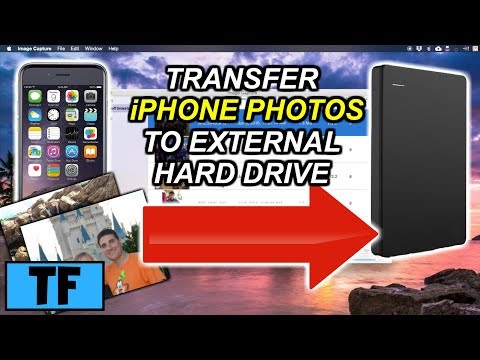
How To Transfer iPhone Photos To External Hard Drive Using Image Capture
ChannelTinker ForwardDescription from the creator
Best file transfer software for PC : bit.ly/3EgCPK5
50% off now : bit.ly/2Z26eb3
In this video, Jeff shows you an easy method on how to transfer pics and videos from your iPhone or iPad to your external hard drive or portable hard drive using a mac with an app called image capture. This method is different from using the Photos app on a mac. It allows you to easily and quickly copy the photos from your iphone/ipad and specify a different destination storage drive such as a flash drive, jump drive, SD card, or external hard drive. In addition, you can use this method to save your pictures to a cloud based drive such as google photos or dropbox.
▶️ Did this video help you? Donations are appreciated here: paypal.me/TinkerForward
▶️ Support my content! Consider buying me a coffee! - buymeacoffee.com/tinkerforward
Also be sure to check out:
iPhone Storage Full? Best Ways On How To Quickly Free Up Storage Space
youtu.be/EpbYcoY1odE
Other tech videos:
youtube.com/playlist?list=PL-ejpb-NKxVB95qQxy5K…
Thanks so much for watching! Be sure to give this video a thumbs up!
Subscribe to Tinker Forward for more fun tech, toy, gadget, lighting and home project videos here: youtube.com/channel/UCuc4MxH9elX19vLtDYeJ2Uw
Website: tinkerforward.com
Facebook: facebook.com/TinkerForward
Music Used In This Video:
Tobu - Candyland [No Copyright Music]
youtube.com/watch?v=IIrCDAV3EgI
Tobu
➞ SoundCloud soundcloud.com/7obu
➞ Facebook facebook.com/tobuofficial
➞ Twitter twitter.com/tobuofficial
➞ Spotify smarturl.it/Tobu_Spotify
Vibe Tracks - You Like It
youtube.com/watch?v=nRIrvGAUIhY
DISCLAIMER: This video and description contains affiliate links, which means that if you click on one of the product links, I’ll receive a small commission, at no extra cost to you. This help support the channel and allows me to continue to make videos like this. Thank you for the support!
Tinker Forward assumes no liability for property damage or injury incurred as a result of any of the information contained in this video. Due to factors beyond the control of Tinker Forward, no information contained in this video shall create any express or implied warranty or guarantee of any particular result. Any injury, damage or loss that may result from improper use of these tools, equipment, or the information contained in this video is the sole responsibility of the user and not Tinker Forward.
50% off now : bit.ly/2Z26eb3
In this video, Jeff shows you an easy method on how to transfer pics and videos from your iPhone or iPad to your external hard drive or portable hard drive using a mac with an app called image capture. This method is different from using the Photos app on a mac. It allows you to easily and quickly copy the photos from your iphone/ipad and specify a different destination storage drive such as a flash drive, jump drive, SD card, or external hard drive. In addition, you can use this method to save your pictures to a cloud based drive such as google photos or dropbox.
▶️ Did this video help you? Donations are appreciated here: paypal.me/TinkerForward
▶️ Support my content! Consider buying me a coffee! - buymeacoffee.com/tinkerforward
Also be sure to check out:
iPhone Storage Full? Best Ways On How To Quickly Free Up Storage Space
youtu.be/EpbYcoY1odE
Other tech videos:
youtube.com/playlist?list=PL-ejpb-NKxVB95qQxy5K…
Thanks so much for watching! Be sure to give this video a thumbs up!
Subscribe to Tinker Forward for more fun tech, toy, gadget, lighting and home project videos here: youtube.com/channel/UCuc4MxH9elX19vLtDYeJ2Uw
Website: tinkerforward.com
Facebook: facebook.com/TinkerForward
Music Used In This Video:
Tobu - Candyland [No Copyright Music]
youtube.com/watch?v=IIrCDAV3EgI
Tobu
➞ SoundCloud soundcloud.com/7obu
➞ Facebook facebook.com/tobuofficial
➞ Twitter twitter.com/tobuofficial
➞ Spotify smarturl.it/Tobu_Spotify
Vibe Tracks - You Like It
youtube.com/watch?v=nRIrvGAUIhY
DISCLAIMER: This video and description contains affiliate links, which means that if you click on one of the product links, I’ll receive a small commission, at no extra cost to you. This help support the channel and allows me to continue to make videos like this. Thank you for the support!
Tinker Forward assumes no liability for property damage or injury incurred as a result of any of the information contained in this video. Due to factors beyond the control of Tinker Forward, no information contained in this video shall create any express or implied warranty or guarantee of any particular result. Any injury, damage or loss that may result from improper use of these tools, equipment, or the information contained in this video is the sole responsibility of the user and not Tinker Forward.
About this tutorial
Tinker Forward published this 6:19 video tutorial on November 12, 2018. It has been watched 189,137 times on YouTube.
- Channel
- Tinker Forward
- Category
- People & Blogs
- Duration
- 6:19
- Published
- November 12, 2018
- Views
- 189,137
- Likes
- 2,011
Tags
Share
This tutorial in other languages
- FRComment faire pour transférer iPhone Photos Pour Disque dur externe Utilisation de Capture d'image
- ESCómo transferir fotos del iPhone Para el disco duro externo mediante Captura de Imagen
- PTComo transferir iPhone Fotos Para Disco Rígido Externo Usando o Image Capture
- ITCome trasferire foto di iPhone un disco rigido esterno utilizzando Acquisizione Immagine
- DEHow To iPhone Fotos zu externer Festplatte Bild-Capture Übertragen
- NLHow To Transfer iPhone Foto Naar externe harde schijf met Fotolader
- RUКак передать картинки фото Для внешнего жесткого диска с помощью программы Image Capture
- PLJak przenieść iPhone Zdjęcia do zewnętrznego dysku twardego za pomocą Image Capture
- JAイメージキャプチャを使って外付けハードドライブにiPhoneの写真を転送する方法
- ARكيفية نقل اي فون صور لمحرك الأقراص الصلبة الخارجية عن طريق التقاط الصور
- HIकैसे छवि पर कब्जा का उपयोग बाहरी हार्ड डिस्क पर iPhone फ़ोटो स्थानांतरित करना
- IDCara Transfer Foto iPhone Untuk Hard Drive Eksternal Menggunakan Image Capture