Playback starts YouTube’s embedded player (privacy-enhanced mode).
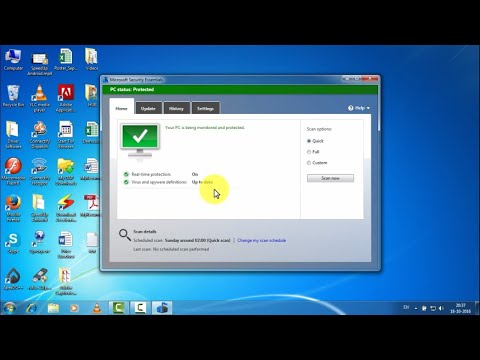
How to update offline Windows Defender, Microsoft Security Essentials ????????????
ChannelNeSky IndiaDescription from the creator
Learn How to update offline Windows Defender, Microsoft Security Essentials. This video describes how to update Windows Defender, Microsoft security essentials offline for your PC. Sometimes it makes trouble to update the same online, especially when you use proxy on your system and proxy configuration does not properly done. In this case , you can download the update file using your browser and run it as administrator.
If you get Error message like "Virus and spyware definitions couldn't be updated" then click on bellow given Link to solve the issue or you may watch the video: youtu.be/CBVD33gi0aQ
You can offline update the followings (Links given bellow) -
Windows Defender Antivirus for Windows 10 and Windows 8.1,
Microsoft Security Essentials,
Windows Security Essentials,
Windows Defender in Windows 7 and Windows Vista,
Microsoft Diagnostics and Recovery Toolset (DaRT),
Forefront Server Security,
Forefront Endpoint Protection,
System Center 2012 Configuration Manager,
System Center 2012 Endpoint Protection,
Windows Intune,
If Update Error watch: youtu.be/CBVD33gi0aQ
Updated Link - microsoft.com/en-us/wdsi/defenderupdates
Fix "Virus and spyware definitions couldn't be updated" Error message :
Link - neskyi.com/2019/11/fix-virus-and-spyware-defini…
or Watch the video: youtu.be/CBVD33gi0aQ
#Windows_Antivirus_Offline_Update
#Offline_Update_Windows_Defender
#Security_Essentials_Offline_Update
If you get Error message like "Virus and spyware definitions couldn't be updated" then click on bellow given Link to solve the issue or you may watch the video: youtu.be/CBVD33gi0aQ
You can offline update the followings (Links given bellow) -
Windows Defender Antivirus for Windows 10 and Windows 8.1,
Microsoft Security Essentials,
Windows Security Essentials,
Windows Defender in Windows 7 and Windows Vista,
Microsoft Diagnostics and Recovery Toolset (DaRT),
Forefront Server Security,
Forefront Endpoint Protection,
System Center 2012 Configuration Manager,
System Center 2012 Endpoint Protection,
Windows Intune,
If Update Error watch: youtu.be/CBVD33gi0aQ
Updated Link - microsoft.com/en-us/wdsi/defenderupdates
Fix "Virus and spyware definitions couldn't be updated" Error message :
Link - neskyi.com/2019/11/fix-virus-and-spyware-defini…
or Watch the video: youtu.be/CBVD33gi0aQ
#Windows_Antivirus_Offline_Update
#Offline_Update_Windows_Defender
#Security_Essentials_Offline_Update
About this tutorial
NeSky India published this 2:59 video tutorial on October 29, 2016. It has been watched 60,170 times on YouTube.
- Channel
- NeSky India
- Category
- People & Blogs
- Duration
- 2:59
- Published
- October 29, 2016
- Views
- 60,170
- Likes
- 209
Tags
Share
This tutorial in other languages
- FRComment mettre à jour hors ligne Windows Defender, Microsoft Security Essentials ????????????
- ESCómo actualizar en línea de Windows Defender, Microsoft Security Essentials ????????????
- PTComo atualizar offline do Windows Defender, Microsoft Security Essentials ????????????
- ITCome aggiornare Windows non in linea Defender, Microsoft Security Essentials ????????????
- DEWie offline Windows Defender, Microsoft Security Essentials aktualisieren ????????????
- NLHoe updaten offline Windows Defender, Microsoft Security Essentials ????????????
- RUКак обновить форум Защитника Windows, Microsoft Security Essentials ????????????
- PLJak zaktualizować nieaktywny Windows Defender, Microsoft Security Essentials ????????????
- JAWindows Defenderのは、Microsoft Security Essentialsのオフライン更新する方法????????????
- ARكيفية تحديث ويندوز المدافع حاليا، أساسيات أمان Microsoft ؟؟؟؟؟؟؟؟؟؟؟؟
- HIकैसे विंडोज डिफेंडर, Microsoft Security Essentials ऑफ़लाइन अद्यतन करने के लिए ????????????
- IDCara memperbarui secara offline Windows Defender, Microsoft Security Essentials ????????????