Playback starts YouTube’s embedded player (privacy-enhanced mode).
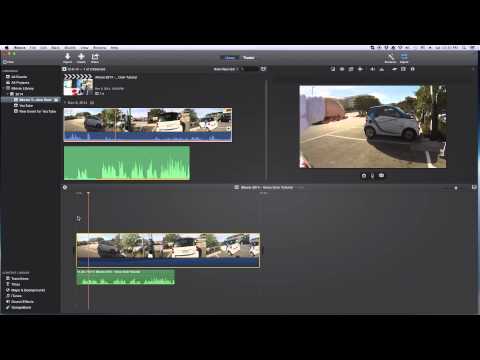
iMovie - Voice Over Tutorial
ChannelEric TimmerDescription from the creator
In this iMovie tutorial I show you how to record a voice over. It's really quite simple to do. You can either go to the "Window" menu item and then select the "Voice Over" item, or you can use the keyboard shortcut with is the letter "V" (for voice I am guessing). This video was recorded in December 2014 and should be good for a year or so, until Apple makes any big updates to iMovie, which I don't foresee in the near future.
Here is a link to the microphone I use in just about all my videos:
amazon.com/gp/offer-listing/B007JX8O0Y/ref=as_l…
Support the channel: patreon.com/erictimmer
~~~~~~~~~~~~~~~~~~~~~~~~~
Technical Information:
Screen Recording: Quicktime
Video Editing: Final Cut Pro X (FCPX)
Computers: i7 Hackintosh ;-) / MacBook Pro i5
Here is a link to the microphone I use in just about all my videos:
amazon.com/gp/offer-listing/B007JX8O0Y/ref=as_l…
Support the channel: patreon.com/erictimmer
~~~~~~~~~~~~~~~~~~~~~~~~~
Technical Information:
Screen Recording: Quicktime
Video Editing: Final Cut Pro X (FCPX)
Computers: i7 Hackintosh ;-) / MacBook Pro i5
About this tutorial
Eric Timmer published this 3:18 video tutorial on October 29, 2015. It has been watched 249,080 times on YouTube.
- Channel
- Eric Timmer
- Category
- People & Blogs
- Duration
- 3:18
- Published
- October 29, 2015
- Views
- 249,080
- Likes
- 2,108
Tags
Share
This tutorial in other languages
- FRiMovie - Voice Over Tutorial
- ESiMovie - Voz sobre Tutorial
- PTiMovie - Voice Over Tutorial
- ITiMovie - Voice Over Tutorial
- DEiMovie - Voice Over Tutorial
- NLiMovie - Voice Over Tutorial
- RUIMOVIE - Voice Over Учебное пособие
- PLiMovie - Voice Over Tutorial
- JAiMovieの - ボイスオーバーのチュートリアル
- ARموفي - الصوت عبر دروس
- HIiMovie - आवाज ट्यूटोरियल से अधिक
- IDiMovie - Voice Over Tutorial