Playback starts YouTube’s embedded player (privacy-enhanced mode).
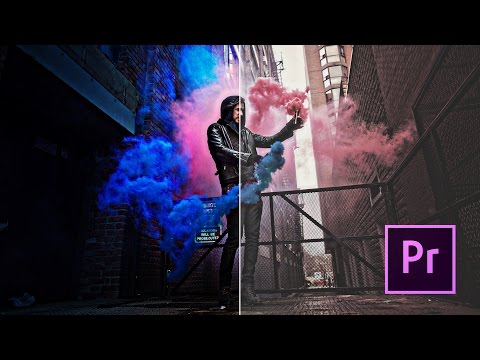
Make your footage look Cinematic FAST! Premiere Pro Tutorial
ChannelPeter McKinnonIn brief
Transform flat footage into a polished, cinematic look using Premiere Pro’s built-in tools—no extra plugins needed. This tutorial covers quick color grading tricks and how sound design elevates visuals, ideal for editors who want Hollywood-style results fast.
Description from the creator
This is how to create more cinematic / Hollywood looking footage with some easy tips on colour correction and a little bit of sound design.
This tutorial outlines some basics in colour grading within Premiere Pro without having to use third party plug-ins. As a bonus, you'll learn how sound effects and music can dramatically change the look and feel of your footage.
You can also check out my LUT Pack for more colour grading and a tutorial here : sellfy.com/p/EaHg/
Like, Comment & Subscribe to stay updated with the latest content! VLOGS uploaded frequently!
GEAR:
My MAIN Camera - amzn.to/2kdu35o
My FAVOURITE Lens Ever - amzn.to/2kQNK4U
The Magic Canon Lens of Life - amzn.to/2kXF9Qm
The Mic I use - amzn.to/2l23rrZ
My Drone - amzn.to/2kdE3M7
GoPro HERO 5 - amzn.to/2l1Nhit
Follow Me:
Instagram: instagram.com/petermckinnon/
Twitter: twitter.com/petermckinnon
Facebook: facebook.com/petermckinnon
Website: petermckinnon.com
This tutorial outlines some basics in colour grading within Premiere Pro without having to use third party plug-ins. As a bonus, you'll learn how sound effects and music can dramatically change the look and feel of your footage.
You can also check out my LUT Pack for more colour grading and a tutorial here : sellfy.com/p/EaHg/
Like, Comment & Subscribe to stay updated with the latest content! VLOGS uploaded frequently!
GEAR:
My MAIN Camera - amzn.to/2kdu35o
My FAVOURITE Lens Ever - amzn.to/2kQNK4U
The Magic Canon Lens of Life - amzn.to/2kXF9Qm
The Mic I use - amzn.to/2l23rrZ
My Drone - amzn.to/2kdE3M7
GoPro HERO 5 - amzn.to/2l1Nhit
Follow Me:
Instagram: instagram.com/petermckinnon/
Twitter: twitter.com/petermckinnon
Facebook: facebook.com/petermckinnon
Website: petermckinnon.com
About this tutorial
Peter McKinnon published this 16:06 video tutorial on November 5, 2017. It has been watched 3,425,725 times on YouTube.
- Channel
- Peter McKinnon
- Category
- People & Blogs
- Duration
- 16:06
- Published
- November 5, 2017
- Views
- 3,425,725
- Likes
- 73,067
Tags
Share
This tutorial in other languages
- FRFaites votre look images Cinematic de FAST! Premiere Pro Tutorial
- ESHacer que su material cinematográfico RÁPIDO! Premiere Pro Tutorial
- PTFaça o seu material olhar RÁPIDO Cinematic! Premiere Pro Tutorial
- ITRendere il filmato sguardo VELOCE Cinematic! Premiere Pro Tutorial
- DEMachen Sie Ihre Aufnahmen sehen Cinematic SCHNELL! Premiere Pro Tutorial
- NLMaak uw beeldmateriaal blik Cinematic SNEL! Premiere Pro Tutorial
- RUСделайте отснятый взгляд Cinematic БЫСТРО! Premiere Pro Tutorial
- PLDokonanie Powierzchnia wygląd Cinematic szybko! Premiere Pro Tutorial
- JAあなたの映像を見シネマティックFASTを作ろう! Premiere Proのチュートリアル
- ARيصبح لديك لقطات نظرة FAST السينمائي! بريمير برو دروس
- HIअपने दृश्य नज़र सिनेमाई फास्ट बनाओ! Premiere Pro ट्यूटोरियल
- IDMembuat rekaman Anda lihat Cinematic CEPAT! Premiere Pro Tutorial