Playback starts YouTube’s embedded player (privacy-enhanced mode).
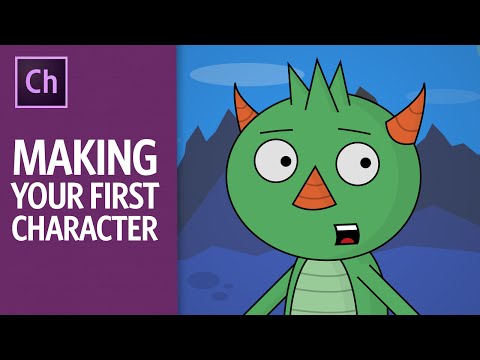
Making Your First Character - ARCHIVED (Adobe Character Animator Tutorial)
ChannelOkay SamuraiDescription from the creator
(Note: This is an older video, so some parts may be outdated in the latest release: stapling has been replaced with auto-attaching, triggers have their own panel now, lip sync has a single editing track in the timeline, and more. See youtu.be/MUtRnMMOTmo for a more recent full workflow tutorial.)
Adobe Character Animator is a performance capture animation tool that is part of After Effects CC. It takes Photoshop and Illustrator files, and allows you to control them in realtime using your face and voice through a webcam. This in-depth tutorial shows a complete end-to-end workflow, from drawing the character all the way to a final export. You will need Character Animator Preview 4 or later to access the features shown here.
Sections:
1. Drawing a Head 1:05
2. Importing & Setup 3:33
3. Eyes & Eyebrows 6:41
4. Mouth 10:49
5. Physics 14:09
6. Keyboard Triggers 16:00
7. Cycle Layers 18:16
8. Head Turns 23:00
9. Drawing a Body 26:56
10. Arms, Hands, Legs & Tails 29:07
11. Live Animation 33:49
12. Recording Setup & Lip Sync 35:45
13. Recording Face, Limbs & Triggers 38:19
14. Exporting 42:47
Download Wilk and other puppets: okaysamurai.com/puppets/ (Okay Samurai Puppets)
and adobe.com/go/chexamples (official Adobe pack)
Download Character Animator: adobe.com/products/character-animator.html
Visit the official forums: forums.adobe.com/community/character-animator
Subscribe on YouTube: youtube.com/subscription_center?add_user=okaysa…
Twitter: twitter.com/okaysamurai
Facebook: facebook.com/okaysamurai
Website: okaysamurai.com
Adobe Character Animator is a performance capture animation tool that is part of After Effects CC. It takes Photoshop and Illustrator files, and allows you to control them in realtime using your face and voice through a webcam. This in-depth tutorial shows a complete end-to-end workflow, from drawing the character all the way to a final export. You will need Character Animator Preview 4 or later to access the features shown here.
Sections:
1. Drawing a Head 1:05
2. Importing & Setup 3:33
3. Eyes & Eyebrows 6:41
4. Mouth 10:49
5. Physics 14:09
6. Keyboard Triggers 16:00
7. Cycle Layers 18:16
8. Head Turns 23:00
9. Drawing a Body 26:56
10. Arms, Hands, Legs & Tails 29:07
11. Live Animation 33:49
12. Recording Setup & Lip Sync 35:45
13. Recording Face, Limbs & Triggers 38:19
14. Exporting 42:47
Download Wilk and other puppets: okaysamurai.com/puppets/ (Okay Samurai Puppets)
and adobe.com/go/chexamples (official Adobe pack)
Download Character Animator: adobe.com/products/character-animator.html
Visit the official forums: forums.adobe.com/community/character-animator
Subscribe on YouTube: youtube.com/subscription_center?add_user=okaysa…
Twitter: twitter.com/okaysamurai
Facebook: facebook.com/okaysamurai
Website: okaysamurai.com
About this tutorial
Okay Samurai published this 45:13 video tutorial on October 29, 2016. It has been watched 1,029,499 times on YouTube.
- Channel
- Okay Samurai
- Category
- People & Blogs
- Duration
- 45:13
- Published
- October 29, 2016
- Views
- 1,029,499
- Likes
- 13,153
Tags
Share
This tutorial in other languages
- FRVotre premier personnage - ARCHIVÉ (Adobe Character Animator Tutorial)
- ESCreación de su primer personaje - archivado (Adobe animador Tutorial)
- PTFazendo sua primeira personagem - ARCHIVED (Adobe Character Animator Tutorial)
- ITFare il tuo primo personaggio - ARCHIVED (Adobe Character Animator Tutorial)
- DEIhre erste Rolle - ARCHIVED (Adobe Character Animator Tutorial)
- NLHet maken van uw eerste teken - ARCHIVED (Adobe Character Animator zelfstudie)
- RUСоздание Вашего первого символа - ARCHIVED (Adobe Character Animator учебное пособие)
- PLDokonywanie pierwszy znak - zarchiwizowane (Adobe Character Animator samouczek)
- JAあなたの最初の文字を作る - ARCHIVED(アドビキャラクターアニメーターチュートリアル)
- ARجعل الحرف الأول الخاص بك - الأرشيف (أدوبي شخصية الرسوم المتحركة دروس)
- HIआपका पहला चरित्र बनाना - संग्रहीत (एडोब चरित्र एनिमेटर ट्यूटोरियल)
- IDMembuat Karakter Pertama Anda - diarsipkan (Adobe Character Animator Tutorial)