Playback starts YouTube’s embedded player (privacy-enhanced mode).
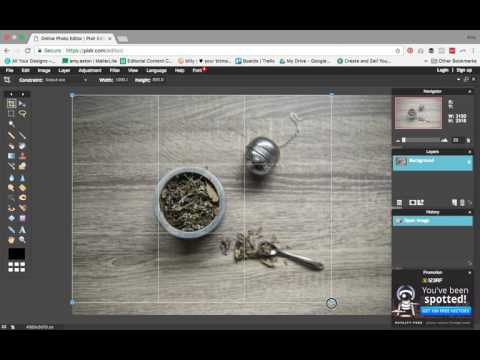
Pixlr Photo Editing Tutorial
ChannelAmy EatonDescription from the creator
🚨 Update 🚨 As the free version of Pixlr shown here does not colour profiles to be embedded with the image files, I can no longer recommend Pixlr as a viable option for product photography (although it's fine for photos where colour authenticity is less important).
Not sure what the heck I'm talking about? Check out my video on embedding colour profiles here: youtu.be/8JkcITnoSMY
🚨 NOTE 🚨 This video was made ages ago for a colleague's Facebook group of makers. So the chatter in the beginning is intended for them. Skip to 2:09 to dive right into the good stuff.
This tutorial cover the basic process for editing your photos using the free photo editing web app, Pixlr. Covering cropping/resizing, levels adjustment, and color balance, this video will have you on your way to editing great product photos in no time flat.
Grab my Product Photography Quality Checklist 👉 amytakespictures.com/checklist/
Join me on Instagram! 👉 instagram.com/amy.takes.pictures
Check out some of my other videos!
🎥 Etsy Image Sizing 2020: youtu.be/4ehQF4uH5PU
🎥 How to Optimize Images for the Web: youtu.be/5Ut11CYFB_0
🎥 3 Awesome Free Apps for DIY Brand & Product Photography: youtu.be/1YepHr4H4Qk
Not sure what the heck I'm talking about? Check out my video on embedding colour profiles here: youtu.be/8JkcITnoSMY
🚨 NOTE 🚨 This video was made ages ago for a colleague's Facebook group of makers. So the chatter in the beginning is intended for them. Skip to 2:09 to dive right into the good stuff.
This tutorial cover the basic process for editing your photos using the free photo editing web app, Pixlr. Covering cropping/resizing, levels adjustment, and color balance, this video will have you on your way to editing great product photos in no time flat.
Grab my Product Photography Quality Checklist 👉 amytakespictures.com/checklist/
Join me on Instagram! 👉 instagram.com/amy.takes.pictures
Check out some of my other videos!
🎥 Etsy Image Sizing 2020: youtu.be/4ehQF4uH5PU
🎥 How to Optimize Images for the Web: youtu.be/5Ut11CYFB_0
🎥 3 Awesome Free Apps for DIY Brand & Product Photography: youtu.be/1YepHr4H4Qk
About this tutorial
Amy Eaton published this 15:52 video tutorial on November 8, 2017. It has been watched 161,103 times on YouTube.
- Channel
- Amy Eaton
- Category
- People & Blogs
- Duration
- 15:52
- Published
- November 8, 2017
- Views
- 161,103
- Likes
- 1,123
Tags
Share
This tutorial in other languages
- FRPixlr Tutorial - Conçu pour les débutants
- ESPIXLR Tutorial - Diseñado para principiantes
- PTPixlr Tutorial - Projetado para Iniciantes
- ITPIXLR Tutorial - progettato per i principianti
- DEPixlr Tutorial - Entwickelt für Anfänger
- NLPixlr Tutorial - Ontworpen voor beginners
- RUPixlr Учебник - Предназначен для начинающих
- PLPixlr Tutorial - Przeznaczony dla początkujących
- JA初心者のために設計さ - PIXLRチュートリアル
- ARأو Pixlr دروس - تصميم للمبتدئين
- HIPixlr ट्यूटोरियल - शुरुआती के लिए बनाया गया
- IDPixlr Photo Editing Tutorial