Playback starts YouTube’s embedded player (privacy-enhanced mode).
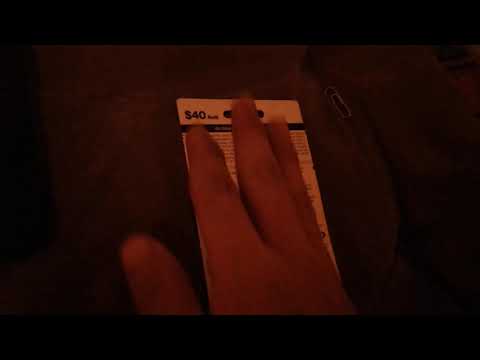
Tutorial on how to enter card in your Verizon prepaid service
ChannelJohn Secret SpiritDescription from the creator
40$ prepaid card is about half a month of unlimited data only, 3 gb added to phone, half way month it will be slow Internet.
50$ prepaid card will have 8 gb added, unlimited will last for half a month plus 2 weeks is what I'm guessing like the last week of the month it will be slow Internet.
70$ will work all 30 day long with good speed Internet! 👍
After entering card in, restart your device till it turns on to homescreen and getting notifications!
Each prepaid number pin is different
#verizon #prepaid #service #speeddata #tutorial
Comment
Share⌨🖱🖲💻👥👤
Like👍
Subscribe 👫👬👭
Sorry it is morning and using a tablet 9.6 inch facing forward is the best lightin I can get.
🍫🎂🍫🎂🍫🎂🍫🎂🍫🎂🍫🎂🍫🎂🍫🎂🍫🎂🍫🎂🍫🎂🍫🎂
Step 1 = go to keypad, dial 611
Step 2 = it will ask for your a couple questions, must click 1 when robot is done talking
Step 3 = make sure card pin area is scratched off, enter number in on keypad.
Step 4 = make sure robot tells you your number is correct same as the card to confirm! Then press whatever number it tells you if it's right !
Step 5 = make sure you get message from Verizon that your prepaid bill is payed added already to your account.
Step 6 = restart your device till you get to homescreen and get notification!
50$ prepaid card will have 8 gb added, unlimited will last for half a month plus 2 weeks is what I'm guessing like the last week of the month it will be slow Internet.
70$ will work all 30 day long with good speed Internet! 👍
After entering card in, restart your device till it turns on to homescreen and getting notifications!
Each prepaid number pin is different
#verizon #prepaid #service #speeddata #tutorial
Comment
Share⌨🖱🖲💻👥👤
Like👍
Subscribe 👫👬👭
Sorry it is morning and using a tablet 9.6 inch facing forward is the best lightin I can get.
🍫🎂🍫🎂🍫🎂🍫🎂🍫🎂🍫🎂🍫🎂🍫🎂🍫🎂🍫🎂🍫🎂🍫🎂
Step 1 = go to keypad, dial 611
Step 2 = it will ask for your a couple questions, must click 1 when robot is done talking
Step 3 = make sure card pin area is scratched off, enter number in on keypad.
Step 4 = make sure robot tells you your number is correct same as the card to confirm! Then press whatever number it tells you if it's right !
Step 5 = make sure you get message from Verizon that your prepaid bill is payed added already to your account.
Step 6 = restart your device till you get to homescreen and get notification!
About this tutorial
John Secret Spirit published this 2:04 video tutorial on December 13, 2019. It has been watched 22,594 times on YouTube.
- Channel
- John Secret Spirit
- Category
- People & Blogs
- Duration
- 2:04
- Published
- December 13, 2019
- Views
- 22,594
- Likes
- 102
Share
This tutorial in other languages
- FRTutoriel sur la façon d'entrer carte dans votre service prépayé Verizon
- ESTutorial sobre cómo introducir la tarjeta en su servicio prepagado de Verizon
- PTTutorial sobre como inserir o cartão no seu serviço pré-pago da Verizon
- ITTutorial su come inserire carta nel tuo servizio prepagato Verizon
- DETutorial, wie Karte in Ihrem Verizon Prepaid-Dienst eingeben
- NLTutorial over hoe je kaart in te voeren in uw Verizon prepaid dienst
- RUУчебник о том, чтобы ввести карту в предоплаченного сервиса Verizon
- PLTutorial jak wprowadzić kartę w opłaconej usługi Verizon
- JAあなたのVerizonのプリペイドサービスでカードを入力する方法についてのチュートリアル
- ARالبرنامج التعليمي حول كيفية إدخال البطاقة في الخدمة المدفوعة مقدما فيريزون
- HIकैसे अपने Verizon प्रीपेड सेवा में प्रवेश करने के लिए कार्ड पर ट्यूटोरियल
- IDTutorial tentang cara memasukkan kartu dalam layanan prabayar Verizon Anda