Playback starts YouTube’s embedded player (privacy-enhanced mode).
Alibre 2012 (Geomagic) Tutorial - Introduction on How to Use Software
ChannelNYC CNCDescription from the creator
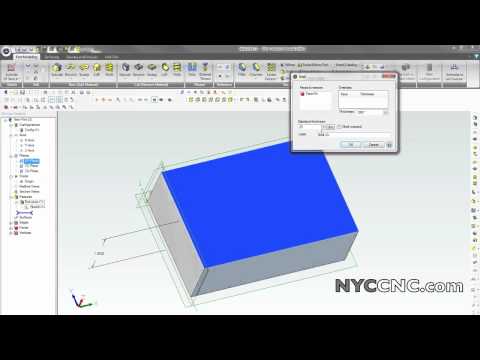
An introductory video tutorial to Alibre 2012 Personal Edition! Shows how to create a simple box. Features shown include 2D Sketch, Extrude Boss, Shell, Chamfer, Line editing and more! Courtesy of NYCCNC.com 5 Reasons to Use a Fixture Plate on Your CNC Machine: bit.ly/3sNA4uH
About this tutorial
NYC CNC published this 6:41 video tutorial on October 27, 2012. It has been watched 44,394 times on YouTube.
- Channel
- NYC CNC
- Category
- Science & Technology
- Duration
- 6:41
- Published
- October 27, 2012
- Views
- 44,394
- Likes
- 137
Share
This tutorial in other languages
- FRAlibre 2012 (Geomagic) Tutoriel - Présentation sur l'utilisation du logiciel
- ESAlibre 2012 (Geomagic) Tutorial - Introducción sobre cómo utilizar el software
- PTAlibre 2012 (Geomagic) Tutorial - Introdução sobre como usar o software
- ITAlibre 2012 (Geomagic) Tutorial - Introduzione su come usare il software
- DEAlibre 2012 (Geomagic) Tutorial - Einführung über die Verwendung von Software
- NLAlibre 2012 (Geomagic) Tutorial - Introductie over het gebruik van Software
- RUAlibre 2012 (Geomagic) Учебник - Введение о том, как использовать программное обеспечение
- PLAlibre 2012 (Geomagic) Tutorial - Wprowadzenie na temat korzystania z oprogramowania
- JAAlibre社2012(Geomagic社)チュートリアル - 利用ソフトウェアにはどのように紹介
- ARتصميم Alibre 2012 (Geomagic) دروس - مقدمة عن كيفية استخدام البرمجيات
- HIAlibre 2012 (Geomagic) ट्यूटोरियल - कैसे पर उपयोग सॉफ्टवेयर का परिचय
- IDAlibre 2012 (Geomagic) Tutorial - Pengantar Cara Penggunaan Software