The creator does not allow this video to be played on other websites. You can watch it directly on YouTube.
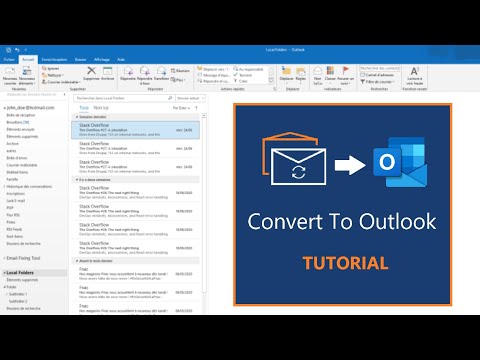
Convert To Outlook Tutorial - No .PST importing, Convert from Thunderbird or MBOX/EML files
ChannelAMPRAsoftDescription from the creator
apps.microsoft.com/detail/9PP2R0J98D0X
Convert your MBOX files (Thunderbird, Apple Mail, etc.) or EML files directly into Microsoft Outlook, or retrieve PST files.
Support of S/MIME and PGP encrypted emails. One-Click Conversion feature for enterprises. Email Fixing Tool.
Exclusive 72-Hours license for a budget and secured conversion (other offers available). Free Trial. Quick support answer.
An installation of Microsoft Outlook 365, 2021, 2019, 2016 or 2013 is required to use this application.
Features:
• Converts emails based on the EML format (including MBOX) into Microsoft Outlook or PST files
• Converts emails directly into Microsoft Outlook. No additional manual PST file importing required, unlike usual MBOX to PST converters
• Easy PST file retrieving
• Contains a special Thunderbird menu for an easy selection of to-be-converted emails. Thunderbird source emails are automatically detected, avoiding "hard-to-reach" email folders researches
• Creates an Outlook version of the original email, in a new or already existing Outlook email database destination
• Supports S/MIME and PGP encrypted emails
• Includes an Email Fixing Tool, to correct wrongly formatted source emails
• One-Click Conversion feature for enterprises: automatically convert customer emails at the start of the application and retrieve PST files right away (see description below)
Advantages:
• Imports emails directly into Microsoft Outlook, respecting the original folder/sub-folder hierarchy (no .PST file importation needed)
• Proposes a 72-Hours offer, for a budget one-time conversion. Unlike competitors, avoids unnecessary expensive long-term licenses for a one-time conversion after an Outlook purchase (Exclusive)
• Enables the immediate check of the converted emails thanks to the automatic Outlook opening at the end of the conversion process
• Decrypts S/MIME and PGP emails, to create a new un-encrypted Outlook version (Exclusive)
• Proposes an Email Fixing Tool (Exclusive)
• Proposes to convert emails in "one click”, with the One-Click Conversion feature (Exclusive)
• Is part of a secured Microsoft Store environment
• Supports automatic background updates (an option must be enabled in the Microsoft Store settings)
One-Click Conversion feature for enterprises:
• Put your customer emails into a default Windows folder and convert them automatically at the start of the application, or simply by clicking one button on the main menu. Retrieve your PST files directly at the end of the process
• Option available for checking converted emails by opening an Outlook window at the end of the process
• Encrypted emails support: put S/MIME or PGP encrypted emails into the default Windows folder as well as regular emails. For decryption purposes: private key files must be placed in one folder with an associated (automatically encrypted) .txt file containing all the passphrases
• External tools: - PstRemover.exe: placed in a PST folder, remove safely your PST files and corresponding Outlook folders simultaneously, - ThunderbirdFolderFinder.exe: placed on a customer device, find immediately a Thunderbird folder and retrieve easily emails to an USB Key. (Tools only included in the Business offer)
Offers:
• Trial: allows to convert 30 emails (Free)
• Home: Unlimited conversions for a 72-Hours licensing (see pricing in the app – depending on the region)
• Professional: Unlimited conversions, including encrypted emails, for a 7-Days licensing (see pricing in the app – depending on the region)
• Business: Unlimited conversions, including encrypted emails and the One-Click Conversion feature, for 1 Year (see pricing in the app – depending on the region)
IMPORTANT: an installation of Microsoft Outlook 2021, 2019, 2016 or 2013 is required to use this application.
Outlook® is a registered trademark of Microsoft® Corporation in the U.S. and other countries
AMPRAsoft© is not related to the Microsoft® company
Thunderbird® is a trademark of the Mozilla® Foundation in the U.S. and other countries
Convert your MBOX files (Thunderbird, Apple Mail, etc.) or EML files directly into Microsoft Outlook, or retrieve PST files.
Support of S/MIME and PGP encrypted emails. One-Click Conversion feature for enterprises. Email Fixing Tool.
Exclusive 72-Hours license for a budget and secured conversion (other offers available). Free Trial. Quick support answer.
An installation of Microsoft Outlook 365, 2021, 2019, 2016 or 2013 is required to use this application.
Features:
• Converts emails based on the EML format (including MBOX) into Microsoft Outlook or PST files
• Converts emails directly into Microsoft Outlook. No additional manual PST file importing required, unlike usual MBOX to PST converters
• Easy PST file retrieving
• Contains a special Thunderbird menu for an easy selection of to-be-converted emails. Thunderbird source emails are automatically detected, avoiding "hard-to-reach" email folders researches
• Creates an Outlook version of the original email, in a new or already existing Outlook email database destination
• Supports S/MIME and PGP encrypted emails
• Includes an Email Fixing Tool, to correct wrongly formatted source emails
• One-Click Conversion feature for enterprises: automatically convert customer emails at the start of the application and retrieve PST files right away (see description below)
Advantages:
• Imports emails directly into Microsoft Outlook, respecting the original folder/sub-folder hierarchy (no .PST file importation needed)
• Proposes a 72-Hours offer, for a budget one-time conversion. Unlike competitors, avoids unnecessary expensive long-term licenses for a one-time conversion after an Outlook purchase (Exclusive)
• Enables the immediate check of the converted emails thanks to the automatic Outlook opening at the end of the conversion process
• Decrypts S/MIME and PGP emails, to create a new un-encrypted Outlook version (Exclusive)
• Proposes an Email Fixing Tool (Exclusive)
• Proposes to convert emails in "one click”, with the One-Click Conversion feature (Exclusive)
• Is part of a secured Microsoft Store environment
• Supports automatic background updates (an option must be enabled in the Microsoft Store settings)
One-Click Conversion feature for enterprises:
• Put your customer emails into a default Windows folder and convert them automatically at the start of the application, or simply by clicking one button on the main menu. Retrieve your PST files directly at the end of the process
• Option available for checking converted emails by opening an Outlook window at the end of the process
• Encrypted emails support: put S/MIME or PGP encrypted emails into the default Windows folder as well as regular emails. For decryption purposes: private key files must be placed in one folder with an associated (automatically encrypted) .txt file containing all the passphrases
• External tools: - PstRemover.exe: placed in a PST folder, remove safely your PST files and corresponding Outlook folders simultaneously, - ThunderbirdFolderFinder.exe: placed on a customer device, find immediately a Thunderbird folder and retrieve easily emails to an USB Key. (Tools only included in the Business offer)
Offers:
• Trial: allows to convert 30 emails (Free)
• Home: Unlimited conversions for a 72-Hours licensing (see pricing in the app – depending on the region)
• Professional: Unlimited conversions, including encrypted emails, for a 7-Days licensing (see pricing in the app – depending on the region)
• Business: Unlimited conversions, including encrypted emails and the One-Click Conversion feature, for 1 Year (see pricing in the app – depending on the region)
IMPORTANT: an installation of Microsoft Outlook 2021, 2019, 2016 or 2013 is required to use this application.
Outlook® is a registered trademark of Microsoft® Corporation in the U.S. and other countries
AMPRAsoft© is not related to the Microsoft® company
Thunderbird® is a trademark of the Mozilla® Foundation in the U.S. and other countries
About this tutorial
AMPRAsoft published this 2:30 video tutorial on August 10, 2020. It has been watched 1,700 times on YouTube.
- Channel
- AMPRAsoft
- Category
- Science & Technology
- Duration
- 2:30
- Published
- August 10, 2020
- Views
- 1,700
Share
This tutorial in other languages
- FRConvertir Outlook Tutorial - Pas .PST importation, Convertir de Thunderbird ou fichiers MBOX / EML
- ESConvertir a Outlook Tutorial - Sin importar PST, pase de archivos MBOX / EML Thunderbird o
- PTConverter para Outlook Tutorial - Não PST importação, converso de Thunderbird ou arquivos MBOX / EML
- ITConverti in Outlook Tutorial - No .PST importazione, Converti da file MBOX / EML Thunderbird o
- DEConvert Outlook Tutorial - Keine pst importieren, Konvertieren von Thunderbird oder MBOX / EML-Dateien
- NLConverteren naar Outlook Tutorial - Geen PST importeren, converteren van Thunderbird of MBOX / EML-bestanden
- RUПреобразовать в Outlook, Учебник - Нет .PST импортирования Преобразовать из Thunderbird или MBox / файлов EML
- PLKonwersja do programu Outlook Tutorial - Nie PST import, przekonwertować z Thunderbird lub mbox EML plików /
- JAノー.PSTインポート、ThunderbirdやMBOX / EMLファイルからの変換 - 見通しのチュートリアルに変換
- ARتحويل إلى Outlook دروس - لا الباسيفيكي المستوردة، تحويل من ثندربيرد أو MBOX / ملفات EML
- HIकन्वर्ट करने के लिए आउटलुक ट्यूटोरियल - कोई .PST आयात करने, थंडरबर्ड या MBOX / EML फ़ाइलें में कनवर्ट
- IDMengkonversi Untuk Outlook Tutorial - Tidak PST mengimpor, Convert dari Thunderbird atau MBOX file / EML