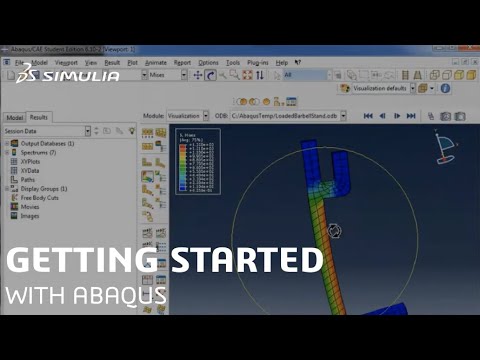
Playback starts YouTube’s embedded player (privacy-enhanced mode).
Getting Started With Abaqus | SIMULIA Tutorial
ChannelSIMULIADescription from the creator
This tutorial walks new users through getting started with Abaqus. The Abaqus Unified FEA product suite offers powerful and complete solutions for both routine and sophisticated engineering problems covering a vast spectrum of industrial applications.
----------
CHAPTERS
1. 00:16 - Overview
2. 02:44 - Create a Model
3. 06:03 - Create a Part
4. 19:01 - Units in Abaqus
5. 20:31 - Rotate and Autofit Views
6. 21:09 - Edit a Part
7. 27:06 - Create a Material
8. 31:02 - Create a Section
9. 35:32 - Create a Profile
10. 36:14 - Create an Assembly
11. 40:17 - Create Steps
12. 44:17 - Field & History Outputs
13. 49:29 - Create a Load
14. 54:31 - Create Boundary Conditions
15. 57:31 - Meshing
16. 1:01:13 - Create a Run Job
17. 1:04:28 - Post Processing
18. 1:07:13 - Conclusion
If you have questions, you'll find lots of answers by searching the SIMULIA Community. It's free to join and access is instant! 3ds.com/products/simulia/user-communities
=================================
Follow SIMULIA:
linkedin.com/showcase/simulia
facebook.com/3DSSIMULIA/
instagram.com/3ds_simulia
=================================
Learn more:
SIMULIA Website: 3ds.com/products/simulia
Blog: blog.3ds.com/brands/simulia/
----------
CHAPTERS
1. 00:16 - Overview
2. 02:44 - Create a Model
3. 06:03 - Create a Part
4. 19:01 - Units in Abaqus
5. 20:31 - Rotate and Autofit Views
6. 21:09 - Edit a Part
7. 27:06 - Create a Material
8. 31:02 - Create a Section
9. 35:32 - Create a Profile
10. 36:14 - Create an Assembly
11. 40:17 - Create Steps
12. 44:17 - Field & History Outputs
13. 49:29 - Create a Load
14. 54:31 - Create Boundary Conditions
15. 57:31 - Meshing
16. 1:01:13 - Create a Run Job
17. 1:04:28 - Post Processing
18. 1:07:13 - Conclusion
If you have questions, you'll find lots of answers by searching the SIMULIA Community. It's free to join and access is instant! 3ds.com/products/simulia/user-communities
=================================
Follow SIMULIA:
linkedin.com/showcase/simulia
facebook.com/3DSSIMULIA/
instagram.com/3ds_simulia
=================================
Learn more:
SIMULIA Website: 3ds.com/products/simulia
Blog: blog.3ds.com/brands/simulia/
About this tutorial
SIMULIA published this 1:09:39 video tutorial on October 25, 2019. It has been watched 297,421 times on YouTube.
- Channel
- SIMULIA
- Category
- Science & Technology
- Duration
- 1:09:39
- Published
- October 25, 2019
- Views
- 297,421
- Likes
- 3,241
Tags
Share
Further reading
-
Getting Started with ABAQUS
wiki.rac.manchester.ac.uk
Getting started with ABAQUS 1.2 ABAQUS documentation 1.3 Getting help 1.4 Support 1.5 A quick review of the finite element method 1.6 2. ABAQUS Basics Components of an ABAQUS analysis model 2.1 Introduction to ABAQUS/CAE…
-
Getting Started with ABAQUS (v6.6)
classes.engineering.wustl.edu
Getting Started with ABAQUS. Trademarks and Legal Notices. Conversion Tables, Constants, and Material Properties. ABAQUS Offices and Representatives ...
-
(PDF) Getting Started with Abaqus: Interactive Edition Abaqus 6.12 ...
academia.edu
Getting Started with Abaqus: Interactive Edition Abaqus 6.12 Getting Started with Abaqus: Interactive Edition
This tutorial in other languages
- FRMise en route avec Abaqus | SIMULIA Tutorial
- ESPrimeros pasos con Abaqus | SIMULIA Tutorial
- PTComeçando com o Abaqus | SIMULIA Tutorial
- ITCome iniziare con Abaqus | SIMULIA Tutorial
- DEErste Schritte mit Abaqus Schritte | SIMULIA Tutorial
- NLAan de slag met Abaqus | SIMULIA Tutorial
- RUНачало работы с Abaqus | SIMULIA Учебное пособие
- PLPierwsze kroki z Abaqus | SIMULIA Tutorial
- JAAbaqusの入門| SIMULIAチュートリアル
- ARالابتداء مع ABAQUS | SIMULIA دروس
- HIAbaqus के साथ शुरूआत | SIMULIA ट्यूटोरियल
- IDMemulai Dengan Abaqus | SIMULIA Tutorial