Playback starts YouTube’s embedded player (privacy-enhanced mode).
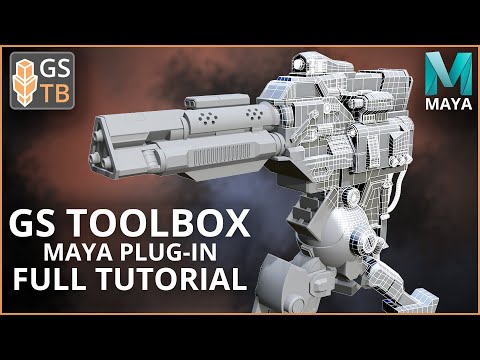
GS Toolbox v1.1 Major Update - Full Tutorial - Maya Plug-in - Interactive Creasing, Arrays, and more
ChannelGeorge SladkovskyChapters
Description from the creator
GS Toolbox v1.2.3 - Plug-in for Autodesk Maya 2018-2027 for Windows and Mac
►Recommended Maya Versions
2018.6
2019.3.1
2020.4
2022.3
2023.3
2024.2
2025.3
2026
2027
► New Online Documentation:
gs-toolbox.readthedocs.io/
► Ask on social media (Report Bugs and Send Suggestions):
Discord Server: discord.gg/f4DH6HQ
ArtStation: artstation.com/sladkovsky3d
GS Toolbox is a collection of tools in one convenient dockable menu, that fills the gaps in Autodesk Maya modeling tools and provide quick access to some of the existing tools, adding crucial features such as:
● Fast Angle Based Edge Selection, Creasing and Beveling with interactive viewport highlight and quick selection of subdivision depth and crease amounts
● Convert Creases to Bevels
● Linear and Radial Arrays (NEW in v1.1)
● Dot Select Components
● Quick Transform and Selection Constraints
● One click Mirror, Flip, Instance with Mirror and Delete by Symmetry (supports multiple selected objects)
● Snap to Polygon /w Instance function to snap any object to selected polygon with one click
● Straighten selected edges or smoothly Interpolate them (multi selection compatible)
● Clean Combine, Separate, Duplicate and Extract functions. No more unnecessary groups in Outliner
● Fast Interactive Boolean with Object Editing and Delete Cutter options.
● Quick Construction Plane snapped to polygon
● 12 Fast Material Slots with Presets and MatCap options …
and more...
►Timestamps:
0:00 - Intro
1:34 - Installation/Update
3:40 - Reworked UI (NEW in v1.1)
5:33 - Hotkeys
6:02 - Online Documentation (NEW in v1.1)
6:37 - Select by Angle
8:08 - Creasing
10:21 - Automatic Creasing (by Angle)
12:54 - Bevel by Angle
13:38 - Interactive Creasing
15:23 - Convert Creases to Bevels
16:22 - Crease Sets - Select Creased Edges
17:28 - Mirror
18:33 - Flip
18:47 - Instance with Mirror
19:19 - Mirror Options - Axis
21:01 - Mirror Options - Merge and Bridge
22:46 - Mirror Options - Cut and Delete
23:47 - Instancing
25:16 - Instance Plus Modifiers - Mirror
26:57 - Instance Plus Modifiers - Solidify
27:45 - Store Edits and Delete Node
30:58 - Snapshots
33:47 - Utility Section
34:16 - Fill with Quads (NEW in v1.1)
40:47 - Straighten, Interpolate and Smooth
43:56 - Straighten - Marking Menu
44:50 - Combine and Separate
47:13 - Duplicate and Extract (Faces)
48:25 - Snap to Poly
51:23 - Snap to Poly - Randomize
53:06 - Linear Array - Uniform (NEW in v1.1)
57:27 - Linear Array - Deformed (NEW in v1.1)
1:00:42 - Radial Array - Uniform (NEW in v1.1)
1:01:24 - Radial Array - Deformed (NEW in v1.1)
1:03:16 - Multi-Array (NEW in v1.1)
1:06:16 - Mixed Multi-Array (NEW in v1.1)
1:09:23 - Array Randomization (NEW in v1.1)
1:10:41 - Quick Materials
1:17:33 - Booleans
1:21:31 - Booleans with Instance Plus
1:22:29 - Dot Select
1:23:26 - Constraints
1:25:06 - Wireframe and Reference Toggle
1:25:57 - Selection Groups (Sets)
1:28:05 - Live Plane with Align (NEW in v1.1)
1:31:19 - Options Menu
1:34:23 - Outro
► Easy Installation:
gs-toolbox.readthedocs.io/en/latest/installatio…
1. Unpack gs_toolbox.zip and copy gs_toolbox folder to {PathToDocuments}\Documents\Maya\{MayaVersion}\scripts\
Example of the final folder structure:
Documents\Maya\2019\scripts\gs_toolbox\{Other Files}
2. Run Maya
3. In Python script field copy and paste this command:
import gs_toolbox.init as tb_init;from imp import reload;reload(tb_init);tb_init.Init();
4. Click Enter (Run the Plug-in from TB UI Icon on the Shelf)
►All future updates are free!
About this tutorial
George Sladkovsky published this 1:35:20 video tutorial on October 5, 2020. It has been watched 32,471 times on YouTube.
- Channel
- George Sladkovsky
- Category
- Science & Technology
- Duration
- 1:35:20
- Published
- October 5, 2020
- Views
- 32,471
- Likes
- 808
Tags
Share
Further reading
-
[Studio] GS TOOLBOX v1.1 - Maya Modeling Plug-in. Interactive Creasing ...
flippednormals.com
[Studio] GS TOOLBOX v1.1 – Maya Modeling Plug-in. Interactive Creasing/Beveling, Fast Instancing and more. LICENSE INFORMATION: This is a Studio and Full Commercial License and you can use it if you: Work for a studio w…
-
GS Toolbox v1.1 - Maya Modeling Plug-in. Interactive Creasing/Beveling ...
sladkovsky3d.artstation.com
GS TOOLBOX v1.1FULL TUTORIAL FOR V1.1:VIDEO OVERVIEW for V1.0:GS Toolbox is a collection of tools created to fill some of the gaps in Autodesk Maya modeling tools and provide quick access to some of the existing toolsGS…
-
ArtStation - GS Toolbox v1.1 - Maya Modeling Plug-in. Interactive ...
artstation.com
Artworks - GS Toolbox v1.1 - Maya Modeling Plug-in. Interactive Creasing/Beveling, Fast Instancing and more., USD $24.99. GS TOOLBOX v1.1FULL TUTORIAL FOR V1.1:VIDEO OVERVIEW for V1.0:GS Toolbox is a collection of...
This tutorial in other languages
- FRGS Boîte à outils v1.1 Mise à jour majeure - Full Tutorial - Maya Plug-in - Interactive rainage, tableaux et plus
- ESGS Caja de herramientas v1.1 importante actualización - Tutorial completo - Maya Plug-in - Interactivo hendido, matrices, y más
- PTGS Toolbox v1.1 Major Update - Tutorial completo - Maya Plug-in - Interativo vincar, Arrays, e mais
- ITGS Toolbox v1.1 Major Update - tutorial completo - Maya plug-in - Interactive cordonatura, Array, e altro ancora
- DEGS Toolbox v1.1 Major Update - Full Tutorial - Maya Plug-in - Interactive Rill, Arrays und mehr
- NLGS Toolbox v1.1 Major Update - Volledige Tutorial - Maya Plug-in - Interactieve Rillen, Arrays, en nog veel meer
- RUGS Toolbox v1.1 Major Update - Полное руководство - Maya плагин - Интерактивная биговки, Массивы и многое другое
- PLGS Toolbox v1.1 gruntownej aktualizacji - Pełny Tutorial - Maya typu Plug-in - Interactive Zginanie, macierze i więcej
- JAGSツールボックスv1.1のメジャーアップデート - フルチュートリアル - マヤプラグイン - インタラクティブシワ、アレイ、およびより
- ARGS أدوات V1.1 الرائد تحديث - دروس كاملة - مايا المكونات في - التفاعلية التجعيد، صالحة، وأكثر من ذلك
- HIपूर्ण ट्यूटोरियल - - माया प्लग-इन - जीएस टूलबॉक्स मेजर अद्यतन v1.1 इंटरएक्टिव बढ़ती, सारणी, और भी बहुत कुछ
- IDGS Toolbox v1.1 Mayor Update - Penuh Tutorial - Maya Plug-in - Interaktif kusut, Array, dan banyak lagi