Playback starts YouTube’s embedded player (privacy-enhanced mode).
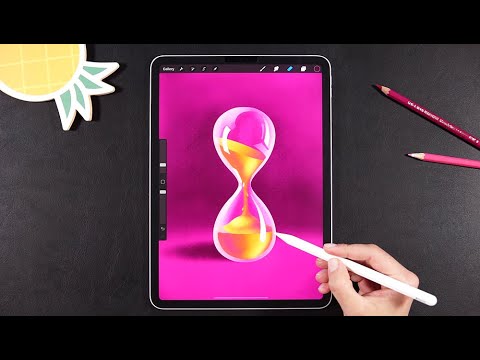
Hourglass Procreate Animation Tutorial
ChannelillustrateriaDescription from the creator
Hi everyone,
I'm back with a new Procreate Animation Tutorial, I know these ones are your favorites 😄.
First thing's first, I know you're gonna ask about the shading brush (that's always the first question on every Procreate animation video I post 😉). I made an entire video tutorial on how to create your own Procreate brush and it's the exact brush that I'm using today; so take a look on this video right here:
youtube.com/watch?v=mvnDYFyNhS0
The other Procreate brush that I use for drawing and filling is my good old beloved Studio Pen, this one is a basic Procreate brush, you'll find it under the Inking section.
Also, as you can see, I take full advantage of the Drawing Assist feature. To use it like I did just turn on the Drawing Guide in Procreate, then click the Edit Drawing guide, choose Symmetry then Options and Quadrant. And then just have fun and let Procreate do its magic 🥰!
The rest of the technique is quite simple and easy to follow but if you feel that you need some more instructions you'll find them on these 2 voice over Procreate Animation tutorials that I filmed a few weeks ago:
youtube.com/watch?v=wt0EWKTKRi8
youtube.com/watch?v=Ai4mw9DGeZA
As always I'd love to know what you're thinking so please leave a comment down below to tell me, give this video a 👍 if you like it and subscribe to this channel to see more Procreate animation tutorials 😄.
❤️Irina
Follow me on Instagram: instagram.com/illustrateria/
Subscribe to my YouTube Channel: youtube.com/illustrateria
#procreateanimation #procreate #procreatetutorial #ipadanimation #art
I'm back with a new Procreate Animation Tutorial, I know these ones are your favorites 😄.
First thing's first, I know you're gonna ask about the shading brush (that's always the first question on every Procreate animation video I post 😉). I made an entire video tutorial on how to create your own Procreate brush and it's the exact brush that I'm using today; so take a look on this video right here:
youtube.com/watch?v=mvnDYFyNhS0
The other Procreate brush that I use for drawing and filling is my good old beloved Studio Pen, this one is a basic Procreate brush, you'll find it under the Inking section.
Also, as you can see, I take full advantage of the Drawing Assist feature. To use it like I did just turn on the Drawing Guide in Procreate, then click the Edit Drawing guide, choose Symmetry then Options and Quadrant. And then just have fun and let Procreate do its magic 🥰!
The rest of the technique is quite simple and easy to follow but if you feel that you need some more instructions you'll find them on these 2 voice over Procreate Animation tutorials that I filmed a few weeks ago:
youtube.com/watch?v=wt0EWKTKRi8
youtube.com/watch?v=Ai4mw9DGeZA
As always I'd love to know what you're thinking so please leave a comment down below to tell me, give this video a 👍 if you like it and subscribe to this channel to see more Procreate animation tutorials 😄.
❤️Irina
Follow me on Instagram: instagram.com/illustrateria/
Subscribe to my YouTube Channel: youtube.com/illustrateria
#procreateanimation #procreate #procreatetutorial #ipadanimation #art
About this tutorial
illustrateria published this 7:37 video tutorial on March 11, 2020. It has been watched 17,806 times on YouTube.
- Channel
- illustrateria
- Category
- Science & Technology
- Duration
- 7:37
- Published
- March 11, 2020
- Views
- 17,806
- Likes
- 508
Tags
Share
This tutorial in other languages
- FRHourglass Procreate animation Tutorial
- ESReloj de arena Procreate Animación Tutorial
- PTHourglass Procreate Animação Tutorial
- ITClessidra Procreate Animazione Tutorial
- DESanduhr Procreate Animation, Tutorial
- NLHourglass voortplanten Animation Tutorial
- RUПесочные часы деторождению Анимация Учебник
- PLKlepsydra prokreacji Animation Tutorial
- JA砂時計Procreateアニメーションのチュートリアル
- ARالساعة الرملية الإنجاب الرسوم المتحركة دروس
- HIHourglass पैदा करना एनीमेशन ट्यूटोरियल
- IDHourglass berkembang biak Animasi Tutorial