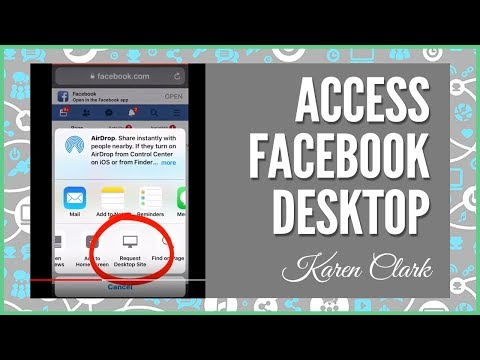
Playback starts YouTube’s embedded player (privacy-enhanced mode).
How to Access the Desktop Version of Facebook on Your iPhone
ChannelKaren Clark - My Business Presence - Social Media for Direct SellingDescription from the creator
Sometimes it's helpful to be able to access the desktop version of Facebook on your mobile device. By default even if you go to Facebook on the browser, it is converted to a mobile version of the Facebook website. As a business page admin you sometimes cannot access all the features to edit or administer your page without accessing the desktop - or "computer version" of Facebook. Here's how to change your browser view to the desktop version on an iPhone. It will probably work the same on an iPad as well.
--
Karen Clark is a professional speaker and author who works with companies, organizations and sales teams who want training for their members in using social media so that they can grow their businesses in build relationships ethically and in less time online.
Karen's book series, Social Media for Direct Selling, is available here: SMDSBook.com
For more about Karen's professional speaking and training for the direct selling industry visit mybusinesspresence.com/
Located in the San Francisco Bay Area, Karen specializes in practical content-driven presentations, fun and effective hands-on workshops, and ethical online marketing training for entrepreneurs and direct sales/network marketing professionals.
For more video tutorials, information, and access to courses and presentations in social media, blogging, SEO and more, visit mybusinesspresence.com
--
Karen Clark is a professional speaker and author who works with companies, organizations and sales teams who want training for their members in using social media so that they can grow their businesses in build relationships ethically and in less time online.
Karen's book series, Social Media for Direct Selling, is available here: SMDSBook.com
For more about Karen's professional speaking and training for the direct selling industry visit mybusinesspresence.com/
Located in the San Francisco Bay Area, Karen specializes in practical content-driven presentations, fun and effective hands-on workshops, and ethical online marketing training for entrepreneurs and direct sales/network marketing professionals.
For more video tutorials, information, and access to courses and presentations in social media, blogging, SEO and more, visit mybusinesspresence.com
About this tutorial
Karen Clark - My Business Presence - Social Media for Direct Selling published this 1:06 video tutorial on October 30, 2018. It has been watched 22,513 times on YouTube.
- Category
- Science & Technology
- Duration
- 1:06
- Published
- October 30, 2018
- Views
- 22,513
- Likes
- 36
Tags
Share
This tutorial in other languages
- FRComment accéder à la version de bureau Facebook sur votre iPhone
- ESCómo acceder a la versión de escritorio de Facebook en tu iPhone
- PTComo acessar o desktop versão do Facebook em seu iPhone
- ITCome accedere alla versione desktop di Facebook sul vostro iPhone
- DEWie die Desktop-Version von Facebook auf Ihrem iPhone den Zugriff auf
- NLToegang krijgen tot de desktopversie van Facebook op je iPhone
- RUКак получить доступ к настольной версии Facebook на вашем iPhone
- PLJak uzyskać dostęp do wersji dla komputerów z Facebook na iPhone
- JAあなたのiPhone上のFacebookのデスクトップバージョンにアクセスする方法
- ARكيفية الوصول إلى نسخة سطح المكتب من الفيسبوك على جهاز اي فون
- HIआपका iPhone पर फेसबुक के डेस्कटॉप संस्करण में कैसे अभिगमन करें
- IDCara Akses Desktop Versi Facebook pada iPhone Anda