Playback starts YouTube’s embedded player (privacy-enhanced mode).
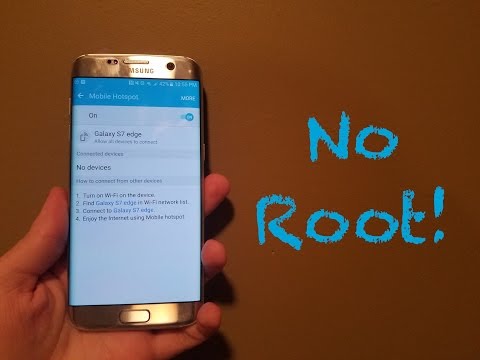
HOW TO: Activate Hotspot Without Root With Unlimited Data
ChannelLandon McCoyDescription from the creator
*UPDATE: Package Disabler Pro is no longer available on the Google Play Store at this moment (11/2/17). Download BK Package Disabler instead, as it works just as well. Link below:
play.google.com/store/apps/details?id=com.kunku…
*GALAXY S8 USERS, go to my updated video at this link:* youtube.com/watch?v=f8n6-ZrdIQg
In this video, I'll be showing you how to activate your mobile hotspot on your Android device without root, even if you have unlimited data and your hotspot has been blocked by your carrier. I have only been able to test this on an AT&T Samsung Galaxy S7 edge running Android 6.0.1 Marshmallow, so please try it with your device if it is different and let me know if it works or not so I can update the description. This would be greatly appreciated! Also, don't forget to follow me on Twitter for more!
*Click on the Amazon Affiliate link below to support my channel at no extra cost to you!*
Shop in the Amazon Electronics department:
goo.gl/999jyN
Package Disabler Pro: play.google.com/store/apps/details?id=com.ospol…
Twitter: twitter.com/lpm3211
In order to do this, you only need three things:
-Package Disabler Pro or any other no-root package disabling apps (only works with Samsung devices; will update description if I find any alternatives)
-Any Wi-Fi network (can be a Chromecast, hotspot device you can no longer use, etc.; Chromecasts can be found on eBay for cheap)
-Any VPN app (I use Betternet in this video, but any other will do)
***SPRINT USERS WITH THE S6 OR LATER: Here is another method to get your hotspot up and running:
forum.xda-developers.com/sprint-galaxy-s6-edge/…
***AT&T SAMSUNG TABLET USERS:
A commenter by the name of Jon Streich pointed out to me that Samsung tablets (he used a Tab E) on AT&T can also have their hotspots activated using the same Package Disabler Pro app. He said that all he did was disable the AT&T All Access package and download his own hotspot app (rather than using the stock one), and the hotspot turned on without any problems. Be sure to thank him in the comments if this helped you!
List of devices that this doesn't work on (so far):
-Samsung Galaxy S6(edge)(+), Note 5, Galaxy S7(edge) on Sprint and MetroPCS (Sprint users see above)
-Samsung Galaxy Note 5 on AT&T
-Samsung Galaxy S5
-Samsung Galaxy S4 on KitKat
-Samsung Galaxy Prime Core
Don't forget to like, comment, and subscribe! See you in the next video!
(I applaud you if you read all of this...)
play.google.com/store/apps/details?id=com.kunku…
*GALAXY S8 USERS, go to my updated video at this link:* youtube.com/watch?v=f8n6-ZrdIQg
In this video, I'll be showing you how to activate your mobile hotspot on your Android device without root, even if you have unlimited data and your hotspot has been blocked by your carrier. I have only been able to test this on an AT&T Samsung Galaxy S7 edge running Android 6.0.1 Marshmallow, so please try it with your device if it is different and let me know if it works or not so I can update the description. This would be greatly appreciated! Also, don't forget to follow me on Twitter for more!
*Click on the Amazon Affiliate link below to support my channel at no extra cost to you!*
Shop in the Amazon Electronics department:
goo.gl/999jyN
Package Disabler Pro: play.google.com/store/apps/details?id=com.ospol…
Twitter: twitter.com/lpm3211
In order to do this, you only need three things:
-Package Disabler Pro or any other no-root package disabling apps (only works with Samsung devices; will update description if I find any alternatives)
-Any Wi-Fi network (can be a Chromecast, hotspot device you can no longer use, etc.; Chromecasts can be found on eBay for cheap)
-Any VPN app (I use Betternet in this video, but any other will do)
***SPRINT USERS WITH THE S6 OR LATER: Here is another method to get your hotspot up and running:
forum.xda-developers.com/sprint-galaxy-s6-edge/…
***AT&T SAMSUNG TABLET USERS:
A commenter by the name of Jon Streich pointed out to me that Samsung tablets (he used a Tab E) on AT&T can also have their hotspots activated using the same Package Disabler Pro app. He said that all he did was disable the AT&T All Access package and download his own hotspot app (rather than using the stock one), and the hotspot turned on without any problems. Be sure to thank him in the comments if this helped you!
List of devices that this doesn't work on (so far):
-Samsung Galaxy S6(edge)(+), Note 5, Galaxy S7(edge) on Sprint and MetroPCS (Sprint users see above)
-Samsung Galaxy Note 5 on AT&T
-Samsung Galaxy S5
-Samsung Galaxy S4 on KitKat
-Samsung Galaxy Prime Core
Don't forget to like, comment, and subscribe! See you in the next video!
(I applaud you if you read all of this...)
About this tutorial
Landon McCoy published this 6:05 video tutorial on October 31, 2016. It has been watched 989,848 times on YouTube.
- Channel
- Landon McCoy
- Category
- Science & Technology
- Duration
- 6:05
- Published
- October 31, 2016
- Views
- 989,848
- Likes
- 5,451
Share
This tutorial in other languages
- FRCOMMENT: Activer Hotspot Sans racine Avec Unlimited Data
- ESCómo: Activar hotspot Sin Root con un número ilimitado de datos
- PTCOMO: Ativar Hotspot Sem raiz com dados ilimitados
- ITHOW TO: Attivare Hotspot senza radice con Unlimited Data
- DEHOW TO: Activate Hotspot ohne Wurzel mit Unlimited Data
- NLProcedure: Activate Hotspot Zonder Root met een onbeperkt data
- RUКак активировать Hotspot Без корня с неограниченными данными
- PLJAK: Włączanie Hotspot Bez korzenia z nieograniczoną Danych
- JAHOW TO:アクティブホットスポットルートで無制限のデータなし
- ARHOW TO: تنشيط نقطة ساخنة دون الجذر مع بيانات غير محدود
- HIकैसे करें: सक्रिय हॉटस्पॉट रूट के साथ असीमित डेटा के बिना
- IDCARA: Aktifkan Hotspot Tanpa Akar Dengan Data Unlimited