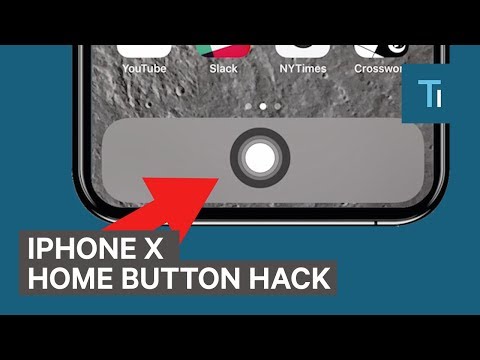
Playback starts YouTube’s embedded player (privacy-enhanced mode).
How To Add A Home Button On The iPhone X
ChannelTech InsiderDescription from the creator
The new Apple iPhone X does not have a physical "Home" button. Instead, you have to use swiping gestures to navigate the screen. It's simple, but it takes some getting used to. If you don't have the patience, there's a way to create a virtual button that mimics the old Home button. Here's how.
Apple's new iPhone X doesn't have a physical Home button. You have to use swiping gestures to navigate. If you miss the Home button, here's how to add a virtual one.
First, move all of your apps from the bottom of the screen. This makes space for the button.
Now, you need to turn on AssistiveTouch. Go to Settings. General. Accessibility. Assistive Touch.
Toggle "AssistiveTouch." Choose "Home." A white button will appear. Drag this to the bottom of your screen in the center.
You can now use this as you would the old Home button, but it might get in the way of some apps. So if you have an iPhone X, you should embrace the swipe.
Read more: businessinsider.com/sai
FACEBOOK: facebook.com/techinsider
TWITTER: twitter.com/techinsider
INSTAGRAM: instagram.com/tech_insider/
Apple's new iPhone X doesn't have a physical Home button. You have to use swiping gestures to navigate. If you miss the Home button, here's how to add a virtual one.
First, move all of your apps from the bottom of the screen. This makes space for the button.
Now, you need to turn on AssistiveTouch. Go to Settings. General. Accessibility. Assistive Touch.
Toggle "AssistiveTouch." Choose "Home." A white button will appear. Drag this to the bottom of your screen in the center.
You can now use this as you would the old Home button, but it might get in the way of some apps. So if you have an iPhone X, you should embrace the swipe.
Read more: businessinsider.com/sai
FACEBOOK: facebook.com/techinsider
TWITTER: twitter.com/techinsider
INSTAGRAM: instagram.com/tech_insider/
About this tutorial
Tech Insider published this 1:40 video tutorial on October 31, 2018. It has been watched 1,166,544 times on YouTube.
- Channel
- Tech Insider
- Category
- Science & Technology
- Duration
- 1:40
- Published
- October 31, 2018
- Views
- 1,166,544
- Likes
- 9,463
Tags
Share
This tutorial in other languages
- FRComment ajouter un bouton Accueil sur iPhone X
- ESCómo agregar un botón del hogar en el iPhone X
- PTComo adicionar um botão Home On The iPhone X
- ITCome aggiungere un pulsante Pagina iniziale su iPhone X
- DEHow To A Home-Taste auf dem iPhone X hinzufügen
- NLHoe een Home Button op de iPhone X
- RUКак добавить кнопку Home On The iPhone X
- PLJak dodać przycisk Start na iPhone X
- JAiPhone XでAホームボタンを追加する方法
- ARكيفية إضافة زر البداية على اي فون X
- HIकैसे iPhone X पर जोड़ने के लिए एक होम बटन
- IDCara Tambah Sebuah Home Button Pada iPhone X