Playback starts YouTube’s embedded player (privacy-enhanced mode).
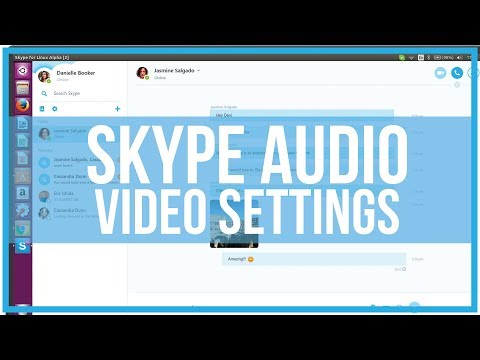
How To Adjust Skype Audio and Video Settings - Full Tutorial
ChannelDusty PorterDescription from the creator
In this video tutorial, I show you how to easily adjust your Skype audio and video settings. Here you are able to change your microphone, webcam, and much more.
Everything I do online is hosted by Bluehost. For only $2.95 a month, Bluehost can help you set up and host your blog/website. Because Porter Media is a Bluehost affiliate partner, our community can use this link to receive a 50% discount off the monthly price AND A FREE DOMAIN NAME: goo.gl/iGVMmp
MY SECRET WEAPON AND BEST TOOL TO GROW A YOUTUBE CHANNEL FAST TUBEBUDDY
Download TubeBuddy Free Today ---- goo.gl/0z8H76
Hire Me To Use My Voice In Your Video/Project: bit.ly/dustysvoice
Hire Freelancers And Get Work Done For A Great Price On Fiverr: bit.ly/FiverrDusty
Follow Me On Twitch And Play Games With Me:
twitch.tv/dusttbuster
SUBSCRIBE FOR MORE HERE:
goo.gl/SG9kXI
MY WEBSITES:
youtubecreatorshub.com
podcastersunplugged.com
onlinebusinessrealm.com
premiumtechtips.com
----------------------------------------------------------------------------------
MY TWITTER:
twitter.com/#!/TechGuru77
MY FACEBOOK:
facebook.com/pages/TechGuru77/376182275747539
MY SNAPCHAT
dmporter74
MY INSTAGRAM:
instagram.com/dmporter17
LISTEN TO OUR PODCASTS:
YouTube Creators Hub: goo.gl/6dnF54
Podcasters Unplugged: goo.gl/QUz0iq
My YouTube Setup:
Main Camera: Canon 80D - goo.gl/nEIttU
Webcam: Logitech C920 - goo.gl/WYp9ft
Main Monitor: LG UM57 - goo.gl/aFKRUp
Main Computer: Mac Pro - goo.gl/Dav2T3
Microphone: Heil PR40 - goo.gl/GFE7K2
Adobe Creative Cloud - goo.gl/8HJONR
I Use Screenflow To Record My Screencast Videos:
Get It Here: goo.gl/vRjuJg
Support me on Patreon to have access to a private YouTube Creators discord channel and join our community: goo.gl/YqtD4s
Come Hang Out With Me On Twitch:
twitch.tv/dusttbuster
Disclaimers: Links in the description are typically affiliate links that let you help support the channel at no extra cost.
Everything I do online is hosted by Bluehost. For only $2.95 a month, Bluehost can help you set up and host your blog/website. Because Porter Media is a Bluehost affiliate partner, our community can use this link to receive a 50% discount off the monthly price AND A FREE DOMAIN NAME: goo.gl/iGVMmp
MY SECRET WEAPON AND BEST TOOL TO GROW A YOUTUBE CHANNEL FAST TUBEBUDDY
Download TubeBuddy Free Today ---- goo.gl/0z8H76
Hire Me To Use My Voice In Your Video/Project: bit.ly/dustysvoice
Hire Freelancers And Get Work Done For A Great Price On Fiverr: bit.ly/FiverrDusty
Follow Me On Twitch And Play Games With Me:
twitch.tv/dusttbuster
SUBSCRIBE FOR MORE HERE:
goo.gl/SG9kXI
MY WEBSITES:
youtubecreatorshub.com
podcastersunplugged.com
onlinebusinessrealm.com
premiumtechtips.com
----------------------------------------------------------------------------------
MY TWITTER:
twitter.com/#!/TechGuru77
MY FACEBOOK:
facebook.com/pages/TechGuru77/376182275747539
MY SNAPCHAT
dmporter74
MY INSTAGRAM:
instagram.com/dmporter17
LISTEN TO OUR PODCASTS:
YouTube Creators Hub: goo.gl/6dnF54
Podcasters Unplugged: goo.gl/QUz0iq
My YouTube Setup:
Main Camera: Canon 80D - goo.gl/nEIttU
Webcam: Logitech C920 - goo.gl/WYp9ft
Main Monitor: LG UM57 - goo.gl/aFKRUp
Main Computer: Mac Pro - goo.gl/Dav2T3
Microphone: Heil PR40 - goo.gl/GFE7K2
Adobe Creative Cloud - goo.gl/8HJONR
I Use Screenflow To Record My Screencast Videos:
Get It Here: goo.gl/vRjuJg
Support me on Patreon to have access to a private YouTube Creators discord channel and join our community: goo.gl/YqtD4s
Come Hang Out With Me On Twitch:
twitch.tv/dusttbuster
Disclaimers: Links in the description are typically affiliate links that let you help support the channel at no extra cost.
About this tutorial
Dusty Porter published this 2:46 video tutorial on November 9, 2018. It has been watched 79,534 times on YouTube.
- Channel
- Dusty Porter
- Category
- Science & Technology
- Duration
- 2:46
- Published
- November 9, 2018
- Views
- 79,534
- Likes
- 211
Tags
Share
This tutorial in other languages
- FRComment régler Skype paramètres audio et vidéo - Full Tutorial
- ESCómo ajustar Skype configuración de audio y vídeo - tutorial completo
- PTComo ajustar o Skype Áudio e Video Settings - Tutorial completo
- ITCome regolare Skype Audio e Impostazioni video - tutorial completo
- DESo stellen Skype Audio- und Video-Einstellungen - Full Tutorial
- NLHoe aan te passen Skype audio- en video-instellingen - Full Tutorial
- RUКак настроить Skype аудио и видео настройки - Полное руководство
- PLJak wyregulować Skype ustawień audio i wideo - Pełny Tutorial
- JA完全なチュートリアル - Skypeのオーディオとビデオの設定を調整する方法
- ARكيفية ضبط سكايب الصوت وإعدادات الفيديو - دروس كاملة
- HIकैसे स्काइप ऑडियो और वीडियो सेटिंग्स को समायोजित करने - पूर्ण ट्यूटोरियल
- IDCara Mengatur Skype Audio dan Pengaturan Video - Full Tutorial