Playback starts YouTube’s embedded player (privacy-enhanced mode).
How to backup Google apps email to PST/MBOX/EML/MSG File Formats
ChannelSysToolsDescription from the creator
#GoogleAppsBackup #BackupGoogleapps #Systools
Learn how to backup google apps email to PST/MBOX/EML/MSG File(s) with SysTools Google Apps Backup software. Read More: goo.gl/Pno8F1
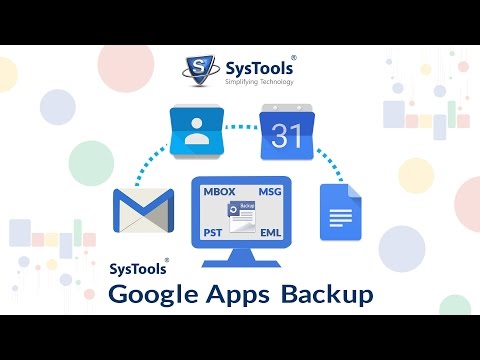
The tool backup all Google app data like emails, contacts, calendars & documents. It also provides backup in two ways, Single User & Domain User Backup. Besides emails, you can also take the backup of all Google Apps account contacts, calendars, and Documents. The backup is taken into their widely used formats that are; vCard(.vcf), .ics and latest MS Office formats respectively.
You can take the backup of Google Apps emails in 4 different formats:
1. Google Apps Backup Email to EML: Importable in Windows Mail, Windows Live Mail, Outlook Express, etc.
2. Google Apps Backup Email to MSG: Convert emails in MSG format & easily import it in MS Outlook.
3. Google Apps Backup Email to PST: Importable in MS Outlook 2013, 2010, 2007, 2003 of 32 bit or 64-bit version
4. Google Apps Backup Email to MBOX: Importable in Apple Mail, Thunderbird, Entourage, Eudora, etc.
SysTools Google Apps Backup tool provides you two different methods to take data backup:
-Single User Account Backup: In this case, you need to provide the user name & password of any individual user account to take a backup of Google Apps Email, Contacts, Calendars, & Documents.
-Domain User Account Backup: You only need to provide Admin credentials to take the backup of all user's accounts data of the single domain.
Product Page: systoolsgroup.com/google-apps-email-backup.html
How-the-Software-Works: systoolsgroup.com/google-apps-backup/how-it-wor…
Purchase Software (Full Version): systoolsgroup.com/buy/?id=SYS1G4A2B
SysTools® and its logos are trademarks or registered trademarks of SysTools Software. Any other trademarks appearing in this Video are the property of their respective owners.
Learn how to backup google apps email to PST/MBOX/EML/MSG File(s) with SysTools Google Apps Backup software. Read More: goo.gl/Pno8F1
The tool backup all Google app data like emails, contacts, calendars & documents. It also provides backup in two ways, Single User & Domain User Backup. Besides emails, you can also take the backup of all Google Apps account contacts, calendars, and Documents. The backup is taken into their widely used formats that are; vCard(.vcf), .ics and latest MS Office formats respectively.
You can take the backup of Google Apps emails in 4 different formats:
1. Google Apps Backup Email to EML: Importable in Windows Mail, Windows Live Mail, Outlook Express, etc.
2. Google Apps Backup Email to MSG: Convert emails in MSG format & easily import it in MS Outlook.
3. Google Apps Backup Email to PST: Importable in MS Outlook 2013, 2010, 2007, 2003 of 32 bit or 64-bit version
4. Google Apps Backup Email to MBOX: Importable in Apple Mail, Thunderbird, Entourage, Eudora, etc.
SysTools Google Apps Backup tool provides you two different methods to take data backup:
-Single User Account Backup: In this case, you need to provide the user name & password of any individual user account to take a backup of Google Apps Email, Contacts, Calendars, & Documents.
-Domain User Account Backup: You only need to provide Admin credentials to take the backup of all user's accounts data of the single domain.
Product Page: systoolsgroup.com/google-apps-email-backup.html
How-the-Software-Works: systoolsgroup.com/google-apps-backup/how-it-wor…
Purchase Software (Full Version): systoolsgroup.com/buy/?id=SYS1G4A2B
SysTools® and its logos are trademarks or registered trademarks of SysTools Software. Any other trademarks appearing in this Video are the property of their respective owners.
About this tutorial
SysTools published this 4:44 video tutorial on November 2, 2016. It has been watched 2,891 times on YouTube.
- Channel
- SysTools
- Category
- Science & Technology
- Duration
- 4:44
- Published
- November 2, 2016
- Views
- 2,891
- Likes
- 5
Tags
Share
This tutorial in other languages
- FRComment Google sauvegarde apps email à PST / BTE / EML / MSG Formats de fichiers
- ESCómo hacer copia de seguridad electrónico de Google Apps a PST / MBOX / EML / MSG formatos de archivo
- PTComo fazer backup de aplicativos do Google e-mail para PST / MBOX / EML / msg formatos de arquivo
- ITCome fare il backup di Google Apps Email a PST / MBOX / EML / MSG formati di file
- DEWie Backup Google Apps E-Mail PST / MBOX / EML / MSG-Dateiformate
- NLHoe een back-up Google Apps e-mail naar PST / MBOX / EML / MSG File Formats
- RUКак сделать резервную копию Google приложений по электронной почте PST / MBOX / EML / MSG форматов файлов
- PLJak zapasowej Google apps-mail do PST / MBOX / EML / MSG formatów plików
- JAどのようにバックアップGoogleには、PST / MBOX / EML / MSGファイル形式に電子メールをアプリ
- ARكيفية النسخ الاحتياطي جوجل تطبيقات البريد الإلكتروني إلى PST / MBOX / EML / MSG تنسيقات الملفات
- HIकैसे बैकअप गूगल के पीएसटी / MBOX / EML / एमएसजी फ़ाइल प्रारूप करने के लिए ईमेल एप्लिकेशन
- IDCara backup Google apps email ke PST / MBOX / EML / MSG Format File