Playback starts YouTube’s embedded player (privacy-enhanced mode).
How to backup iPhone with iTunes to iCloud or computer
ChannelKundan BhattaraiDescription from the creator
This video also answers some of the queries below:
How to backup iPhone
How to backup iPhone to iTunes
Backup iPhone to iCloud
backup iPhone to computer
backup iPad
backing up iPhone
How do I backup my iPhone
Hello everyone and welcome to my channel and in this video today we will see how to backup your iPhone with iTunes to your computer or to the iCloud.
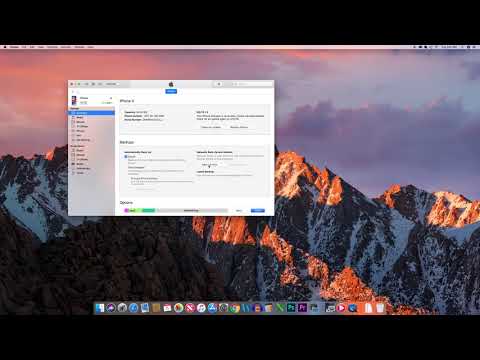
If you want to backup your iPhone with the help of iTunes then what you do is at first connect your iPhone to the computer using the lightning cable. Now once the iPhone is connected to the computer then what happens is iTunes with open like this and if the iTunes detect your iPhone you will see the iPhone icon here. So, click on this iPhone. Now there is an option here backups. You have two options to backup your iPhone, either you can backup your iPhone to the iCloud or else you can backup your iPhone to this computer. So, if you want to backup in the iCloud, select "iCloud" and select "Backup Now". For me if I want to backup my iPhone to this computer, I will select "This computer" and then I can also select this option "Encrypt iPhone backup" and then put password so that the backup will be password protected. So, once you do that one, select "Backup now" and your iPhone will be backed up to the computer.
Subscribe to my channel: youtube.com/user/Kundastech
Like my page: facebook.com/kundanstech/
Watch some of other popular videos of our channel:
How to check who is using your WiFi
youtube.com/watch?v=k9UpERQgLDk
2 ways to reset forgotten gmail password
youtube.com/watch?v=5wP5jpGcOE4
Solve computer proxy server problem refusing connection
youtube.com/watch?v=qSg5b2FzDx0
What to do if you can't connect to wireless interent
youtube.com/watch?v=RHDLDaIIiy4
Remove VPN settings from iphone and browsea internet faster
youtube.com/watch?v=WE_yzXs4OYU
How to reset forgotten apple id password with the help of an email address
youtube.com/watch?v=ndLAmlnnQUI
How to transfer mp3 songs from computer to iPhone without iTunes
youtube.com/watch?v=Nn6K6Rhj9jE
How to recover both apple id and password
youtube.com/watch?v=1RPD6fJqvmQ
This channel is about technology related tips and tricks. You will find tutorials related to computer, iphone and android phones.
About this tutorial
Kundan Bhattarai published this 1:23 video tutorial on October 25, 2019. It has been watched 13,523 times on YouTube.
- Channel
- Kundan Bhattarai
- Category
- Science & Technology
- Duration
- 1:23
- Published
- October 25, 2019
- Views
- 13,523
- Likes
- 53
Tags
Share
Further reading
-
How to back up your iPhone, iPad, and iPod touch - Apple Support
support.apple.com
Check that you have enough available space in iCloud for the backup. When you sign in to iCloud, you get 5GB of iCloud storage for free. If you need more iCloud storage, you can buy more from your iPhone, iPad, iPod tou…
-
Use iTunes to sync your iPhone, iPad, or iPod with your computer ...
support.apple.com
Use iTunes to sync your iPhone, iPad, or iPod with your computer Learn how to sync music, movies, and more using iTunes on your Mac or PC. If you're using macOS Mojave or earlier or a Windows PC, use iTunes to sync cont…
-
How to back up your iPhone to your Mac or PC and avoid the cloud - The ...
theverge.com
While it’s more convenient to use iCloud to back up your iPhone, you can back up your phone to your computer using iTunes and retain full control of your data backups.
This tutorial in other languages
- FRComment iPhone de sauvegarde avec iTunes à iCloud ou un ordinateur
- ESCómo hacer copia de seguridad del iPhone con iTunes en iCloud o computadora
- PTComo fazer o backup do iPhone com o iTunes para iCloud ou computador
- ITCome fare il backup iPhone con iTunes per iCloud o al computer
- DEWie Backup iPhone mit iTunes zu iCloud oder Computer
- NLHoe een back-up iPhone met iTunes naar iCloud of computer
- RUКак сделать резервную копию iPhone с ITunes на ICloud или компьютер
- PLJak zapasowej iPhone z iTunes do iCloud lub komputera
- JAどのようにバックアップiPhoneへのiCloudやコンピュータへのiTunesと
- ARكيفية إجراء نسخ احتياطي iPhone مع اي تيونز إلى iCloud أو الكمبيوتر
- HIकैसे बैकअप iPhone करने के लिए iCloud या कंप्यूटर के लिए iTunes के साथ
- IDCara backup iPhone dengan iTunes untuk iCloud atau komputer