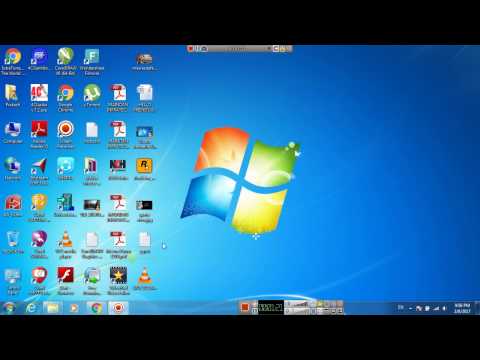
Playback starts YouTube’s embedded player (privacy-enhanced mode).
HOW TO Block a Website on Your Pc/LAPTOP
ChannelF1 TECH SOLUTIONDescription from the creator
Block a Website on Your PC
1. Open Windows Explorer and navigate to C:\Windows\System32\drivers\etc. If Windows is not installed on C:, substitute the appropriate drive letter.
2. Double-click hosts, and select Notepad when Windows prompts you to choose a program. If you don't get the prompt, or if the hosts file opens in another program, open Notepad
3. Place the cursor at the end of the last line, which will say something such as '127.0.0.1 localhost' or '::1 localhost'. Press Enter to create a new line.
4. Type 127.0.0.1, tap the spacebar once, and then type the address of a website you want to block. For example, to block all traffic from YouTube, type 127.0.0.1 www.youtube.com on this line.
5. Continue to add the websites you wish to block, each prefaced with 127.0.0.1 and a space.
6. Click File, Save to commit to your changes. Dismiss any warnings from antimalware software, which may be triggered by your editing of the hosts file.
7. Close any open browser windows, and then reopen a browser to test your edits. The blocked sites should not display in any browser.
1. Open Windows Explorer and navigate to C:\Windows\System32\drivers\etc. If Windows is not installed on C:, substitute the appropriate drive letter.
2. Double-click hosts, and select Notepad when Windows prompts you to choose a program. If you don't get the prompt, or if the hosts file opens in another program, open Notepad
3. Place the cursor at the end of the last line, which will say something such as '127.0.0.1 localhost' or '::1 localhost'. Press Enter to create a new line.
4. Type 127.0.0.1, tap the spacebar once, and then type the address of a website you want to block. For example, to block all traffic from YouTube, type 127.0.0.1 www.youtube.com on this line.
5. Continue to add the websites you wish to block, each prefaced with 127.0.0.1 and a space.
6. Click File, Save to commit to your changes. Dismiss any warnings from antimalware software, which may be triggered by your editing of the hosts file.
7. Close any open browser windows, and then reopen a browser to test your edits. The blocked sites should not display in any browser.
About this tutorial
F1 TECH SOLUTION published this 2:46 video tutorial on November 1, 2017. It has been watched 8,810 times on YouTube.
- Channel
- F1 TECH SOLUTION
- Category
- Science & Technology
- Duration
- 2:46
- Published
- November 1, 2017
- Views
- 8,810
- Likes
- 50
Share
This tutorial in other languages
- FRComment bloquer un site Web sur votre PC / LAPTOP
- ESCómo bloquear un sitio web en su PC / ordenador portátil
- PTComo bloquear um site em seu PC / Laptop
- ITCome bloccare un sito web sul tuo PC / Laptop
- DESo blockieren Sie eine Webseite auf Ihrem PC / Laptop
- NLHoe je Block een website op uw pc / laptop
- RUКак заблокировать сайт на своем компьютере / ноутбуке
- PLJak zablokować stronę internetową na komputerze / laptopie
- JAHOW TOブロックあなたのPC /ラップトップ上でウェブサイト
- ARHOW TO كتلة موقع على شبكة الإنترنت على جهاز الكمبيوتر المحمول /
- HIकैसे करने के लिए ब्लॉक आपका पीसी / लैपटॉप पर एक वेबसाइट
- IDCARA Blok Website pada Anda Pc / LAPTOP