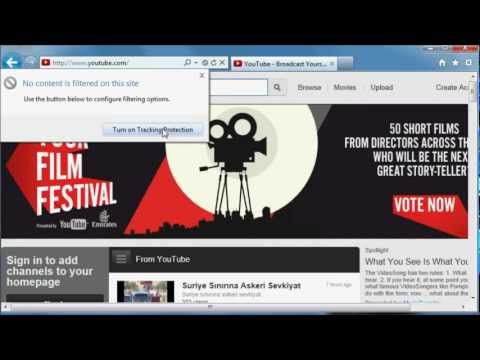
Playback starts YouTube’s embedded player (privacy-enhanced mode).
How to block advertisements (& other recommended Internet Explorer settings)
ChannelTheOfficialPCTechGuyDescription from the creator
Recommended settings for Internet Explorer, and how to block (most) website advertisements. Applies to IE 9, 10, 11, and beyond. Not sure about Project Spartan yet. (Update: Project Spartan is Microsoft Edge, and no it does not have any Tracking Protection Lists feature.) If I comment as RoboMWM, that's my commenting channel as I will never ever screw up my channel by linking it to a dead, convoluted social network. (Update: Finally YouTube has removed the G+ requirement to comment.)
I'm sooooo tempted to put ads on this video since it's like my second-popular video... :P
Thanks to Google+ I can't comment without doing all sorts of weird merging and junk-loading. So here's an FAQ:
Q: Why do I still see ads in videos?
A: Videos are either flash-based or HTML5-based, and either way, in simple terms, the video is seen as one element - the video. So IE isn't going to try to mess around with the video itself. There probably is an add-on for IE to facilitate this; please comment if you know where such one is. Personally, I simply use MyTube or TubeCast, which are excellent apps found in the Windows 8/Windows Phone store - both which eliminate all types of YouTube ads completely, as well as having a much better design.
Q: This doesn't work
A: No ad-blocker is perfect. In this case, it depends on what lists you install. However, as long as the personal list is enabled, IE will "learn" which web elements commonly appear (which generally are ads) in websites you visit, and will eventually block them.
Q: The lists you show in this video aren't there
A: Yes, some lists have been removed. Personally, I don't use a list, and I let Internet Explorer figure out the ads itself with the personalized list. However, I believe the Easylist and Easystandard lists replicate the popular add-on Adblocker, so that's probably a good starting point.
thepctechguy.webs.com
I'm sooooo tempted to put ads on this video since it's like my second-popular video... :P
Thanks to Google+ I can't comment without doing all sorts of weird merging and junk-loading. So here's an FAQ:
Q: Why do I still see ads in videos?
A: Videos are either flash-based or HTML5-based, and either way, in simple terms, the video is seen as one element - the video. So IE isn't going to try to mess around with the video itself. There probably is an add-on for IE to facilitate this; please comment if you know where such one is. Personally, I simply use MyTube or TubeCast, which are excellent apps found in the Windows 8/Windows Phone store - both which eliminate all types of YouTube ads completely, as well as having a much better design.
Q: This doesn't work
A: No ad-blocker is perfect. In this case, it depends on what lists you install. However, as long as the personal list is enabled, IE will "learn" which web elements commonly appear (which generally are ads) in websites you visit, and will eventually block them.
Q: The lists you show in this video aren't there
A: Yes, some lists have been removed. Personally, I don't use a list, and I let Internet Explorer figure out the ads itself with the personalized list. However, I believe the Easylist and Easystandard lists replicate the popular add-on Adblocker, so that's probably a good starting point.
thepctechguy.webs.com
About this tutorial
TheOfficialPCTechGuy published this 2:34 video tutorial on November 1, 2012. It has been watched 66,902 times on YouTube.
- Channel
- TheOfficialPCTechGuy
- Category
- Science & Technology
- Duration
- 2:34
- Published
- November 1, 2012
- Views
- 66,902
- Likes
- 176
Tags
Share
This tutorial in other languages
- FRComment bloquer les publicités (et d'autres paramètres recommandés Internet Explorer)
- ESCómo bloquear anuncios (y otros ajustes recomendados de Internet Explorer)
- PTComo bloquear anúncios (e outras configurações do Internet Explorer recomendados)
- ITCome bloccare annunci (e le altre impostazioni di Internet Explorer consigliate)
- DEWie blockieren Anzeigen (und andere empfohlene Einstellungen von Internet Explorer)
- NLHoe om advertenties te blokkeren (en andere aanbevolen instellingen van Internet Explorer)
- RUКак блокировать рекламные объявления (и другие рекомендуемые настройки Internet Explorer)
- PLJak zablokować reklamy (i inne zalecane ustawienia przeglądarki Internet Explorer)
- JA(&他の推奨Internet Explorerの設定)の広告をブロックする方法
- ARكيفية منع الإعلانات (وغيرها من إعدادات Internet Explorer موصى به)
- HIविज्ञापनों को ब्लॉक करने के लिए कैसे (और अन्य की सिफारिश की Internet Explorer सेटिंग)
- IDBagaimana untuk memblokir iklan (& direkomendasikan pengaturan lainnya Internet Explorer)