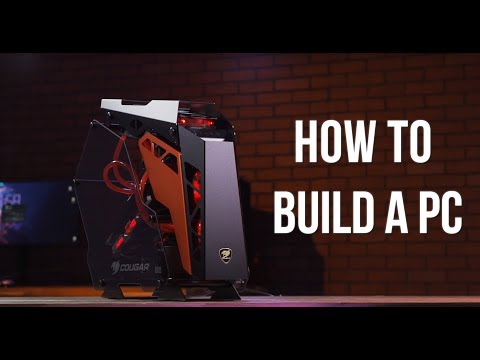
Playback starts YouTube’s embedded player (privacy-enhanced mode).
How To Build a PC - Newegg's Step-By-Step Building Guide
ChannelNewegg StudiosChapters
Description from the creator
Whether you are new to the world of PC building, a returning master, or a hardcore gamer looking to install the latest graphics card into your gaming PC, we’ve got you covered. In this video, we’ll teach you what you need to know to go from a bunch of freshly opened boxes to a fully operational PC battle station. With this step-by-step guide you will have your PC build up and running in no time.
You can shop online at our Computer Components store here: bit.ly/2TVBZu5
Shop CPUs: bit.ly/2Ul7NNK
Shop GPUs: bit.ly/2UwUrxr
Shop RAM: bit.ly/2UkaAa1
Shop Cases: bit.ly/2Kb5o3K
Shop Storage: bit.ly/2UoFvCp
Shop PSUs: bit.ly/2Icwgh6
Looking for a build kit or other pre-built PCs? Check out our new PC builder tool: newegg.io/8b325a4
0:00 - First Steps
1:43 - Motherboard
2:09 - CPU Installation
3:59 - CPU Cooler Installation
6:12 - Storage Installation
7:02 - RAM Installation
7:58 - Installing Motherboard into Case
9:49 - Additional Storage Installation
10:42 - Cooling and Fans
12:32 - Power Supply Installation
15:50 - GPU Installation
17:28 - Final Instructions and Troubleshooting
Before getting started, here are some things to remember:
1. It is a good idea to research component compatibility. If you’re purchasing a PC build kit then, you don’t have to worry because everything is already compatible. If not and you’re unsure about the components of your build, then take a few minutes to leverage some of Newegg’s shopping tools like our Memory Finder or PSU Finder. Many PC parts like hard drives or optical drives are usually compatible with most components but, some aren't.
2. When it comes to the actual build, never force anything. For the most part these components are pretty tough, but if you get the feeling something doesn’t fit, do not force it into place. Double check your parts by looking online for information. You can always look at the manufactures site for the specific part you’re having trouble with. Be sure to carefully examine the pieces that are supposed to be fitting together and look for damages or broken parts. This should keep you from accidentally breaking any of your new hardware.
3. Keep your work space clean and organized. Many components are very small and it is easy to lose screws and small pieces. Make sure you keep everything close at hand and easy to find. This will make the process much easier.
4. Keep your PC build's power cable unplugged while you are working on it. Usually components are designed to be safe, but taking precautions never hurts. Only plug in the power cable when you’re ready to turn everything on. Also, when making any adjustments, don’t touch anything inside your PC case without unplugging first.
Once your build is up and running in all its glorious gloriousness, you’ll know it was all worth it. Congratulations on putting together your PC, and keep shopping at Newegg.
Feel free to leave questions and advice in the comments! Also checkout Newegg Insider's "How To Build a PC" article here:
newegg.com/insider/building-a-gaming-pc-for-the…
Follow Newegg
Facebook: facebook.com/Newegg
Twitter: twitter.com/newegg
Instagram: instagram.com/newegg
Twitch: twitch.tv/newegg
Mixer: mixer.com/newegg
Discord: discordapp.com/invite/2FVvmh3
About this tutorial
Newegg Studios published this 19:04 video tutorial on October 26, 2018. It has been watched 913,225 times on YouTube.
- Channel
- Newegg Studios
- Category
- Science & Technology
- Duration
- 19:04
- Published
- October 26, 2018
- Views
- 913,225
- Likes
- 17,387
Tags
Share
Further reading
-
Newegg PC Build Kits
promotions.newegg.com
Our experts have ensured every aspect of each PC Build Kit is compatible. Newegg has pooled years of experience to give you the confidence you need to successfully build a great PC. Our PC Build Kits and DIY tutorials w…
-
Building a Gaming PC for the First Time? This Guide Can Help.
newegg.com
Before you build a PC, you’re obviously going to need the right parts. That’s why we’re here. Picking the right components for the build you need can be a daunting process at first, but once you dive in, you’ll see that…
-
Custom PC Builder | Newegg
newegg.com
We also recommend joining a PC community like the Newegg Discord that can help you answer questions as they may come up. For informaiton on this topics, we recommend you review our PC building guide and are familiar wit…
This tutorial in other languages
- FRComment construire un PC - étape par étape Guide de construction de Newegg
- ESCómo construir un PC - Paso a paso Guía de construcción de Newegg
- PTComo construir um PC - Edifício Guia Passo a Passo da Newegg
- ITCome costruire un PC - passo-passo guida Building di Newegg
- DEWie Erstellen eines PC - Newegg der Step-By-Step Building Guide
- NLNewegg's stap-voor-stap Building Guide - How To een pc bouwen
- RUКак построить компьютер - Шаг за шагом руководство Строительство NewEgg в
- PLJak zbudować komputer - Newegg za Step-By-Step Guide budynku
- JANeweggがのステップバイステップガイドビル - PCを構築する方法
- ARكيفية بناء جهاز كمبيوتر - خطوة فخطوة دليل بناء رومنسيه ل
- HIहै Newegg स्टेप-बाई-स्टेप बिल्डिंग गाइड - एक पीसी का निर्माण करने के लिए कैसे
- IDCara Membangun PC - Newegg ini Langkah-By-Langkah Panduan Bangunan