Playback starts YouTube’s embedded player (privacy-enhanced mode).
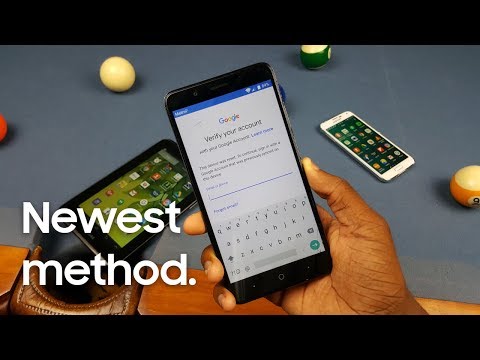
How to Bypass the Google Account Lock on the ZTE Blade ZMax (Z982)
ChannelLatrell JenningsDescription from the creator
This may for all ZTE's, but I wanted to play it safe and say it's just for the Blade ZMax. Feel free to try it on your ZTE phone.
▶ Links
Download the apps: latrelljennings.weebly.com/download-center.html
Watch the tutorial on how to reset the Blade ZMax: youtu.be/mTEvMzfMo3Y
Subscribe to PhoneGuyYT (now DigiTech): youtube.com/channel/UCWzOQm9e3-sMEUoC9vEcLgA
Subscribe to Eazy ET: youtube.com/channel/UC2s_IU9Fs9i-KbU_tONzNBQ
Thanks for watching.
Check out some links below to follow me, support me on Patreon, etc.
▶ See what's up and get channel updates
Facebook: goo.gl/3ZUNjc
Instagram: goo.gl/mDsnHJ
Twitter: goo.gl/DF6pc9
▶ Other places I'm at
Dailymotion: goo.gl/X71Rad
My other channel Latrell Jennings etc: goo.gl/DBxcQi
Patreon: goo.gl/xaTnZb
▶ Music used in this video
Chuki Mix by Chuki Beats: youtu.be/O2GMaVd0eeQ
--------------------
For business inquiries, you can email me at [email protected]. The email is in the about section of this channel too.
--------------------
Quick note: This description contains 1 or more Amazon Affiliate links. I make money from the links when you click on it, and even more if you buy something with that link. Help out the channel!
▶ Links
Download the apps: latrelljennings.weebly.com/download-center.html
Watch the tutorial on how to reset the Blade ZMax: youtu.be/mTEvMzfMo3Y
Subscribe to PhoneGuyYT (now DigiTech): youtube.com/channel/UCWzOQm9e3-sMEUoC9vEcLgA
Subscribe to Eazy ET: youtube.com/channel/UC2s_IU9Fs9i-KbU_tONzNBQ
Thanks for watching.
Check out some links below to follow me, support me on Patreon, etc.
▶ See what's up and get channel updates
Facebook: goo.gl/3ZUNjc
Instagram: goo.gl/mDsnHJ
Twitter: goo.gl/DF6pc9
▶ Other places I'm at
Dailymotion: goo.gl/X71Rad
My other channel Latrell Jennings etc: goo.gl/DBxcQi
Patreon: goo.gl/xaTnZb
▶ Music used in this video
Chuki Mix by Chuki Beats: youtu.be/O2GMaVd0eeQ
--------------------
For business inquiries, you can email me at [email protected]. The email is in the about section of this channel too.
--------------------
Quick note: This description contains 1 or more Amazon Affiliate links. I make money from the links when you click on it, and even more if you buy something with that link. Help out the channel!
About this tutorial
Latrell Jennings published this 9:00 video tutorial on November 8, 2018. It has been watched 715,570 times on YouTube.
- Channel
- Latrell Jennings
- Category
- Science & Technology
- Duration
- 9:00
- Published
- November 8, 2018
- Views
- 715,570
- Likes
- 5,394
Share
This tutorial in other languages
- FRComment vous Ungoogle
- ESCómo usted mismo Ungoogle
- PTComo Ungoogle-se
- ITCome Ungoogle Yourself
- DEWie man Ungoogle Yourself
- NLHoe jezelf Ungoogle
- RUКак Ungoogle себя
- PLJak Ungoogle Yourself
- JA自分をUngoogleする方法
- ARكيفية Ungoogle نفسك
- HIकैसे अपने आप को Ungoogle को
- IDCara Bypass Lock Akun Google di ZTE Blade Zmax (Z982)