Playback starts YouTube’s embedded player (privacy-enhanced mode).
How to Change the Default Mail App Client in Mac OS X
ChannelOSXDailyDescription from the creator
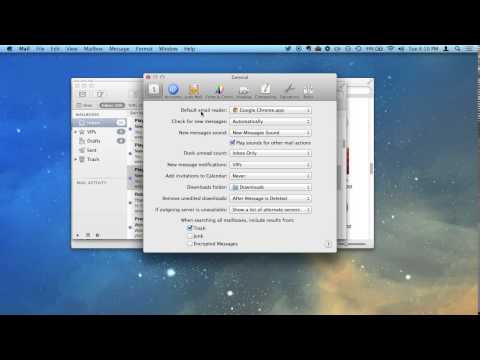
Changing the default email client in Mac OS X is easily done through the "Mail" app preferences. Yes, you use Mail app to change the default email client *even if you don't want to use Mail app*. That may sound weird, but it's easy, don't worry!
Here's the accompanying article:
osxdaily.com/2014/05/06/change-default-mail-app…
Those interested in changing their email client in Mac OS X to a web browser with Gmail can follow these instructions too:
osxdaily.com/2012/02/09/gmail-default-email-cli…
Happy emailing!
Here's the accompanying article:
osxdaily.com/2014/05/06/change-default-mail-app…
Those interested in changing their email client in Mac OS X to a web browser with Gmail can follow these instructions too:
osxdaily.com/2012/02/09/gmail-default-email-cli…
Happy emailing!
About this tutorial
OSXDaily published this 0:22 video tutorial on November 10, 2014. It has been watched 24,449 times on YouTube.
- Channel
- OSXDaily
- Category
- Science & Technology
- Duration
- 0:22
- Published
- November 10, 2014
- Views
- 24,449
- Likes
- 9
Tags
Share
This tutorial in other languages
- FRComment changer la messagerie par défaut App client sous Mac OS X
- ESCómo cambiar la configuración predeterminada de correo cliente de aplicación en Mac OS X
- PTComo alterar o padrão Mail App Cliente no Mac OS X
- ITCome modificare il predefinito di posta applicazione client di Mac OS X
- DEWie die Standard-Mail-App-Client in Mac OS X ändern
- NLHoe kan ik de standaard e-App Client wijzigen in Mac OS X
- RUКак изменить по умолчанию почтового приложения клиент в Mac OS X
- PLJak zmienić domyślny aplikacji klienckiej poczty w systemie Mac OS X
- JAMac OS Xでデフォルトのメールアプリのクライアントを変更する方法
- ARكيفية تغيير الافتراضي بريد التطبيق العميل في نظام التشغيل Mac OS X
- HIकैसे मैक ओएस एक्स में डिफ़ॉल्ट मेल अनुप्रयोग क्लाइंट को बदलें
- IDCara Mengubah Default Mail App Client di Mac OS X