Playback starts YouTube’s embedded player (privacy-enhanced mode).
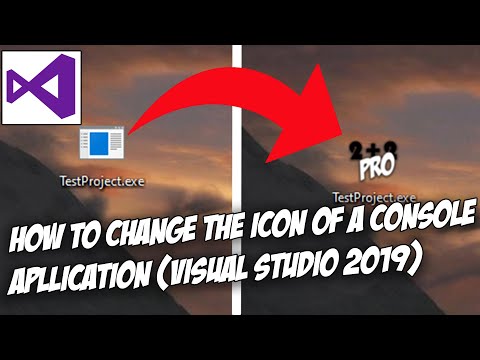
How to change the icon of a console application (exe) in Visual Studio 2019 (C++)
ChannelReewenChapters
Description from the creator
In this video I'll show you how to change the icon of a console application in Visual Studio 2019. I say console application specifically because I haven't tried it on anything else but it should be the same with every other type of project in Visual Studio 2019.
My help Discord: discord.gg/56FAhCAJVd
If you don't wanna watch the video this is how you do it:
1. Fin the "Resource View" tab on the left hand side in the Programm.
2. Right click your Project there.
3. In the dropdown menu hover your mouse over the add button until another dropdown menu appears.
4. Press the resource button (a new window should appear).
5. Press on "Icon" and then on "Import" (another window should appear).
6. Chose the image you want to use as your icon (you might need to change the file type (which you can do in the drop down menu in the lower right hand corner)) and press "Open"
7. Compile your program (debug) and you are done
Video structure
0:00 Intro/some notes
0:37 How to change the Icon of the programm (exe)
2:04 Icon Preview
2:24 Last step (debugging)
Music:
Track: dj quads - it’s near
YouTube link: youtube.com/watch?v=uUu1NcSHg2E
My help Discord: discord.gg/56FAhCAJVd
If you don't wanna watch the video this is how you do it:
1. Fin the "Resource View" tab on the left hand side in the Programm.
2. Right click your Project there.
3. In the dropdown menu hover your mouse over the add button until another dropdown menu appears.
4. Press the resource button (a new window should appear).
5. Press on "Icon" and then on "Import" (another window should appear).
6. Chose the image you want to use as your icon (you might need to change the file type (which you can do in the drop down menu in the lower right hand corner)) and press "Open"
7. Compile your program (debug) and you are done
Video structure
0:00 Intro/some notes
0:37 How to change the Icon of the programm (exe)
2:04 Icon Preview
2:24 Last step (debugging)
Music:
Track: dj quads - it’s near
YouTube link: youtube.com/watch?v=uUu1NcSHg2E
About this tutorial
Reewen published this 3:21 video tutorial on May 1, 2020. It has been watched 57,236 times on YouTube.
- Channel
- Reewen
- Category
- Science & Technology
- Duration
- 3:21
- Published
- May 1, 2020
- Views
- 57,236
- Likes
- 675
Tags
Share
This tutorial in other languages
- FRComment changer l'icône d'une application console (exe) dans Visual Studio 2019 (C ++)
- ESCómo cambiar el icono de una aplicación de consola (EXE) en Visual Studio 2019 (C ++)
- PTComo alterar o ícone de um aplicativo de console (exe) no Visual Studio 2019 (C ++)
- ITCome cambiare l'icona di un'applicazione console (exe) in Visual Studio 2019 (C ++)
- DEWie das Symbol einer Konsolenanwendung (exe) in Visual Studio 2019 (C ++) ändern
- NLHoe u het pictogram van een console-applicatie (exe) in Visual Studio 2019 (C ++) te veranderen
- RUКак изменить значок консольного приложения (EXE) в Visual Studio 2019 (C ++)
- PLJak zmienić ikonę aplikacji konsoli (EXE) w Visual Studio 2019 (C ++)
- JAVisual Studioの2019(C ++)でコンソールアプリケーション(EXE)のアイコンを変更する方法
- ARكيفية تغيير أيقونة تطبيق وحدة تحكم (ملف) في Visual Studio 2019 (C ++)
- HIएक सांत्वना आवेदन (exe) विजुअल स्टूडियो 2019 में (C ++) के चिह्न बदलने के लिए कैसे
- IDBagaimana mengubah ikon aplikasi konsol (exe) di Visual Studio 2019 (C ++)