Playback starts YouTube’s embedded player (privacy-enhanced mode).
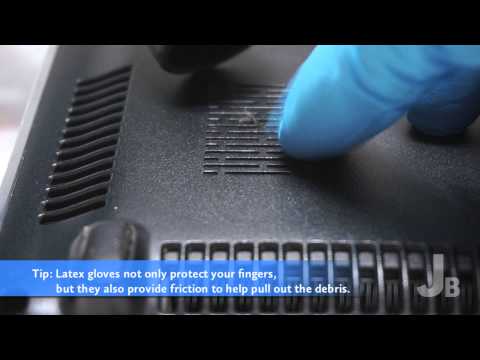
How to Clean a Laptop Fan Bay
ChannelJay BrokersDescription from the creator
Does your laptop randomly shut off after being on for a while? Have you eliminated the battery or power source as the culprit? If so, your laptop may have an overheating problem.
Most laptops are programmed to automatically shut off if the temperature inside gets too hot. Over the life of a laptop, the built-in cooling fan may pull in various fibers, dust, hair, and other debris from the surrounding air. This debris can bind together in clumps and begin to accumulate, reducing the airflow, and causing the temperature inside the laptop to increase, which leads to overheating.
In this brief video, we'll show you how to easily clean and remove any accumulated debris in the fan bay. In most cases, once the debris blocking the airflow is removed, you can put an end to your laptop's overheating problems. As with all videos on YouTube, this 'try at your own risk' solution comes with no guarantees of any kind. Viewers are encouraged to use common sense to avoid damaging a laptop.
Jay Brokers is a risk-free secondhand marketplace. Sell smartphones, laptops, tablets, cameras, watches, tools, guitars, and more. We make cash offers on just about anything worth over $100 that's easy to ship. Get an instant cash offer 24/7 on over 2,500 common products in our online database:
jaybrokers.com/sell
If you can’t find your item in our database, please request a personalized offer and you’ll receive a response within 24 hours (during normal business hours):
jaybrokers.com/get-offer
Browse our shop to buy:
buy.jaybrokers.com
Most laptops are programmed to automatically shut off if the temperature inside gets too hot. Over the life of a laptop, the built-in cooling fan may pull in various fibers, dust, hair, and other debris from the surrounding air. This debris can bind together in clumps and begin to accumulate, reducing the airflow, and causing the temperature inside the laptop to increase, which leads to overheating.
In this brief video, we'll show you how to easily clean and remove any accumulated debris in the fan bay. In most cases, once the debris blocking the airflow is removed, you can put an end to your laptop's overheating problems. As with all videos on YouTube, this 'try at your own risk' solution comes with no guarantees of any kind. Viewers are encouraged to use common sense to avoid damaging a laptop.
Jay Brokers is a risk-free secondhand marketplace. Sell smartphones, laptops, tablets, cameras, watches, tools, guitars, and more. We make cash offers on just about anything worth over $100 that's easy to ship. Get an instant cash offer 24/7 on over 2,500 common products in our online database:
jaybrokers.com/sell
If you can’t find your item in our database, please request a personalized offer and you’ll receive a response within 24 hours (during normal business hours):
jaybrokers.com/get-offer
Browse our shop to buy:
buy.jaybrokers.com
About this tutorial
Jay Brokers published this 2:57 video tutorial on November 1, 2013. It has been watched 768,827 times on YouTube.
- Channel
- Jay Brokers
- Category
- Science & Technology
- Duration
- 2:57
- Published
- November 1, 2013
- Views
- 768,827
- Likes
- 3,041
Share
This tutorial in other languages
- FRComment nettoyer un ordinateur portable Bay Fan
- ESCómo limpiar un ordenador portátil Bay Ventilador
- PTComo limpar um Fan Bay Laptop
- ITCome pulire una baia ventilatore portatile
- DEWie man einen Laptop Fan Bay reinigen
- NLHoe schoon een Laptop Fan Bay
- RUКак очистить ноутбук Bay вентилятора
- PLJak czyścić laptopa Fan Bay
- JAノートパソコンのファンベイをきれいにする方法
- ARكيف لتنظيف خليج مروحة الكمبيوتر المحمول
- HIसाफ करने के लिए कैसे एक लैपटॉप फैन बे
- IDCara Bersihkan Fan Bay Laptop