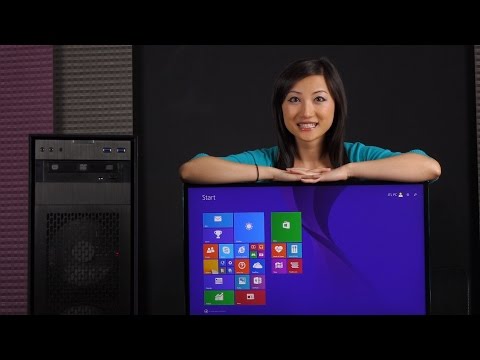
Playback starts YouTube’s embedded player (privacy-enhanced mode).
How to Clean Install Windows 8.1 Pro
ChannelJoanne Tech LoverDescription from the creator
samlogic.net/articles/windows-8-keyboard-shortc… (Windows 8 keyboard shortcuts)
Now that the JTL X99s & DDR4 Build video has been released, it's time for Windows installation!
Here's the link to the build video: youtube.com/watch?v=FVhCzSD5HN0
In this video, I'll be showing you how to create an ISO Image and transfer that onto a USB flash drive for booting.
You'll then be guided through the BIOS, and then Windows 8.1 Pro installation.
I'll also show you how to format your SSD, as well as your HDD.
Can't forget motherboard and graphics drivers too; you can download everything on the product site!
To wrap things up, be sure to download anti-virus; I recommend Bitdefender.
Also, be sure to get all those Windows updates; you can access them through the Start Menu.
I had about 82 updates to go through! Enjoy Windows 8.1 Pro on your system!
Please subscribe, like, comment if you enjoyed this episode and want to see more!
Also, feel free to follow me on social media:
Facebook Fan Page: facebook.com/joannetechlover
Twitter: twitter.com/joannetechlover
Instagram: instagram.com/joannetechlover
I've got another channel called JTL Lifestyle, where I review everyday, random gadgets!
youtube.com/jtllifestyle
Be sure to check it out, and don't forget to subscribe!
If you want an injection of cuteness in your life, be sure to check out JTL Cuteness Overload!
youtube.com/channel/UC79BnvyWYZmbVdvizGOGHhQ
The "Donate!" button is up on the right side of the channel art on the home page!
Every little bit helps, and it will help fund JoanneTechLover, so that I'll be able to bring you more of what you love to see! *muah*
Also, please check my Storenvy store for autographed prints you can buy!
More prints will go up in time! I ship US and internationally!
The link: storenvy.com/stores/169290-joanne-s-prints
Thank you! Much Love!
Joanne JTL
Now that the JTL X99s & DDR4 Build video has been released, it's time for Windows installation!
Here's the link to the build video: youtube.com/watch?v=FVhCzSD5HN0
In this video, I'll be showing you how to create an ISO Image and transfer that onto a USB flash drive for booting.
You'll then be guided through the BIOS, and then Windows 8.1 Pro installation.
I'll also show you how to format your SSD, as well as your HDD.
Can't forget motherboard and graphics drivers too; you can download everything on the product site!
To wrap things up, be sure to download anti-virus; I recommend Bitdefender.
Also, be sure to get all those Windows updates; you can access them through the Start Menu.
I had about 82 updates to go through! Enjoy Windows 8.1 Pro on your system!
Please subscribe, like, comment if you enjoyed this episode and want to see more!
Also, feel free to follow me on social media:
Facebook Fan Page: facebook.com/joannetechlover
Twitter: twitter.com/joannetechlover
Instagram: instagram.com/joannetechlover
I've got another channel called JTL Lifestyle, where I review everyday, random gadgets!
youtube.com/jtllifestyle
Be sure to check it out, and don't forget to subscribe!
If you want an injection of cuteness in your life, be sure to check out JTL Cuteness Overload!
youtube.com/channel/UC79BnvyWYZmbVdvizGOGHhQ
The "Donate!" button is up on the right side of the channel art on the home page!
Every little bit helps, and it will help fund JoanneTechLover, so that I'll be able to bring you more of what you love to see! *muah*
Also, please check my Storenvy store for autographed prints you can buy!
More prints will go up in time! I ship US and internationally!
The link: storenvy.com/stores/169290-joanne-s-prints
Thank you! Much Love!
Joanne JTL
About this tutorial
Joanne Tech Lover published this 14:05 video tutorial on November 4, 2015. It has been watched 153,894 times on YouTube.
- Channel
- Joanne Tech Lover
- Category
- Science & Technology
- Duration
- 14:05
- Published
- November 4, 2015
- Views
- 153,894
- Likes
- 1,983
Tags
Share
This tutorial in other languages
- FRComment nettoyer l 'installation de Windows 8.1 Pro
- ESCómo limpiar instalar Windows 8.1 Pro
- PTComo instalação limpa do Windows 8.1 Pro
- ITCome pulire installare Windows 8.1 Pro
- DESo reinigen Installieren von Windows 8.1 Pro
- NLHoe kan Schone installatie van Windows 8.1 Pro
- RUКак установить Windows Clean 8.1 Pro
- PLJak czyścić zainstalować Windows 8.1 Pro
- JAWindowsの8.1のProのインストール方法クリーンに
- ARكيفية تنظيف تثبيت ويندوز 8.1 برو
- HIस्थापित करें कैसे साफ करने के लिए Windows 8.1 प्रो
- IDCara Bersih Instal Windows 8.1 Pro