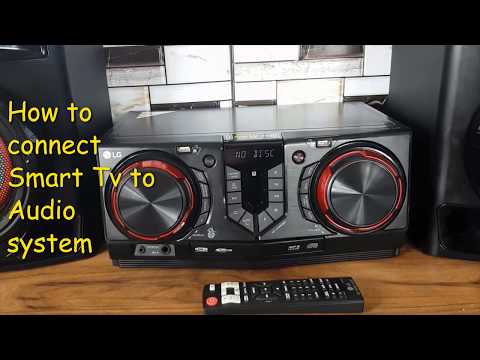
Playback starts YouTube’s embedded player (privacy-enhanced mode).
How to connect Audio system to Smart tv? Step by step guide how to get Tv sound through hifi system.
ChannelMilan Music SystemsDescription from the creator
To connect a smart TV to a Hi-Fi system, you can follow one of these methods depending on the available ports and inputs on your devices:
1. Using an HDMI ARC/eARC (Audio Return Channel)
Check if your TV and Hi-Fi system support HDMI ARC/eARC: Look for an HDMI port labeled "ARC" or "eARC" on both devices.
Connect an HDMI cable: Plug one end into the TV's ARC/eARC port and the other into the Hi-Fi system's ARC/eARC port.
Enable ARC/eARC on your TV: Go to the TV's audio settings and turn on the ARC/eARC option.
Set the Hi-Fi system to the appropriate input: Usually, this is done automatically, but you may need to select the HDMI input on your Hi-Fi.
2. Using Optical Audio Cable (TOSLINK)
Locate the Optical Out port on the TV: This is usually labeled as "Optical Out" or "Digital Audio Out."
Connect the optical cable: Plug one end into the TV's optical out and the other end into the Hi-Fi system’s optical input.
Set the TV's audio output: Go into the TV settings and set the audio output to "Optical" or "Digital."
Select the optical input on the Hi-Fi system: Set the Hi-Fi to the optical input mode.
3. Using RCA or 3.5mm Audio Jack
Identify the Audio Out on your TV: This could be a 3.5mm headphone jack or RCA (red and white) ports.
Connect an appropriate cable:
For 3.5mm to RCA: Use a 3.5mm to RCA cable.
For RCA to RCA: Use a standard RCA cable.
Plug into the TV and Hi-Fi: Connect the 3.5mm/RCA end to the TV and the RCA to the Hi-Fi system’s input.
Select the correct input on the Hi-Fi system: Set the Hi-Fi to the input corresponding to the connection you used.
4. Using Bluetooth (If Available)
Enable Bluetooth on the TV: Go to the TV's Bluetooth settings and turn it on.
Put the Hi-Fi system in pairing mode: Follow the Hi-Fi system's manual to enter pairing mode.
Pair the devices: On the TV, search for the Hi-Fi system in the Bluetooth settings and connect.
Set the TV’s audio output to Bluetooth: Ensure the TV is sending audio via Bluetooth.
5. Using a DAC (Digital to Analog Converter)
For older Hi-Fi systems: If your Hi-Fi system only has analog inputs and your TV has digital outputs (like Optical or HDMI), use a DAC.
Connect the TV to the DAC: Use an optical or HDMI cable from the TV to the DAC.
Connect the DAC to the Hi-Fi system: Use an RCA cable from the DAC to the Hi-Fi.
Set the appropriate inputs: On both the DAC and Hi-Fi, select the corresponding inputs.
Final Tips:
Check TV settings: Sometimes, you may need to set the TV’s audio output to "External Speakers" or "Sound System."
1. Using an HDMI ARC/eARC (Audio Return Channel)
Check if your TV and Hi-Fi system support HDMI ARC/eARC: Look for an HDMI port labeled "ARC" or "eARC" on both devices.
Connect an HDMI cable: Plug one end into the TV's ARC/eARC port and the other into the Hi-Fi system's ARC/eARC port.
Enable ARC/eARC on your TV: Go to the TV's audio settings and turn on the ARC/eARC option.
Set the Hi-Fi system to the appropriate input: Usually, this is done automatically, but you may need to select the HDMI input on your Hi-Fi.
2. Using Optical Audio Cable (TOSLINK)
Locate the Optical Out port on the TV: This is usually labeled as "Optical Out" or "Digital Audio Out."
Connect the optical cable: Plug one end into the TV's optical out and the other end into the Hi-Fi system’s optical input.
Set the TV's audio output: Go into the TV settings and set the audio output to "Optical" or "Digital."
Select the optical input on the Hi-Fi system: Set the Hi-Fi to the optical input mode.
3. Using RCA or 3.5mm Audio Jack
Identify the Audio Out on your TV: This could be a 3.5mm headphone jack or RCA (red and white) ports.
Connect an appropriate cable:
For 3.5mm to RCA: Use a 3.5mm to RCA cable.
For RCA to RCA: Use a standard RCA cable.
Plug into the TV and Hi-Fi: Connect the 3.5mm/RCA end to the TV and the RCA to the Hi-Fi system’s input.
Select the correct input on the Hi-Fi system: Set the Hi-Fi to the input corresponding to the connection you used.
4. Using Bluetooth (If Available)
Enable Bluetooth on the TV: Go to the TV's Bluetooth settings and turn it on.
Put the Hi-Fi system in pairing mode: Follow the Hi-Fi system's manual to enter pairing mode.
Pair the devices: On the TV, search for the Hi-Fi system in the Bluetooth settings and connect.
Set the TV’s audio output to Bluetooth: Ensure the TV is sending audio via Bluetooth.
5. Using a DAC (Digital to Analog Converter)
For older Hi-Fi systems: If your Hi-Fi system only has analog inputs and your TV has digital outputs (like Optical or HDMI), use a DAC.
Connect the TV to the DAC: Use an optical or HDMI cable from the TV to the DAC.
Connect the DAC to the Hi-Fi system: Use an RCA cable from the DAC to the Hi-Fi.
Set the appropriate inputs: On both the DAC and Hi-Fi, select the corresponding inputs.
Final Tips:
Check TV settings: Sometimes, you may need to set the TV’s audio output to "External Speakers" or "Sound System."
About this tutorial
Milan Music Systems published this 1:24 video tutorial on February 10, 2020. It has been watched 154,907 times on YouTube.
- Channel
- Milan Music Systems
- Category
- Science & Technology
- Duration
- 1:24
- Published
- February 10, 2020
- Views
- 154,907
- Likes
- 509
Tags
Share
This tutorial in other languages
- FRComment connecter le système audio à Smart TV? Guide étape par étape, comment obtenir un son TV à travers le système hi-fi.
- ESCómo conectar el sistema de audio para Smart TV? Guía paso a paso cómo conseguir sonido del televisor a través del sistema de alta fidelidad.
- PTComo conectar o sistema de áudio para TV inteligente? Guia passo a passo como obter o som da TV através do sistema hi-fi.
- ITCome collegare il sistema audio a Smart TV? Guida passo passo come ottenere Tv suono attraverso il sistema hi-fi.
- DEWie Audio-System Smart TV verbinden? Schritt für Schritt Anleitung, wie TV-Ton über HiFi-Anlage zu erhalten.
- NLHoe kan Audio-systeem aan te sluiten op Smart TV? Stap voor stap handleiding hoe je TV-geluid te krijgen door middel hifi-systeem.
- RUКак подключить систему аудио для Smart TV? Шаг за шагом руководство, как получить звук телевизора через систему HiFi.
- PLJak podłączyć do systemu audio Smart TV? Krok po kroku, jak uzyskać dźwięk z telewizora za pośrednictwem systemu hi-fi.
- JAスマートテレビにオーディオシステムを接続する方法?ハイファイシステムを介してテレビの音声を取得する方法をステップバイステップガイド。
- ARكيفية توصيل نظام الصوت إلى التلفزيون الذكية؟ دليل خطوة بخطوة كيفية الحصول على التلفزيون الصوت من خلال نظام ايفي.
- HIकैसे स्मार्ट टीवी के लिए ऑडियो सिस्टम से कनेक्ट करने के? कदम गाइड द्वारा कदम कैसे hifi प्रणाली के माध्यम से टीवी ध्वनि प्राप्त करने।
- IDBagaimana menghubungkan sistem audio ke Smart tv? Panduan langkah demi langkah bagaimana untuk mendapatkan Tv suara melalui sistem hifi.